Why Would a Microwave Turn On by Itself? A Practical Troubleshooting Guide
Learn why would a microwave turn on by itself and how to troubleshoot safely. Step-by-step checks, common causes, and when to call a professional for a potentially dangerous fault.


Most likely, a faulty door interlock, a stuck keypad, or a failing control board is triggering a spontaneous start. Begin with safety: unplug the unit, inspect the door latch and keypad for damage or dirt, and reset power. If the problem persists, a professional diagnostic is advised to prevent electrical hazards.
Understanding why would a microwave turn on by itself: The symptom
If you’re asking why would a microwave turn on by itself, you’re not alone. This behavior isn’t normal and signals a fault in one or more control components. In many cases the issue stems from a sticky or damaged keypad, a worn door interlock, or a glitch in the control board. Since microwaves operate on high voltage and generate heat in a closed cavity, any unexpected start poses a safety risk. According to Microwave Answers, startup anomalies are commonly linked to keypad wear or interlock problems that falsely register a start command. Treating this as a fault from the outset helps prevent injury or fire, so begin with basic safety checks before attempting any repair. This guide expands on the practical checks, signs to watch for, and how to decide between DIY fixes and professional service.
Immediate safety steps when a microwave starts on its own
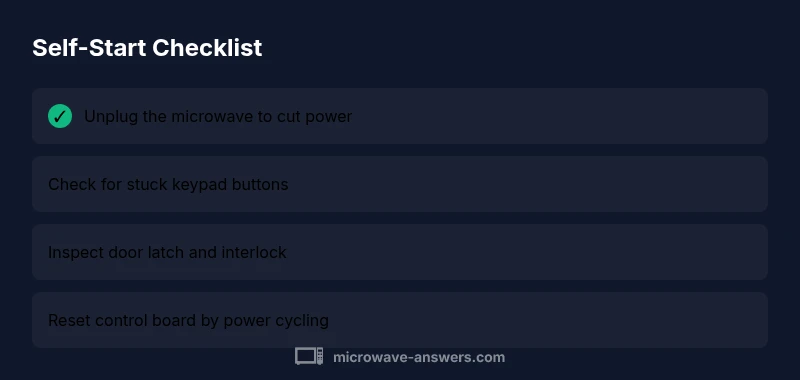
Safety must come first. Unplug the microwave to remove all power and prevent further operation. Inspect the door latch and interlock assembly for visible damage or misalignment; a damaged interlock can send a start signal even with the door open. Clean the keypad and control panel; moisture or sticky residue can create phantom inputs. Do not bypass safety interlocks or disassemble high-voltage components. If you smell burning, see smoke, or hear buzzing, evacuate and contact emergency services if needed, then call a licensed technician. After the initial checks, wait a few minutes with the unit unplugged before testing a power cycle to reset obvious software glitches.
Common causes and how to verify them
Several causes can explain a microwave turning on by itself. A sticking keypad or worn membrane is a frequent culprit; gently press each key to identify any that remain active when released. A faulty door interlock switch or damaged latch can falsely signal that the door is closed, triggering a start. A failing control board or timer may retain a memory of a previous command and start unexpectedly. Environmental factors like moisture on the control board can introduce conductive paths that create false inputs. Less common, power surges or grounding issues can interfere with electronic controls. To verify, unplug, inspect, and perform a controlled power cycle, then observe whether the issue reproduces under specific conditions (e.g., with certain buttons pressed or with the door opened).
How a professional would diagnose and fix this issue
Professional technicians use a methodical approach to identify the root cause. They test the door interlock with a multimeter, inspect the keypad’s wiring and impedance, and examine the control board for burnt components or loose traces. If a faulty interlock or worn keypad is found, replacement parts are installed and tested to ensure the symptom does not recur. When the control board is at fault, technicians may repair or replace it, often validating the repair with a full functional test. For safety, technicians will also check the wiring, grounding, and any moisture ingress that might affect operation. Never attempt high-voltage repairs without proper training. A pro can confirm whether a replacement microwave is more cost-effective than repair.
Prevention tips to avoid future self-starts
Prevention starts with regular maintenance and mindful use. Keep the keypad clean and dry; wipe spills promptly and avoid placing liquids near the control panel. Use a silicone cover or keypad protector if your model tends to pick up grime in a busy kitchen. Inspect the door latch and hinges every few months for wear or misalignment and address loose screws or damaged seals before they worsen. If your model is older, consider a proactive service plan or replacement; newer models have improved interlocks and safety features that reduce phantom starts. Finally, always unplug the unit during cleaning or when it will be unused for long periods to prevent residual power from triggering a signal later.
Steps
Estimated time: 45-60 minutes
- 1
Power down and unplug
Disconnect power at the outlet and wait 60 seconds to discharge capacitors. This clears minor glitches and reduces shock risk. Inspect the exterior for visible damage around the door and control panel.
Tip: Always start with safety—unplug first. - 2
Check for stuck keys
With the unit unplugged, inspect the keypad for sticky or pressed-in buttons. Use a dry cloth to clean around each key and ensure no residue remains that could create phantom inputs.
Tip: Avoid using liquids near electronics. - 3
Inspect the door interlock
Look at the door latch and interlock mechanism for cracks or misalignment. If the door doesn’t close firmly, the interlock may falsely signal 'start'. Do not force or bypass interlocks.
Tip: If you notice damage, stop using the unit and call a pro. - 4
Power cycle and test
Plug the microwave back in and run a short test with no food. Observe for a moment to ensure it only responds to intentional input.
Tip: If the issue repeats, proceed to professional service. - 5
Consult a professional if needed
If the symptom persists after the above steps, a certified technician should assess the control board and safety interlocks. Do not attempt high-voltage repairs yourself.
Tip: Scheduling a visit early prevents potential damage.
Diagnosis: Microwave starts on its own without user input
Possible Causes
- highStuck keypad or worn keypad/membrane
- highFaulty door interlock switch or damaged door latch
- mediumMalfunctioning control board or timer
- lowMoisture intrusion on control circuitry
- lowElectrical surge or improper grounding
Fixes
- easyUnplug the unit and test for stuck keys; gently press each button and observe if inputs occur without touch
- mediumInspect and reseat/replace the door interlock or latch if misaligned or damaged
- easyReset the control board by power cycling; if the symptom returns, perform a factory reset if your model supports it
- mediumDry out any moisture near the control board; unplug and allow complete drying before reuse
- hardConsult a licensed technician for control-board repair or replacement
Common Questions
Why would a microwave turn on by itself?
The most common causes are a faulty door interlock or a stuck keypad; a failing control board is also possible. Always unplug first and seek professional help if the issue persists.
Most likely, a bad door interlock or stuck keypad is to blame. Unplug first and contact a technician if it continues.
Is it safe to keep using a microwave that starts by itself?
No. Stop using it immediately and unplug. A spontaneous start can indicate dangerous electrical faults and could pose a fire risk.
No—unplug it and get it inspected before using again.
What should I do first when this happens?
Unplug the unit, inspect for stuck keys and door latch issues, and clean the keypad. If it continues, contact a licensed technician.
First, unplug it and check for stuck keys and door problems; if it keeps happening, call a technician.
Can resetting fix the problem?
A power cycle can clear minor software glitches and may stop phantom starts. If the problem returns, it’s a sign of a hardware fault.
Resetting can help with small glitches, but persistent starts mean you should seek professional help.
Could moisture cause spontaneous starts?
Yes, moisture on or near the control board can create false inputs. Ensure the unit is dry before testing and have it inspected if the issue persists.
Moisture can cause false starts; dry the unit and get it checked if it continues.
When should I replace the microwave instead of repairing it?
If repairs exceed the cost of a new unit or if reliability is questionable due to age, replacement is often the better option.
If repairs are costly or the unit is old, consider replacing it.
Watch Video
Main Points
- Unplug before inspecting or handling any components
- Stuck keypad and door interlock are the most common causes
- Reset or power cycle for quick software glitches
- Do not attempt risky repairs; call a professional when in doubt
- Regular cleaning and dry storage reduce false starts