Why Does Microwave Start Then Stop? Comprehensive Troubleshooting Guide
Learn how to diagnose why a microwave starts then stops, with safety-first steps, a clear diagnostic flow, and practical fixes you can perform at home.


When diagnosing why does microwave start then stop, the issue is most often a faulty door interlock or a thermal safety cutout. To fix quickly, unplug, inspect the door latch and hinges, and reset by plugging back in after a few minutes. If it still stops, avoid DIY repairs and consult a service professional.
Why Does Microwave Start Then Stop? Understanding the Symptom
This question, why does microwave start then stop, pops up frequently for home cooks who rely on quick meals. According to Microwave Answers, the root cause is almost always a safety interlock or a thermal protector tripping early, rather than a failed magnetron. A door switch that misreads is the leading cause, because microwaves are designed to shut off if the door isn't fully closed or the latch is worn. Temperature sensors inside the oven can also trigger an automatic shutoff if they detect overheating. Several other issues, like a failing control board or a problem with internal wiring, can mimic the symptom but are less common. In many cases, the problem is intermittent—your microwave might run briefly, then stop, only to work again later. This inconsistency is a strong hint that a safety component or a loose connection is involved. While some problems are simple and safe to inspect yourself, others require professional service to avoid electrical shock or damage. The Microwave Answers team stresses caution whenever you open the appliance.
Common Mechanical and Electrical Causes Behind the Start-Stop Pattern
- Door interlock switch or door latch fault: The interlock must read a fully closed door to allow cooking; wear or misalignment triggers immediate shutoff. This is the most frequent cause in home kitchens.
- Thermal cutout or overheating safety tripped: If airflow is blocked or the oven overheats, the safety system stops the cycle to prevent damage.
- Control board or keypad fault: A glitch in the control circuitry or a stuck button can cause intermittent stopping during operation.
- Magnetron or power supply issues: Rare, but when the high-voltage components develop faults, cycles can end abruptly.
- Loose wiring or connector problems: A loose connection can interrupt the power path and halt operation mid-cycle.
- External power problems: A surge or fragile outlet can reset the unit mid-cycle, especially if the outlet shares a circuit with other devices.
First Quick Checks You Can Do Safely (Before Calling a Technician)
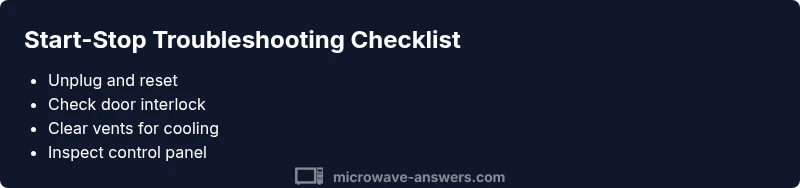
- Unplug the microwave and wait 1–2 minutes, then plug back in to reset the control system. This basic reset solves many transient glitches.
- Inspect the door and latch: Ensure the door closes firmly and the latch isn’t cracked or bent. A misaligned door is a common reason for early shutoffs.
- Check for obvious signs of moisture, spills, or food debris near the keypad or vents. Wipe clean and ventilate the interior to avoid sensor misreads.
- Make sure the unit has adequate ventilation and isn’t installed on a soft surface that blocks exhaust. Poor airflow can trigger thermal protection.
- Look for visible error codes or blinking indicators on the display. Consult the manual for code meanings before proceeding with repairs.
- Avoid disassembly if you’re not trained in high‑voltage appliance service. If you see burnt smell, arcing, or you cannot identify the cause, contact a professional.
How to Approach the Diagnostic Flow (Overview)
Diagnosing why does microwave start then stop should follow a logical flow: observe the symptom, form a likely diagnosis, then apply the appropriate fix. The flow typically begins with the safest checks—door latch, reset, and cleanliness—before moving to electrical and control-system tests. By structuring the flow, you reduce risk and avoid unnecessary disassembly. Microwave Answers' approach emphasizes safety, proving that many start-stop issues resolve with a few simple steps, while more complex cases require professional service to prevent dangerous exposure to high voltage components.
Steps
Estimated time: 30-60 minutes
- 1
Power off and safety check
Unplug the microwave and wait for a full minute. Confirm there are no signs of damage, moisture, or burning odors before you proceed.
Tip: Never touch internal components when the unit is plugged in. - 2
Inspect the door latch and hinges
Close the door firmly and test the latch. If the door doesn’t stay closed, the interlock switch may be faulty. Look for visible wear.
Tip: A misaligned door is a common symptom; gently realign if feasible. - 3
Check for obstructions and ventilation
Ensure vents are clear and the microwave sits on a stable surface with space around it. Obstructions can trigger thermal protection.
Tip: Move the unit a few inches away from walls to improve airflow. - 4
Test the control panel and keypad
Carefully inspect for stuck buttons or signs of moisture. If you see erratic input or frozen controls, the board or keypad may need service.
Tip: Avoid pressing multiple keys simultaneously; document codes shown on the display. - 5
Evaluate the power supply and outlet
Try a different outlet on a different circuit to rule out power issues. A shared outlet can cause intermittent resets.
Tip: Do not use extension cords rated below the microwave's power needs. - 6
Decide on the next step
If the unit still stops after these checks, schedule professional service. High-voltage safety is a concern and requires trained technicians.
Tip: Document symptoms, codes, and steps you took to speed up service.
Diagnosis: Microwave starts but stops shortly after power-on
Possible Causes
- highDoor interlock or latch fault
- highThermal cutoff or overheating safety triggered
- mediumControl board or keypad fault
- lowLoose wiring or connector
Fixes
- easyTest and replace a faulty door interlock or latch
- easyReset the appliance by unplugging for several minutes
- easyClean vents and verify adequate cooling, removing any obstructions
- mediumIf the symptom persists, schedule professional service for high-voltage components
Common Questions
Why does my microwave start then stop after a few seconds?
This is usually caused by a safety interlock or a thermal cutoff tripping. Check the door latch, reset the unit, and ensure proper ventilation before seeking further repairs.
Start-stop usually points to a safety interlock or overheating issue. Check the door latch, reset, and ensure proper ventilation before considering service.
Could a faulty door interlock cause it to stop mid-cycle?
Yes. A worn or misaligned interlock can think the door is open and cut power during the cycle. Inspect or replace the interlock if accessible.
Yes. A faulty door interlock can cut power mid-cycle. Inspect or replace if needed.
Can a blown fuse or thermal protector cause this issue?
A blown fuse or a failing thermal protector can interrupt power. This is more likely a service issue than a DIY fix and requires safe handling by a technician.
A blown fuse or thermal protector can cause interruptions. This typically needs a professional repair.
Is it safe to keep using a microwave that stops unexpectedly?
No. A stop condition may indicate a safety failure. Stop using the appliance and have it inspected by a qualified technician.
No, stop using it until a professional checks it.
When should I call a professional?
If basic resets and checks do not resolve the problem, or you notice burning smells, arcing, or high heat, call a professional technician for safe, high-voltage service.
Call a pro if basic checks fail or you notice burning smells or arcing.
Watch Video
Main Points
- Check the door interlock first when start-stop symptoms appear
- Reset and basic cleaning solve many transient issues
- Escalate to a pro for high-voltage or complex control problems
- Prevent future issues by keeping vents clear and handling hardware gently