Why Your Microwave Stopped Working: A Practical Troubleshooting Guide
Learn how to diagnose and fix a microwave that won't start or heat. This urgent, step-by-step troubleshooting guide covers power, door interlock, fuses, and when to call a professional.


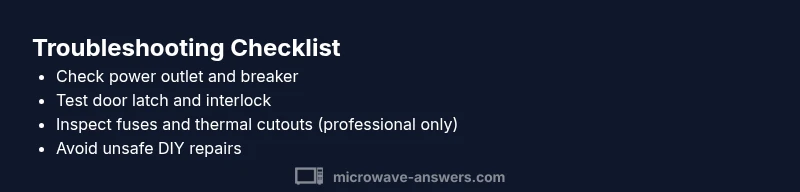
Most microwaves stop for power issues, door interlock faults, or a blown fuse. Start by confirming the outlet has power and the breaker isn’t tripped. Next, ensure the door latches securely and the microwave shows a proper finish when closed. This quick triage resolves many common causes and keeps you safe. If these steps don’t help, proceed to the diagnostic flow for deeper checks.
What it means when a microwave stops working
If you're wondering why microwave stopped working, the most common causes are power issues, door interlock problems, or protective fuses in the appliance. According to Microwave Answers, these symptoms usually point to simple, solvable issues rather than a total failure of the microwave's core magnetron. Understanding these basics helps you triage safely and avoid risky DIY repairs in the wrong places. When the unit refuses to start, begin with the simplest checks and move toward more involved inspections only if necessary. This approach reduces the risk of injury and keeps your kitchen running smoothly.
Quick checks you can safely perform
Before grabbing tools or opening the casing, run through a safety-first checklist. Many outages are resolved by quick, non-invasive steps. Confirm the outlet is powered by testing a lamp or another small appliance, reset any tripped breakers, and ensure the microwave door closes fully with an audible latch. If you hear no hum and see no display, that already narrows things to power or door-related issues rather than a full internal failure. This section sets up the subsequent, deeper diagnostics with confidence.
Check the power supply and outlet
Power issues are the leading cause of a microwave that won't start. Unplug the unit, then inspect the outlet and the surrounding circuit. Try a different outlet known to be working, and if the breaker trips again, consult a licensed electrician. In some kitchens, GFCI outlets may protect multiple devices; press the test/reset button on the GFCI and test again. If the outlet is fine, the problem may lie inside the microwave’s power circuitry, which requires caution and professional evaluation.
Inspect the door latch and interlock switch
Microwaves are designed to run only when the door is securely closed. A faulty or misaligned door latch/interlock switch can prevent operation as a safety feature. Check that the door seals cleanly against the gasket and the latch engages with a solid click. If the latch feels loose or the switch doesn’t click reliably, replacement is likely needed. Do not bypass safety switches; this is illegal in many jurisdictions and dangerous.
Look for safety components: fuses and thermal cutouts
Many modern microwaves include protective fuses or thermal cutouts that will stop power if overheating or a short is detected. Accessing these parts requires disassembly and a careful check for obvious signs of damage. If you notice a visibly blown fuse or a discolored board, do not attempt a risky repair yourself. Replacing high-voltage components should be left to a trained technician who can verify correct ratings and insulation.
Common user mistakes that trigger safety features
Misusing containers, overheating food, or using metal objects can trigger arcing or safety shutoffs. Regularly check that you are using microwave-safe cookware and that the turntable is seated properly. Cleaning the interior to remove food residue helps prevent overheating and unusual smells, which can mask more serious issues. Awareness of these pitfalls reduces the chance of unnecessary safety trips.
When to call a professional
If the unit still won’t start after power and door checks, or you suspect burnt components, it’s time for a professional. A certified technician can safely test high-voltage circuits, magnetron health, and fuse integrity with appropriate equipment. Always unplug the microwave before requesting service, and avoid operating the device if you hear buzzing, see smoke, or detect strong heat around vents.
Prevention tips to extend microwave life
Regular cleaning, proper use, and prompt attention to unusual noises or smells can extend the life of your microwave. Keep vents unobstructed, place the unit on a stable surface, and avoid running it empty. Schedule periodic professional checkups if your model is older or if you rely on it daily for heavy use. Following these practices reduces the risk of sudden outages.
Steps
Estimated time: 30-60 minutes
- 1
Power off and unplug
unplug the microwave and disconnect from power before any inspection. This is essential for your safety and to avoid electric shock.
Tip: Always verify power at the outlet with a live device before touching any internal parts - 2
Check the outlet and breaker
Plug a simple device into the same outlet to confirm power. If the breaker trips, reset it and test again. If it repeats, the issue may be in the home wiring or the circuit has overloading risk.
Tip: If you’re not comfortable with electrical panels, call a licensed electrician - 3
Inspect the door latch/interlock
Close the door firmly and listen for the latch. If it doesn’t engage with a distinct click, or if the display never comes on, the interlock switch may be faulty.
Tip: Do not bypass safety switches or force the door closed - 4
Look for obvious signs of damage
Check for burnt smell, melted plastics, or scorched circuits around the control panel. Visible damage usually requires professional service.
Tip: Document any signs before presenting to a technician for faster repair - 5
Attempt a controlled reset
Some models respond to a basic reset by unplugging for 1-2 minutes and plugging back in. This is not a cure-all but can resolve minor software faults.
Tip: Only perform a reset when the unit is unplugged - 6
Decide on next steps
If the unit still won’t operate after checks, arrange a service call or consult the manufacturer for a repair or replacement options.
Tip: Keep your receipt and model number handy for warranty or service requests
Diagnosis: Microwave won't start or stops mid-cycle
Possible Causes
- highPower issue or outlet dead
- mediumDoor latch/interlock switch faulty
- lowBlown internal fuse or thermal cutout
Fixes
- easyTest outlet with a lamp or fan, reset circuit breaker, and try a different known-good outlet
- mediumInspect door latch and interlock switch; replace if loose or non-responsive (professional help recommended for replacement)
- hardIf you suspect a fuse or thermal cutout, unplug and contact a qualified technician for safe inspection and part replacement
Common Questions
Why won’t my microwave start?
Common reasons include a tripped breaker, a faulty door interlock, or a blown fuse. Start with power and door checks before opening the unit for deeper inspection.
Most often, a tripped breaker or bad door switch keeps a microwave from starting.
Can I replace the fuse myself?
Replacing an internal fuse or high-voltage component is risky and should be performed by a certified technician. Do not operate the microwave if you see signs of damage.
Fuse work should be done by a professional.
Is it safe to unplug and replug to reset?
Unplugging and replugging can reset simple faults, but it won’t fix bad door interlocks or damaged internal components. If issues persist, seek professional help.
A reset might help, but persistent issues need a pro.
My microwave runs but doesn’t heat. What’s wrong?
That’s often a magnetron or power supply issue. It requires professional repair to diagnose safely and to replace high-voltage parts.
If it runs but won’t heat, expect a magnetron or power issue.
When should I replace instead of repair?
If the unit is old, costs of parts exceed new model savings, or safety faults persist, replacement is usually more economical and safer.
Often replacement is wiser for older models.
What safety steps should I take before troubleshooting?
Always unplug the unit, avoid touching internal components, and read the user manual for model-specific cautions before attempting any checks.
Unplug first and read the manual before tinkering.
Watch Video
Main Points
- Identify power or door issues first
- Avoid unsafe DIY repairs on high-voltage components
- Professional help is advised for internal faults
- Prevent future failures with proper usage and maintenance