Why a Microwave Stops Working: Troubleshooting Guide
Learn the urgent, practical steps to diagnose why your microwave stops working, with safe checks, common failures, and clear next actions for home cooks and homeowners.


Most microwave failures stem from simple, fixable causes like a tripped circuit, a faulty door switch, or a blown fuse. Start with safety checks: unplug, inspect the door latch, and test the outlet. If the microwave still won’t run, try resetting the breaker and performing a door-switch test. If the issue persists, professional help is advised.
Why would a microwave stop working
If you’re asking why would a microwave stop working, the answer often starts with safety-minded checks and simple power-related issues. In many cases the unit won’t run because it’s not getting power, the door switch fails, or a thermal fuse has tripped. According to Microwave Answers, most common faults are easy to test and correct at home when you follow a calm, methodical process. Start with unplugging the unit, inspecting the door latch, and confirming the outlet delivers power before opening the cabinet. Never attempt to bypass safety interlocks or crack the cabinet to peek inside—the microwave stores high voltages even when unplugged. Once you confirm power, test the door switch, check the display for an error code, and listen for a hum when you press the Start button. If you still don’t see any sign of life, move on to more thorough electrical checks and professional help if needed. This urgent reality-check helps home cooks act quickly to protect themselves and their kitchen.
Common symptoms and what they mean
Different symptoms point to different root causes. No power or no display typically means a power issue or a failed control board. The unit may run but not heat, indicating a problem with the magnetron, diode, or capacitor. Sparking or arcing inside the cavity signals damaged waveguide components or debris bridging the high-voltage circuit. A microwave that runs but cycles on and off can indicate either thermostat or thermal fuse problems. Understanding these signals helps you decide whether to test electrical connections, inspect safety components, or call a pro. According to Microwave Answers, reading symptoms carefully lowers the guesswork and speeds up safe decisions.
First, safe quick checks you can perform
Before disassembly, perform a few quick checks. Unplug the appliance, then plug it back in firmly to reset any minor power glitch. Test the outlet with a small lamp to confirm voltage. Inspect the door latch and striker for damage; a misaligned latch blocks starting. Remove any food debris around the door seal, check the interior for foreign metal objects, and ensure the glass turntable sits correctly. If you have a multimeter, verify the outlet delivers voltage; if not, the issue likely lies with the electrical circuit rather than the microwave itself. If these checks don’t restore function, proceed to deeper electrical and safety examinations. Safety reminder: never touch high-voltage components; capacitors can retain a shock even after unplugging.
Electrical and outlet considerations
Electrical issues often masquerade as a faulty microwave. A tripped circuit breaker or shared outlet can cause intermittent power loss. Use a dedicated outlet if possible and avoid running the microwave on a circuit with other high-draw appliances. If you must use an extension cord, ensure it’s heavy-duty and rated for 15A or more; short, low-gauge cords can overheat. Check kitchen GFCI outlets: if the outlet trips when you try to operate the unit, reset and test again. Avoid frequent resets; recurring trips signal a broader electrical issue that should be addressed by a licensed electrician. Based on Microwave Answers analysis, many calls stem from simple outlet problems rather than internal faults.
Internal components and why they fail
Inside, several components can fail and stop heating. The magnetron is the high-voltage source that creates microwaves; when it wears out, food heats unevenly or not at all. The high-voltage diode and capacitor work with the magnetron, and if either fails the oven may not start or heat. The control board and sensors can fail from heat or moisture, causing error codes or non-response. Physical damage to the waveguide, door switch, or door seal can also prevent operation. If you suspect a failed magnetron or HV parts, do not attempt a DIY repair beyond basic checks. These components can retain dangerous voltages even when unplugged. The Microwave Answers Team emphasizes that any HV suspicion should trigger professional service.
Diagnostic flow: turning symptoms into action
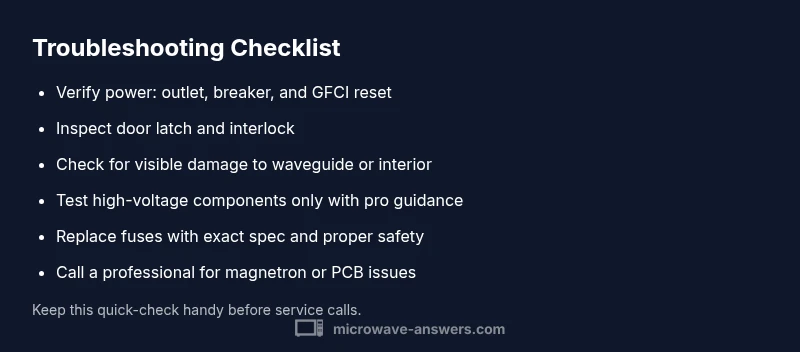
To translate symptoms into a diagnosis, start with the easiest checks and work toward the more complex causes. If there is no power or display, the problem is likely power-related or a failed control/interlock. If the unit powers on but doesn’t heat, suspect magnetron, diode, capacitor, or thermal fuse. If you see sparks, shut off power immediately and inspect the waveguide and turntable for damage. If the door won’t close, examine the door latch switch. For each symptom, pursue tests in order: verify power, inspect safety doors, check fuses and breakers, then test HV components or consult a professional. Microwave Answers recommends a methodical approach to minimize risk and speed repair.
Step-by-step fixes for the most common issue
When a simple power or safety fault keeps a microwave from operating, you can often fix it with a few careful steps. The most common fix is addressing the door interlock and power supply. Start by unplugging, testing the outlet, and reseating the microwave on a dedicated circuit. If a door switch is misaligned or stuck, replace or reseat it. If the outlet tests fine but the unit still won’t start, inspect the door latch and the wiring harness for loose connections. If you encounter a blown fuse or blown thermal fuse, these parts typically require replacement by a professional. After each fix, re-test with a timer and confirm heating works. Safety-first mindset matters—if unsure, stop and call a technician.
Safety tips, warnings, and common mistakes
- Do not bypass safety interlocks or crack the cabinet to peek inside. High voltage can remain even when unplugged.
- Never operate a microwave with the door open or if you smell burning insulation.
- Use the correct outlet; the microwave should have a dedicated 15A circuit if possible.
- If you are not confident with electrical testing, seek professional help immediately.
- Keep manuals and model numbers handy for faster service.
Steps
Estimated time: 45-60 minutes
- 1
Unplug and inspect door latch
Power down and unplug. Inspect the door latch and striker for damage or misalignment; a faulty latch prevents startup. Realign or replace as needed, then test the Start button again.
Tip: Take a photo of the latch setup before disassembly. - 2
Test the outlet and breaker
Plug the microwave into a known-good outlet or test the current outlet with a multimeter. If the outlet fails, reset the breaker and try again.
Tip: If you must use a different outlet, ensure it’s on its own dedicated circuit. - 3
Check the door wiring and switches
Inspect the door switch and wiring harness for loose connections or corrosion. Replace a faulty switch if you have the proper parts and tools.
Tip: Only handle electronic parts with the unit unplugged. - 4
Inspect fuses and thermal fuse
Locate any fuses in the power path. If a fuse is blown, replace with the same rating. For thermal fuses, professional replacement is often required.
Tip: Replace only with the exact spec; mismatched fuses can be dangerous. - 5
Evaluate HV components (magnetron, diode)
HV components can fail without obvious signs. Test or have a pro test magnetron and diode and ensure capacitors are discharged before touching.
Tip: Never touch HV parts; risk of electric shock is high. - 6
Reassemble and test
Reconnect any disassembled parts, re-seat wiring, plug in, and perform a short test run with water-filled cup to confirm heating.
Tip: If the microwave still won’t run, stop and seek professional service.
Diagnosis: Microwave won't start or shows no power
Possible Causes
- highPower issue or circuit breaker tripped
- highFaulty door interlock switch
- mediumBlown fuse or thermal fuse
- mediumDamaged magnetron or HV diode
- lowController board failure
Fixes
- easyCheck outlet and reset breaker; test with a known-good device
- mediumInspect door latch and interlock; replace if needed
- mediumReplace blown fuse or thermal fuse under guidance
- hardAssess HV parts; professional service required
- hardAssess and possibly replace the control board
Common Questions
What should I check first if my microwave won't start?
Start with safety: unplug, verify the outlet has power, inspect the door latch, and check for obvious damage. If the unit still won’t start after these checks, proceed to the diagnostic flow for deeper causes.
First check the power and door latch. If it still won’t start, follow the step-by-step guide for deeper checks.
My microwave shows an error code. What does that mean?
Error codes usually indicate a specific fault in the control system or sensors. Consult your manual or model-specific resources, then follow safe troubleshooting steps related to that code.
Error codes point to a sensor or control fault; check the manual for code meanings and follow safe steps.
Can I fix a microwave magnetron myself?
Repairing a magnetron is a high-risk, specialized job. If you suspect magnetron failure, contact a qualified technician rather than attempting DIY replacement.
Repairing the magnetron is dangerous; call a professional if you suspect magnetron failure.
Is it safe to open the microwave cabinet for inspection?
Only if the unit is unplugged and you know where to locate high-voltage parts. Even then, avoid touching HV components and discharge capacitors properly if you’re trained.
Opening the cabinet is risky; unplug first and do not touch high-voltage parts.
When should I replace rather than repair my microwave?
If the magnetron or control board is failing and the repair cost approaches or exceeds replacement, or if reliability is a concern, replacement might be the safer option.
If repairs are expensive or unreliable, consider replacing the microwave.
Watch Video
Main Points
- Identify power issues first to save time and effort
- Follow a safe, methodical diagnostic flow
- Do not touch HV components; call a pro if needed
- Use the step-by-step guide to test in order
- Prevent future failures with simple maintenance