How to Troubleshoot a Microwave That Stopped Working
If your microwave stopped working, use this urgent, step-by-step guide to diagnose common causes, safety tips, and fixes. Fast, practical advice from Microwave Answers to get your appliance back online safely.


When a microwave stops working, the most likely cause is a tripped circuit, a blown fuse, or a faulty door switch. Start with the simplest checks: confirm the outlet has power, test with another device, and try a different microwave-safe container. If the unit still won’t run, proceed through the diagnostic flow below.
Common causes of a microwave that won’t run
If your microwave stopped working, you’re not alone. Common culprits include a tripped circuit, a blown fuse, a faulty door interlock, or a failed control panel. In many cases, the fastest fix is something you can do at home. According to Microwave Answers, starting with power and safety checks often reveals the problem without opening the unit. Understanding these causes helps you decide whether a quick home fix is enough or professional service is warranted.
Safety first: power down and basic checks
Before you touch the microwave, unplug it and keep the area dry. Do not attempt any disassembly unless you are trained. Even when unplugged, capacitors can retain a charge. Use common-sense safety: wear shoes, use insulated tools if you must test continuity, and keep children away while testing.
Check the power supply and outlet
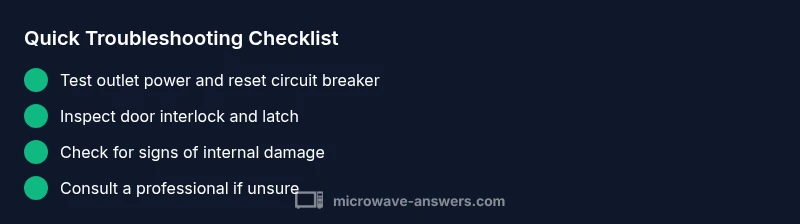
A microwave that won’t start is frequently a power issue. Start by testing the outlet with another device to confirm it has power. If the outlet is fine, try a different outlet in the kitchen. Check the microwave’s plug and cord for visible damage—cracks, burns, or melted insulation call for replacement rather than DIY repairs. If you recently tripped a breaker, reset it and test again.
Inspect the door switch and latch
Many microwaves rely on a door interlock switch to start. If the door switch is damaged or misaligned, the unit may stay off even when you press Start. Check the door latch mechanism for looseness or cracks. If you notice a loose switch, you may be able to re-seat it, but a broken interlock usually requires professional repair or replacement.
Look for a tripped circuit breaker or blown fuse
A tripped breaker or a blown fuse in your home's electrical panel can cut power to the microwave. Check the panel and reset any tripped breakers. If a fuse in the microwave itself has blown, do not replace with a non-spec part. Internal fuses require service by a qualified technician to avoid shock or fire.
Examine the control panel and internal fuses
If the control panel shows error codes or the keypad is unresponsive, the issue may lie with the control board or internal fuses. Some microwaves include diagnostic codes—consult the manual or manufacturer site for code definitions. Internal fuses typically require service and should not be replaced by nonprofessionals.
Step-by-step quick tests you can do at home
You can perform a few safe tests at home to narrow down the cause. Start by unplugging the unit, ensuring the interior is clear, and attempting a basic run with no food. If it still doesn’t start, inspect the door switch and power cord connections. Remember: if in doubt, suspend testing and contact a pro.
When to call a pro and what to expect
If basic checks don’t restore function, it’s time to call a qualified technician. A professional will test the door interlock, high-voltage capacitor, magnetron, and control board with specialized equipment. The Microwave Answers team recommends avoiding risky DIY fixes; missteps can cause electric shock or fire. Expect a diagnostic quote and a parts-and-labor estimate.
Prevention tips to avoid future failures
Regular cleaning, correct wattage usage, and gentle handling of the door help extend microwave life. Use microwave-safe containers, avoid metal, and keep the interior dry. Schedule routine inspections if your unit is older or displays intermittent symptoms. A proactive approach reduces emergency repairs and keeps your kitchen running smoothly.
Steps
Estimated time: 20-45 minutes
- 1
Check the outlet
Unplug the microwave, then plug in another device to confirm the outlet works. If the other device fails as well, reset the circuit breaker and test again.
Tip: If the outlet is on a GFCI, press the reset button. - 2
Inspect the power cord and plug
Look for fraying, burns, or kinks in the cord. A damaged cord should be replaced by a qualified technician. Do not tape or improvise fixes.
Tip: Handle the cord at the plug, not the cord end to avoid damage. - 3
Test the door switch
Gently press the door switch with the door open; you should hear a click. If you don’t, the switch or latch may be faulty and require replacement.
Tip: Only test with the door open and unplugged. - 4
Check for error codes
If the display shows a code, consult the manual or manufacturer site for definitions and recommended actions.
Tip: Note the code and power-cycle the unit if advised. - 5
Look for signs of electrical damage
Inspect the interior for burnt smells, scorch marks, or melted insulation near components. Any sign of damage means professional service is needed.
Tip: Do not operate the unit until inspected. - 6
Decide whether to repair or replace
If the unit is old or repair costs exceed replacement costs, replacement might be a better option.
Tip: Weigh warranty status and long-term costs.
Diagnosis: Microwave won't turn on
Possible Causes
- highPower supply issue (outlet, cord, or circuit breaker)
- mediumDoor switch or interlock fault
- lowBlown internal fuse or control-board fault
Fixes
- easyTest outlet with another device; reset circuit breaker
- easyInspect door latch and interlock; reseat or replace if damaged
- hardIf internal fuse or control board is suspected, contact a qualified technician
Common Questions
What is the first thing I should check when my microwave won't turn on?
Start with power: test the outlet and circuit breaker, then verify the door is fully closed. These basic checks solve most non-working microwaves.
First check the outlet and breaker, then ensure the door is closed.
Why would the microwave door not latch and start?
A faulty door latch or interlock switch can prevent the unit from starting. Inspect for damage and replace if necessary.
Door latch or interlock fault is a common start blocker.
Can a blown fuse in the microwave cause it not to run?
Yes, a blown fuse can stop the microwave from working. This repair should be done by a technician due to high voltage risks.
A blown internal fuse can stop it from running; have a pro check it.
Is it safe to continue using the microwave after a burn smell?
A burn smell suggests internal damage. Stop use immediately and have it inspected by a professional.
If you smell burning, stop using it and get a professional check.
When should I replace instead of repairing?
If repair costs approach or exceed replacement, or the unit is old, consider replacing for reliability and safety.
If repairs cost more than a new unit, replace.
Watch Video
Main Points
- Check power first before anything else
- Door interlock is a common failure point
- Know when to call a professional
- Maintenance reduces future breakdowns