What to Do If Microwave Doesn't Work: Troubleshooting Guide
Urgent, practical steps to diagnose and fix a microwave that won't start or heat. Learn safe, step-by-step troubleshooting from Microwave Answers.


Most microwaves won't run because of a tripped circuit, blown fuse, or faulty door switch. Start with the simplest check: confirm the outlet works, inspect the fuse or breaker, and test the door latch. If it still won't start, unplug, wait 30 seconds, then plug back in and try again.
What to do if microwave doesn't work: quick reality check
If you’re facing a microwave that won’t start or heat, you’re probably searching for the fastest fix. What to do if microwave doesn't work often comes down to simple power and safety checks before any disassembly. According to Microwave Answers, most non-working microwaves stem from power supply issues or door interlock faults rather than complex PCB failures. This early assessment saves time and reduces risk by steering you toward safe, repeatable tests.
Start with the simplest questions: Is the outlet live? Does the display respond when you press start? Is the door securely closed and the latch engaging? If you can answer yes to the basic power and door tests, you’ve already ruled out the big blockers. If not, proceed carefully with the next checks. The goal is to narrow down to one probable cause and avoid bypassing safety devices. Remember, safety comes first when troubleshooting a high-voltage kitchen appliance. The Microwave Answers team emphasizes patient, methodical steps over guesswork, especially if you’re not sure about electronics inside the cabinet.
This article will guide you through a practical, step-by-step approach that focuses on what to do if microwave doesn't work and how to verify each potential fault before you call for service. It’s designed for home cooks who want fast, safe, and reliable results without guesswork.
AlreadyUsedWithinBlockTagOnly":false
Steps
Estimated time: 25-40 minutes
- 1
Power and safety prep
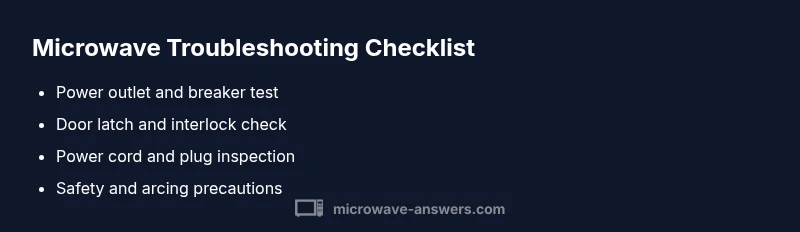
Unplug the microwave and wait at least 60 seconds. Check the outlet by plugging in another device to confirm power. If the outlet is dead, resolve the wall circuit issue before proceeding.
Tip: A quick power cycle often resolves minor electronic glitches. - 2
Door latch and seal check
Open and close the door firmly; listen for the latch engaging. If the latch feels loose or won’t click, the interlock may be faulty. Do not operate with a loose door.
Tip: A faulty door latch is a common, safety-related failure. - 3
Inspect the power cord and plug
Examine the cord for cuts, kinks, or scorch marks. If the plug feels warm or smells burnt, discontinue use and replace the cord or have it inspected.
Tip: Damaged cords are a fire risk; replace before use. - 4
Check internal fuses and panels (if comfortable)
Only perform if you’re trained: remove the access panel per the manual and test fuses with a multimeter. Look for a blown fuse or disconnected wiring.
Tip: If you’re unsure, skip this step and consult a professional. - 5
Test after reassembly
Reassemble securely, plug back in, and run a brief, empty test run to verify response. Do not run with food to detect behavior safely.
Tip: Observe for unusual noises, sparks, or smells during test. - 6
When to stop and seek help
If the unit still won’t start after these steps, it’s time to consult a technician. High-voltage components require professional handling.
Tip: Professional service prevents safety risks and further damage.
Diagnosis: Microwave won't start or heat; display may be blank or show error codes
Possible Causes
- highPower supply/outlet issue
- mediumDoor interlock switch fault
- mediumBlown fuse or tripped circuit breaker
- lowControl board failure
Fixes
- easyTest outlet with a known working device; reset the circuit breaker; ensure the plug is firmly seated
- mediumInspect the door interlock switch assembly for damage or misalignment and replace if needed
- mediumCheck for a blown fuse inside the microwave and replace only with the same amperage rating (or consult a technician)
- hardIf control board issue is suspected, disconnect power and contact a qualified technician; do not attempt advanced repairs yourself
Common Questions
Why won't my microwave start even when the timer is set?
Often the door interlock or a blown fuse prevents startup. Check the door latch, power supply, and display for errors before considering deeper component tests.
Most often a door interlock or fuse stops startup; verify power and door latch first.
Is it safe to open a microwave and inspect internals?
Only if you unplug the unit and have training. High-voltage capacitors can still hold a charge even when unplugged.
Unplug first, and avoid touching high-voltage parts unless you’re trained.
What sounds indicate a door interlock problem?
Clicking or no sound when closing the door can indicate interlock issues. If the door doesn’t latch or stays ajar, the microwave may not start.
If the door doesn’t latch or you hear abnormal clicks, think interlock issue.
Can a blown fuse cause a microwave to stop working?
Yes, a blown fuse or tripped breaker can prevent operation. Check fuses only if you’re comfortable and follow the manual.
A fuse or breaker issue can stop the microwave; check safely.
When should I replace the microwave instead of repairing it?
If the unit is old, power-intensive repairs are frequent, or safety components are compromised, replacement may be more economical.
If repairs are frequent or safety is at risk, consider replacement.
Watch Video
Main Points
- Check power first and verify outlet
- Door interlock faults are common culprits
- Unplug before any internal inspection for safety
- If unresolved, seek professional help