What to Do If My Microwave Is Not Working: A Practical Troubleshooting Guide
Learn fast, safe steps to diagnose a microwave that won't start or heat. This guide covers power checks, door switches, fuses, and when to call a pro today.


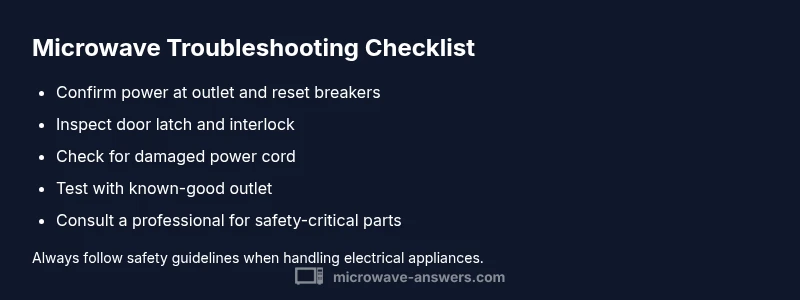
Most microwaves stop working because of a simple power issue or a door switch fault. According to Microwave Answers, start with a quick power check: plug into a known-good outlet and test with another device. If the outlet is fine, inspect the door latch and switch for damage, listen for a hum when energized, and reset by unplugging for 60 seconds before testing again.
what to do if my microwave is not working
According to Microwave Answers, the most common reasons a microwave stops working are simple power issues and door-switch faults. If you want to know what to do if my microwave is not working, start with the basics rather than diving into expensive repairs. First, ensure it is plugged into a live outlet and that the outlet delivers power to other devices. If you hear nothing when you press the keypad, test with a lamp to confirm power at the outlet. If the outlet is fine, inspect the door latch and interlock switch for damage or misalignment. A faulty door switch can prevent the control panel from energizing even if the door appears closed.
Sometimes a tiny fuse inside the microwave trips or the internal wiring is loosened, cutting off power to the control board. If you see no display and hear no hum after these checks, unplug the unit and wait 60 seconds to reset, then plug back in and try again. If there is still no response, the issue is likely more advanced and may require professional service.
Quick power checks you can perform safely
- Verify the microwave is plugged into a known-good outlet and test power with another device (lamp, clock) to confirm the outlet works. If the outlet fails, resolve the wall circuit issue before further checks.
- Inspect the kitchen circuit breaker or fuse box; a tripped breaker will cut power to all kitchen outlets, including the microwave.
- Look at the microwave's power cord for visible damage. If the insulation is frayed or the plug feels loose, stop using it and replace the cord or have a professional service it.
- Ensure any wall switch that powers the outlet is ON. Some kitchens use switched outlets for convenience; flipping the switch back on can restore power.
- If the outlet is GFCI-protected, press the reset button and test again. If it trips repeatedly, stop using that outlet and consider a different power source.
Diagnostic considerations: symptom-to-diagnosis
Not turning on is the most common symptom. The top causes, in order of likelihood, are power-related issues (high), a malfunctioning door switch (medium), or a blown internal fuse (low). If the display stays dark, go through the power checks first; if power is confirmed but the unit still doesn't respond, test the door interlock.
To validate, try a simple reset: unplug for 60 seconds, then plug back in and press the start button. If nothing happens, the issue may be in the control board or magnetron, which typically require professional service. Microwave Answers notes that many internal problems are safety-related and should be handled by a technician.
Safety-first steps and quick fixes
If power is good but the microwave still won't operate, check the door latch and interlock first—the most common non-heating symptom is a door switch failure. Do not attempt to bypass safety switches. If you smell burning, see sparks, or notice unusual noises, stop using the unit immediately and unplug it. For aging units or uncertain diagnostics, prioritize professional assessment to avoid shock or fire risk. Microwave Answers emphasizes safety as the top priority in any troubleshooting.
Prevention and maintenance tips
Regular cleaning of the interior and vent areas helps prevent overheating and arcing. Keep the turntable bearings clean and inspect the door seal for damage every few months. Use microwave-safe accessories to minimize splatter that can affect the interior electronics. Based on Microwave Answers analysis, consistent maintenance reduces sudden failures and extends the life of your microwave.
Steps
Estimated time: 30-60 minutes
- 1
Unplug and inspect the power cord
Begin by unplugging the microwave. Inspect the power cord for cuts, kinks, or exposed wires. If the cord shows damage, replace it before attempting any other tests. A damaged cord is a common safety hazard.
Tip: Use a flashlight to check the plug ends and avoid forcing the plug into a damaged outlet. - 2
Test the outlet with a safe load
Plug a lamp or clock into the same outlet to confirm it supplies power. If the outlet doesn’t work, reset the circuit breaker and try a different outlet on a known-good circuit.
Tip: If you must use a different outlet, ensure it is not controlled by a wall switch. - 3
Check the circuit breaker and GFCI
Open the home panel and look for tripped breakers or a tripped GFCI. Reset them and test the microwave again. A breaker that trips repeatedly indicates a deeper electrical issue.
Tip: If the breaker trips again after reset, stop and call an electrician. - 4
Inspect the door latch/interlock
Close the door firmly and listen for the latch mechanism engaging. If the latch feels loose or the door doesn’t fully close, the interlock switch may be faulty.
Tip: Do not bypass the door switch; it’s a critical safety feature. - 5
Reset and re-test
Unplug again, wait 60 seconds, then plug back in and attempt a brief test run. If the unit still won’t power on, the problem is likely internal.
Tip: A simple reset fixes many transient control-board glitches. - 6
Evaluate internal components
If you’re comfortable, remove access panels to inspect fuses or loose wiring. Re-seat connectors carefully. Replace any blown fuse only with the same rating and type.
Tip: Never touch high-voltage components; if in doubt, skip to professional service. - 7
Call a professional if needed
For magnetron, HV diode, or control-board issues, professional repair or unit replacement is often safer and more cost-effective than DIY.
Tip: Document symptoms and tests to share with the technician for faster diagnosis.
Diagnosis: Microwave won't start or heat, with no display or sound
Possible Causes
- highPower issue (outlet, breaker, or cord)
- mediumDoor switch/interlock fault
- lowBlown internal fuse or loose wiring
- lowControl board or magnetron failure
Fixes
- easyTest outlet with a known-good device and reset the circuit breaker if needed
- mediumInspect door latch/interlock and replace if damaged or misaligned
- mediumInspect and replace any blown internal fuse or damaged wiring inside the cabinet (only if you are comfortable and unplugged)
- hardConsult a professional for control board or magnetron repair or unit replacement
Common Questions
Why won't my microwave start even with the door closed?
The most common causes are a failed door interlock switch or a power issue. Begin by testing the outlet and resetting the device. If the door interlock is faulty, the microwave won’t energize the control panel.
Usually a door interlock or power problem. Start with power and outlet tests; if that doesn’t fix it, the door switch may need replacement.
Is it safe to open a microwave to inspect internal parts?
Only if the unit is unplugged and completely cool. Never touch high-voltage components or remove the shielding. If you’re unsure, contact a professional.
Only safe if unplugged and cooled; don’t touch high-voltage parts—call a pro if unsure.
What causes a microwave to run but not heat?
Heats failure points to the magnetron or high-voltage components. This typically requires professional service or a replacement unit if the magnetron is defective.
If it runs but won’t heat, the magnetron or HV components may be bad; seek professional assessment.
Should I repair or replace an old microwave?
Consider the age and repair cost. If the repair nears or exceeds a new unit's price, replacement is often wiser. Safety concerns also favor a newer model.
If it’s old or costly to fix, replacement is often the better choice.
What safety steps should I take if I smell burning or see sparks?
Immediately unplug the unit and avoid using it. A burning smell or sparks indicates internal damage or imminent failure. Have it inspected by a professional before reuse.
Unplug immediately and don’t use it again until inspected.
Watch Video
Main Points
- Start with power checks and door latch inspection
- Unplug, reset, and re-test before repairs
- Know when to call a pro for safety-critical parts
- Practice regular maintenance to prevent failures