How to Fix a Microwave Not Turning On
Learn practical, safety-first steps to diagnose and fix a microwave that won’t turn on. From power checks to door interlocks and control panel issues, get DIY-friendly guidance with clear steps and precautions.


This guide helps you diagnose why a microwave won’t turn on and perform safe, practical fixes. Start with basic power checks (outlet, cord, fuse) and inspect the door interlock, control panel, and internal components. If the problem persists, avoid risky disassembly and consult a qualified technician.
Common causes of a microwave not turning on
A microwave that won’t turn on can stem from several broad categories: power delivery, door interlock and safety switches, control panel malfunctions, and internal fuse or thermal cutoff failures. The most frequent issues are problems with the power source (dead outlet, damaged cord, blown fuse) or the door latch interlock failing to signal that the door is closed. Occasionally a faulty control board or magnetron-related protection can prevent startup. It’s important to group these by safety and accessibility: start with power checks before opening the oven’s casing. Additionally, external events like spills, moisture, or rough handling during relocation can corrode connections and lead to intermittent power loss.
When you proceed, document any symptoms (e.g., no display, no humming, or a faint click) to help narrow down the cause and avoid unnecessary parts replacement.
Safety first: unplugging and hazards
Safety should guide every diagnostic step. Always unplug the microwave before inspecting any internal components. Work on a dry, non-conductive surface and avoid wearing metal jewelry. Do not touch high-voltage parts with wet hands or while standing on a damp surface. If you notice burning smells, exposed wires, or smoke, stop immediately and disconnect from power. Keep children away during inspection, and never bypass safety interlocks or attempt to operate the unit while open. These precautions reduce the risk of electric shock or injury.
In many households, a quick, safe reset can solve power issues caused by a transient electrical fault. However, a reset does not fix a defective component. Treat power issues as a safety concern first, then gradually isolate the fault with careful testing.
Diagnosing the power supply and outlet
Power delivery is the most common reason a microwave won’t turn on. Start by testing the outlet with a known-good device such as a lamp. If the outlet fails to power the lamp, check your circuit breaker or GFCI, and reset as needed. Inspect the microwave’s power cord for visible damage such as cracks or exposed wires. If the cord is damaged, replace it with a cord that matches the original’s gauge. A non-contact voltage tester can confirm presence of voltage without piercing insulation. If the outlet and cord test pass, move to the next checks. These steps keep you focused on power delivery without risking internal components.
Note: Do not attempt to repair the live outlet or replace a circuit breaker beyond your comfort level. When in doubt, consult a licensed electrician.
Checking the door latch and interlock system
The door latch and interlock system tell the microwave that it’s safe to start. If the door latch is misaligned or the interlock switch is faulty, the unit may refuse to power up. To assess this, closely inspect the door seal and latch for debris or damage and ensure the door closes flush. Listen for the latch mechanism engaging with a crisp click when you close the door. If the interlock doesn’t operate correctly, you may need to access the interlock switch with the help of a service manual or a professional. Keep in mind that door-related faults are common culprits in “not turning on” symptoms.
Caution: Do not pry at door seals aggressively. Misalignment can cause further damage and void warranties.
Inspecting internal fuses and thermal cutoffs
Some microwaves incorporate protective fuses or thermal cutoffs that permanently interrupt power if overheating occurs or a short is detected. These components can be located near the power entry or behind the control panel. If you suspect a blown fuse, this typically requires disassembly and component testing with a multimeter. Do not replace a fuse with an incorrect rating, and never bypass safety devices. If you don’t have the right tools or experience, it’s safer to replace the unit or call a professional.
Always verify the unit is unplugged before inspecting any internal fuses. A blown fuse means the microwave will not start until the faulty part is identified and replaced.
Testing the control board and circuitry
A non-responsive control panel or a display that remains dark can point to the control board or related circuitry. Look for obvious signs of damage, such as swollen capacitors or burnt smells. If you have experience with electronics, you can use a multimeter to check for continuity and voltage at key points, following the manufacturer’s service manual. If the control board shows signs of failure, replacement is usually the most reliable solution. Avoid trial-and-error component swaps, which can be unsafe and costly.
In many cases, a control board fault is not user-serviceable, and professional servicing or replacement is the prudent path.
What you can do yourself vs when to call a pro
DIY diagnostic steps can safely cover basic power and door-interlock checks, cord inspection, and simple testing with a tester. More complex tasks—such as accessing the interlock assembly, testing high-voltage components, or replacing a control board—pose safety risks and may violate warranties. If you’re unsure at any point, it’s wise to pause and contact a trained technician. A pro can identify intermittent faults that aren’t obvious during a first glance, preventing further damage.
Keep a log of what you test and the outcomes. This helps a technician diagnose the issue faster and reduces the likelihood of unnecessary part replacements.
Quick fixes that often work (non-technical checks)
Some issues are resolved by conservative, non-invasive steps. Before dismantling, try these quick checks:
- Re-seat the power cord and plug firmly into a known-good outlet.
- Unplug for 60 seconds, then plug back in to reset minor electronic glitches.
- Clean the door seal and latch area to ensure proper engagement.
- Test with a different, non-metal dish to ensure there’s no unexpected load causing a reset.
If these quick fixes don’t restore startup, proceed with the more detailed diagnostics in this guide or contact a professional.
Authoritative sources
For safety standards and appliance guidance, consult reliable sources:
- U.S. Consumer Product Safety Commission (CPSC): https://www.cpsc.gov/
- U.S. Department of Energy (Energy.gov) on appliance efficiency and safety: https://www.energy.gov/
- Federal Trade Commission (FTC) consumer information: https://www.ftc.gov/
These references help frame safe, responsible repair practices and warranty considerations. Always follow local regulations and manufacturer instructions when servicing appliances. Microwave repairs involve high-voltage components; when in doubt, seek professional help.
Safety reminders and next steps
Safety is the cornerstone of any microwave repair plan. If you aren’t confident performing electrical tests or disassembly, do not proceed beyond basic checks. Keep the unit unplugged when inspecting, and never bypass interlocks or safety features. When the fault remains after completing safe, basic checks, the prudent next step is professional service or replacement. A microwave that won’t turn on can be a symptom of a larger electrical issue in the home; addressing it promptly protects you and your household.
Quick reference checklist
- Unplug unit before any inspection
- Check outlet, cord, and fuse or breaker status
- Inspect door interlock and latch operation
- Look for visible internal damage or burnt smells
- Decide between DIY fixes and professional service based on risk
Tools & Materials
- Outlet tester(Check for power at the wall outlet without using the microwave)
- Non-contact voltage tester(Verify presence of voltage safely before touching wires)
- Digital multimeter(Used for continuity/voltage checks if you’re comfortable)
- Screwdrivers (Phillips and flat-head)(To access internal components if necessary)
- Insulated gloves(Optional for extra protection while testing high-voltage parts)
- Replacement fuse (same amperage as original)(Only replace if you confirm a blown fuse after testing)
- Electrical tape(For securing loose connections after inspection)
- Clear workspace and dry hands(Foundation for safe handling of electrical devices)
Steps
Estimated time: 60-90 minutes
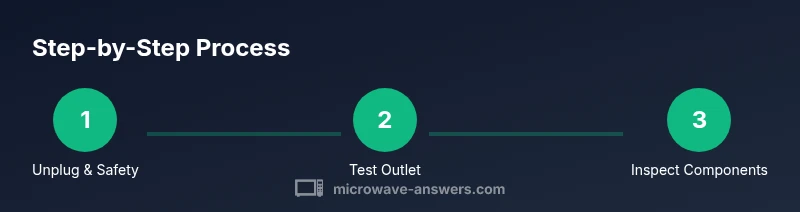
- 1
Unplug and ensure safety
Completely disconnect the microwave from power and place it on a dry, non-conductive surface. This avoids electric shock while you inspect the cord and plug for damage. If the cord is damaged, don’t attempt to repair it—replace it with a compatible cord.
Tip: Wipe any moisture from the plug and jack before touching metal parts. - 2
Test the outlet with a known-good device
Plug a lamp or similar device into the wall outlet to confirm it’s providing power. If the outlet is dead, reset the circuit breaker and test again. A bad outlet is a common cause of a microwave that won’t turn on and should be ruled out before opening the unit.
Tip: If the outlet fails, don’t use the microwave until a qualified electrician tests the circuit. - 3
Inspect the power cord and plug
Check for visible damage such as cracks, kinks, or burn marks. A damaged cord should be replaced; do not attempt to repair internal insulation. Ensure the cord’s strain relief is intact and the connection to the plug is solid.
Tip: Avoid bending the cord near the plug or outlet to prevent further damage. - 4
Check the door latch and interlock
Close the door firmly and listen for the latch engaging with a definite click. If the latch feels loose or the door seals poorly, the interlock may prevent startup. If accessible, test the interlock switch with a multimeter according to the manufacturer’s service manual.
Tip: Do not bypass the interlock—it's a critical safety feature. - 5
Inspect fuses and thermal cutoff
If you’re comfortable opening the exterior shell, locate any visible fuses or thermal cutoffs. A blown fuse will cut power to the entire unit. Only replace with an identical part and ensure the unit is unplugged during replacement.
Tip: Never substitute a higher amperage fuse; incorrect ratings can cause damage or fire. - 6
Evaluate the control panel and circuitry
If the display is dark or unresponsive, the control board may be at fault. Look for obvious signs of damage and, if you have the skills, test relevant circuitry with a multimeter. A faulty control board often requires professional replacement to restore function safely.
Tip: Avoid probing high-voltage components without proper training. - 7
Decide on next steps
If power is restored during these checks, reassemble the unit and test it with a safe load. If not, weigh repair vs. replacement options and consider professional service. Keep records of tests to aid future diagnosis.
Tip: When in doubt, prioritize safety and schedule a technician visit.
Common Questions
Why won’t my microwave turn on even though the outlet works?
If the outlet provides power, the fault is likely inside the microwave—door interlock, fuse, or control board. Start with the door latch and then test internal components with proper precautions.
If the outlet is fine, your microwave’s door latch, fuse, or control board are the likely culprits; begin with the door latch test and progress to internal components.
Can a faulty door interlock prevent the microwave from turning on?
Yes. A malfunctioning interlock can signal that the door is not properly closed, preventing startup to protect you from radiation exposure.
A bad door interlock can stop the microwave from turning on to keep you safe; test the latch and interlock if you suspect this issue.
Is it safe to unplug and reset the microwave?
Unplugging and waiting 60 seconds is a safe reset for many electronic glitches. It does not fix hardware faults and should be part of a broader diagnostic.
Unplug for a minute to reset electronics; if it doesn’t help, continue with the guided checks or call a technician.
Should I try replacing the control board myself?
Only if you have experience with electronics and know the exact specifications. Replacing a control board is risky and may void warranties; professional help is often the best choice.
Replacing the control board is complex and risky—consider professional repair if you’re not experienced.
What parts are commonly needed when a microwave won’t turn on?
Common parts include the power cord, door interlock assembly, fuses or thermal cutoffs, and the control board. Diagnosing which is at fault is essential before replacement.
Usually it’s the power cord, door interlock, fuses, or the control board that fail when a microwave won’t turn on.
When should I call a professional?
If you’re unsure about electrical safety, cannot identify the fault, or must access high-voltage components, professional repair is the safest option.
If you’re unsure about safety or the fault isn’t obvious, call a repair professional.
Watch Video
Main Points
- Power and safety checks first
- Door interlock is a common failure point
- Don’t bypass safety features—seek professional help when needed
- Use proper tools and exact parts for any replacements