Microwave Won't Turn On: Troubleshooting Guide
If your microwave won't turn on, start with quick, safe checks to identify power or door interlock issues. This Microwave Answers guide walks you through practical steps to diagnose common causes and decide when to call a technician.


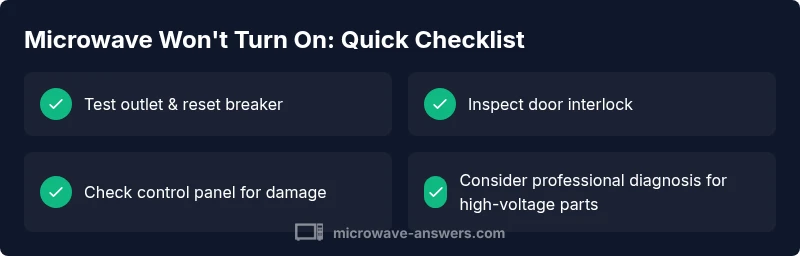
Most often, a microwave won't turn on due to power, door interlock, or control-panel issues. Start by confirming the outlet has power and the circuit breaker is reset, then test the door latch and interlock, and reseat the plug. If the display stays dark after these checks, unplug for 60 seconds and plug back in. If it still won't, contact a professional.
Safety first: power, high voltage, and what not to touch when diagnosing a microwave won't turn on
According to Microwave Answers, safety comes first. If the unit remains unplugged or you suspect a damaged cord or exposed wiring, do not operate it. The high-voltage capacitors inside can retain a dangerous charge even when unplugged. Before you poke around, unplug the appliance, ensure the outlet is off, and keep children away. This section covers the essential safety checks and the simplest, risk-free steps you can take to begin troubleshooting. We’ll outline how to verify the power source, reset the circuit, inspect the door interlock, and confirm you are working on a unit that is safe to test. The goal is to identify a benign cause quickly so you can avoid unnecessary repairs. The Microwave Answers team found that starting with safety-driven checks dramatically reduces the risk of shock or further damage while diagnosing a no-power condition.
Quick checks you can perform safely
- Verify the outlet is live by testing a nearby lamp or appliance. If the outlet is dead, reset the circuit breaker or replace a blown fuse.
- Unplug the microwave, wait 30–60 seconds, and plug it back in to reset the electronics.
- Inspect the power cord for visible damage, such as cracks or fraying. Do not use a damaged cord; replace it.
- Confirm the microwave is properly seated on a stable surface and that the plug is fully inserted.
- If your unit has a child lock or safety feature, ensure it is not engaged, which can prevent power to the display or keypad.
Distinguishing power issues from door interlock problems
The first area to test is power: outlet, cord, and breakers. If power is present at the outlet but the microwave still won’t turn on, the door interlock or latch could be the culprit. A door interlock is a safety switch that prevents operation when the door isn’t fully closed. If the latch is loose, damaged, or misaligned, it can falsely tell the system that the door is open, preventing startup. The next sections cover how to verify each possibility safely and systematically.
Testing the door interlock and control panel basics
With the unit unplugged, gently inspect the door seal for damage and verify the latch moves freely when the door closes. Reclose the door firmly and attempt to power on. If the display remains blank, the issue might be within the control panel or main PCB. Look for signs of moisture, burn marks, or a swollen capacitor near the control board. While you can visually inspect, avoid touching internal electronic components beyond the accessible casing. If you notice any odor of burning or melted plastic, stop diagnostics and call a professional.
Common causes and hands-on tests you can perform
A no-power condition is most commonly caused by a tripped circuit, a blown fuse at the outlet, a damaged power cord, or a faulty door interlock. Less common but possible causes include a failed control board or a blown internal fuse. When testing, keep tasks simple and safe: use a known good outlet, reseat connections, and observe whether any indicator lights flash or the clock resets. If you hear a hum or see buzzing noises, stop and seek professional help—the issue may involve high-voltage circuitry.
What to do if it still won't turn on after basic checks
If the microwave still won’t turn on after the basic checks, do not attempt to repair high-voltage components yourself. Schedule a service visit with a certified technician or contact the manufacturer’s support line. For warranty-covered units, check coverage before paying out of pocket. Have your model number, serial number, and purchase date ready to streamline diagnosis. In many cases, a failed door interlock, worn power cord, or defective control board requires professional replacement. The goal is to safely isolate the fault without creating additional hazards.
Preventive maintenance and safety tips to avoid future no-power issues
- Regularly inspect the power cord for wear and replace as needed.
- Use the microwave on a dedicated, grounded outlet to reduce tripping risk.
- Keep the interior area around the control panel dry and clean; moisture can cause intermittent faults.
- If you see scorch marks or a burning smell, stop using the unit immediately and seek professional help.
- Schedule routine professional checkups if your microwave is several years old to catch failing components before they fail completely.
Steps
Estimated time: 45-90 minutes
- 1
Unplug and inspect the power cord
Start by unplugging the microwave from the wall. Visually inspect the power cord for cracks, kinks, or cuts. If you see damage, replace the cord before proceeding. Reinsert the plug fully and try powering on again.
Tip: A damaged cord is a fire hazard—do not attempt to repair it; replace it or contact a professional. - 2
Test the outlet and circuit
Plug a lamp or another small appliance into the same outlet to confirm it has power. If the outlet is dead, check the circuit breaker and reset any tripped breakers. If the outlet is controlled by a GFCI, press the reset button or replace faulty outlets.
Tip: If your home outlets are frequently tripping, schedule an electrical inspection as a separate precaution. - 3
Check the door latch and interlock
Close the microwave door firmly and listen for the latch to engage. If the latch feels loose or doesn’t seem to catch, the interlock switch may be out of alignment or defective. Do not operate the unit if you suspect a faulty interlock.
Tip: A worn door seal can misalign the latch; avoid forcing the door open or closed to make it work. - 4
Inspect the display and control panel
With the unit unplugged, inspect for visible damage on the control panel. If the display is completely dark, there could be a control-board issue or a loose internal connection. Do not attempt to probe inside the electronics beyond the accessible parts.
Tip: Keep moisture away from the control area; liquid exposure can shorten circuits. - 5
Advance to professional diagnostics
If the unit still won't power on, document model/serial numbers, fault symptoms, and any noises or smells. Contact a licensed technician or the manufacturer’s service line. High-voltage systems can be dangerous to service without proper training.
Tip: Never bypass safety interlocks or poke around high-voltage components.
Diagnosis: Microwave won't turn on
Possible Causes
- highPower outlet dead or circuit tripped
- highDoor interlock/door switch malfunction
- mediumDamaged power cord or plug
- mediumFaulty control panel or main PCB
- lowBlown internal fuse or thermal fuse
- lowChild lock or safety feature engaged
Fixes
- easyTest the outlet with a known-good appliance; check circuit breaker or replace fuse if tripped
- easyInspect the power cord for visible damage and replace if needed
- mediumInspect the door latch for alignment and binding; reseat or replace the interlock if faulty
- hardCheck control panel and wiring for loose connections or signs of damage; replace PCB if necessary
- hardTest or replace the internal fuse/thermal fuse following manufacturer guidance; only qualified technicians should do this
- hardIf all tests fail, schedule professional service and avoid DIY high-voltage work
Common Questions
What is the first thing I should check when my microwave won't turn on?
Start by verifying that the outlet has power and the circuit breaker isn't tripped. If the outlet is live, move to door interlock and control panel checks. Always unplug the unit before inspecting any internal parts.
First, check the power outlet and circuit. If those are fine, inspect the door interlock and control panel, and remember to unplug the unit before any inspection.
Can a microwave turn on but have no power to the display?
Yes. The display could be failing due to a control-board issue or a loose wire. Do a visual inspection of the control panel and inspect visible wiring while unplugged. If no obvious issues are found, professional service is recommended.
A blank display often points to a control-board problem or loose wiring. If you don't see obvious damage, seek professional service.
Is a door lock the usual reason for a microwave not turning on?
Door interlocks prevent operation when a door isn't properly closed. If the latch or switch is worn or misaligned, the microwave may refuse to start. Check the door, latch, and seal for proper engagement.
A faulty door interlock is a common reason it won’t start. Inspect the door latch and seal and ensure the door closes firmly.
Should I replace the microwave fuse myself?
Internal fuses are part of high-voltage circuitry and can pose shock hazards. Do not replace them yourself unless you are trained. Contact a qualified technician for any fuse-related diagnosis.
No, don’t replace internal fuses yourself. This requires proper training and safety measures.
What if my warranty covers repairs?
Check your warranty terms for coverage on startup failures and door interlocks. If covered, contact the manufacturer’s service line for authorized repair. Keep your proof of purchase handy.
If your unit is under warranty, contact the manufacturer for authorized service coverage and keep your receipt handy.
When is professional help necessary?
If basic safety checks don’t restore power, or you hear buzzing, burning smells, or see signs of moisture or damage inside, stop diagnostics and call a professional. High-voltage components require trained handling.
Call a professional if there are hazards like buzzing, burning smells, or moisture, or if power isn’t restored after safe checks.
Watch Video
Main Points
- Verify power before opening the unit
- Door interlock is a common startup failure point
- Don't attempt high-voltage repairs yourself
- Document fault symptoms for technicians
- Replace damaged cords promptly to prevent fires