Why Is My Microwave Not Turning On? Comprehensive Troubleshooting
A urgent, practical troubleshooting guide to diagnose and fix a microwave that won't turn on. From power checks to door interlocks, learn safe steps and when to call a professional.


Most often, a microwave won’t turn on due to a power issue or door switch, not a failed control board. Quick fix: verify power at the outlet and reset the circuit breaker if needed, then ensure the door is fully closed and the latch engages. If it still won't start, unplug for 60 seconds and try again.
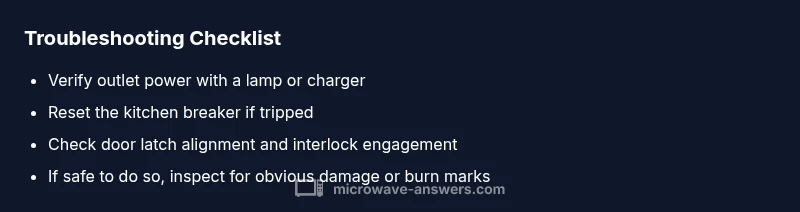
According to Microwave Answers, the most common reason a microwave won’t turn on is a power or safety interlock issue rather than a failed control board. The aim is to quickly verify whether the unit is getting power and whether the door is properly interlocked. Start by confirming the microwave is plugged in and the outlet works. Test the outlet with a lamp or charger; if nothing lights, the outlet or circuit may be dead or a breaker tripped. Check the circuit breaker panel and reset any tripped breakers or replace blown fuses. If power is present, inspect the door latch and interlock switch; many models refuse to start when the door isn’t fully closed. Misalignment or a worn interlock is a frequent cause. For safety, unplug the microwave before any internal inspection, and never bypass the interlock. If you confirm power and door closure but the unit still won’t start, pursue the next diagnostic steps.
Check power and environment for a non-start
Begin with the simplest checks first. Verify the outlet supplies power by plugging in another device. If the outlet is fine, deduce whether the problem is with the circuit—a shared kitchen circuit can trip a breaker or disable the outlet. If the display is blank, power is most likely the issue; if the display lights but nothing happens when Start is pressed, the door switch or control board could be at fault. Ensure the microwave is kept away from moisture and steam to prevent short circuits. Remember, never operate a wet appliance or a damaged cord. If you confirm power and proper location but still can’t start, proceed to door interlock assessment.
Inspect the door interlock and latch for proper closure
The interlock switch prevents operation when the door is ajar. A misaligned door, a worn latch, or a faulty interlock can stop the unit from starting even with power. Inspect the door seal for damage and verify that the latch engages firmly when closed. If the latch feels loose or the door doesn’t stay shut, the interlock may need replacement. In many models, you will need to remove the outer cabinet to access the switch; if you are not comfortable, skip to professional service instead of attempting dangerous fixes. Always unplug before any inspection.
Look for internal safety components and fuses
Some microwaves include a thermal fuse or high-voltage safety fuse that protects the unit from overheating or electrical faults. If these components blow or trip, the microwave may not respond at all. These parts are not user-serviceable in most cases and require professional testing with the right tools. Do not attempt to bypass safety devices. If you suspect a fuse, contact a qualified appliance technician for diagnosis and replacement.
When to reset or call for professional service
If basic checks don’t bring the microwave back to life, a reset of the electronics can occasionally resolve a stubborn fault. Unplug the unit, wait 60 seconds, then plug back in and try Start again. If there is any doubt about safety, or if the unit still won’t start after these steps, it’s time to schedule professional service. A trained technician can test the control board, door interlock, and safety fuses without risking shock or further damage.
Preventive tips to avoid future failures
Regular cleaning, keeping vents clear, and avoiding exposure to moisture help extend microwave life. Do not run the microwave while empty for extended periods; use a small amount of water or food to prevent arcing. Store and route the power cord safely to prevent wear. If you notice flickering displays or unusual smells, stop using the unit and consult a technician.
Steps
Estimated time: 45-60 minutes
- 1
Verify outlet power
Unplug the microwave and plug in a lamp or other appliance to confirm the outlet is delivering power. If the outlet is dead, reset the circuit breaker and test again.
Tip: Avoid using multiple high-draw devices on the same circuit. - 2
Inspect the door latch
Close the door firmly and listen for a solid latch. If the latch feels loose or the door won’t stay shut, the interlock may be faulty and require service.
Tip: Do not force the door closed; a faulty latch can trap heat and cause damage. - 3
Check for visible damage
Look for scorch marks, melted plastic, or damaged cords. Any visible damage warrants stopping use and calling a technician.
Tip: Do not operate with damaged cords or seals. - 4
Reset the electronics
Unplug the unit, wait 60 seconds, then plug back in and try Start again. This resets memory and can clear minor faults.
Tip: If the display remains dark, you likely have a power or interlock issue. - 5
Consult the manual codes
If the microwave shows error codes, refer to the manual to interpret them and determine a course of action.
Tip: Note any codes before calling support. - 6
Call a professional
If power and door checks fail, schedule service. A technician can test the control board, interlock, and safety devices safely.
Tip: Safety first: high-voltage components require trained handling.
Diagnosis: Microwave won't turn on
Possible Causes
- highPower supply issue (outlet, cord, or circuit breaker)
- highDoor interlock switch or latch failure
- mediumBlown internal fuse or thermal fuse
- lowFaulty control board or keypad
Fixes
- easyTest outlet with a known-good device and reset the circuit breaker if needed
- easyInspect door alignment and interlock; replace if necessary with professional help
- hardCheck for blown fuses or a failed thermal fuse and replace only by a qualified technician
- hardEvaluate the control board or keypad; replacement or repair by a technician
Common Questions
Why won't my microwave turn on even after plugging in?
Often the issue is power-related or a door interlock. Start by testing the outlet and resetting the circuit breaker, then verify the door latch engages fully. If it still won’t start, consult a professional.
The issue is usually power or the door interlock. Check the outlet, reset breakers, and verify the door latch; if it still won’t start, seek professional help.
Could a blown fuse or faulty door switch stop a microwave from turning on?
Yes. A blown thermal fuse or a faulty door switch can prevent startup. This typically requires a technician to diagnose and replace the component safely.
Yes. A blown fuse or bad door switch can stop startup and usually needs a technician.
Is it safe to fix a microwave by myself?
Basic checks like power and door alignment are safe, but high-voltage components should be handled by a professional. Always unplug before any inspection.
Basic checks are okay, but avoid touching high-voltage parts. Unplug first and call a pro for internal repairs.
What parts are commonly replaced when a microwave won't turn on?
Common components include the door interlock, control board, and safety fuses. Replacement usually requires a trained technician and manufacturer-specific parts.
Interlock, control board, or safety fuses are common. Replacement should be done by a technician with the right parts.
When should I replace the microwave instead of repairing it?
If the unit is old, inefficient, or requires costly internal parts, replacement may be more cost-effective. A technician can provide a diagnosis and quote.
If it’s old or needs costly parts, replacement may be best. A pro can give a diagnosis and cost estimate.
Can a microwave catching fire cause danger, and what to do?
While rare, a fault can cause smoke or fire. If you notice flames or strong odor, unplug immediately and call emergency services if needed.
Fire is rare but possible. Unplug immediately if you see smoke or smell burning, and call for help if needed.
Watch Video
Main Points
- Check power first: outlet, plug, and breaker.
- Door interlock is a common start-blocker—test properly.
- Don't bypass safety components; call a pro when unsure.
- Unplug, then re-test after a minute for a simple reset.