Microwave is not working? Urgent Troubleshooting Guide
A practical, urgent guide to diagnose and fix a microwave that won't work, with safety steps, diagnostic flow, and step-by-step fixes. Learn when to DIY and when to call a pro.


Most microwaves that won’t start are caused by power issues, a blown fuse, or a faulty door switch. Start by unplugging the unit, testing the outlet with another device, and inspecting the door latch. If the outlet is live, plug back in and wait a moment to reset. If it still won't start, avoid repairs and contact a technician.
Immediate checks you should perform if the microwave is not working
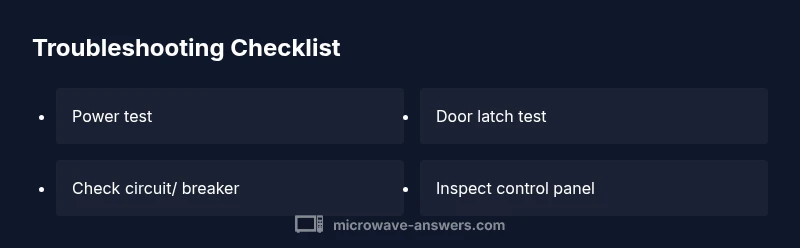
If your microwave won't start, time is of the essence in the kitchen. According to Microwave Answers, the quickest path to a fix is usually to verify power and door interlocks before delving deeper. Start by confirming the unit is plugged in and the outlet has power. If a lamp or outlet tester shows power, check the microwave's power cord and the wall plug for damage. Next, inspect the kitchen circuit: has the outlet tripped a breaker or a GFCI in the kitchen? If so, reset the breaker or restore the GFCI. Then, ensure the microwave door fully closes and the latch engages; a misaligned door switch is a common reason for no-response. If the door switch sounds clicky but the oven still won’t start, attempt to open and close the door firmly a few times to reseat the switch. Lastly, check for any error codes on the display. If you see a code, consult the manual for its meaning; many codes indicate a specific fault that can be addressed without opening the cabinet.
Safety first: power, outlets, and disassembly cautions
Safety must come first in kitchen electronics. Unplug the microwave before touching any internal parts, and never operate with the case open. Avoid touching the high-voltage capacitor, magnetron, or wiring unless you are a trained technician. If you must test continuity or inspect wires, use insulated tools and wear dry gloves. Keep children away and ensure the unit sits on a non-slip, dry surface. If you smell burning plastic or see signs of arcing, stop immediately and unplug. For outlets, use a different routine circuit to confirm there isn’t an overload. If the outlet shows power but the microwave remains dead, you may be dealing with a fault inside the unit rather than the outlet.
Common causes explained: power supply, door switch, fuses, control board
Power supply and door interlocks are the leading culprits. A tripped breaker or a non-working outlet can mimic a dead oven. A worn or misaligned door switch can keep the microwave from sensing a closed door, preventing operation. Some units have an internal fuse or thermal fuse that can blow after overheating; this usually requires service. A failing control board or relay can also stop the unit from responding, even if the display is visible. In rare cases, a faulty temperature sensor or keypad can stop commands from being registered. Based on Microwave Answers Analysis, 2026, power issues and door switches are among the most common culprits in households.
Diagnostic flow at a glance
- Check for power: Is the outlet live? Does the clock display light up? If not, resolve the outlet/circuit issue first.
- Confirm door interlock works: Open/close the door firmly; listen for a click and watch for the display to respond.
- Look for error codes: Some models show codes like "E1" or a beep pattern.
- Inspect internal fuses: If you can access the fuse safely, test with a multimeter; replace if open circuit.
- If none of the above resolves: Seek professional service.
Step-by-step fixes for the most common causes
-
Power and reset: Unplug the unit, wait 30 seconds, then plug back in. Use a different outlet on a different circuit to rule out a tripped breaker. If the clock resumes and responds to button presses, test heating with a small cup of water. Tip: Keep a log of power-on/off events to show a technician if needed.
-
Door latch and interlock: With the unit unplugged, inspect the door latch and the micro-switch behind it. Ensure connectors are seated and the latch moves freely. Re-seat any loose wires and test by closing the door firmly; the display should react. If there’s no response, the switch or wiring may be faulty and require replacement by a pro. Tip: Do not force the door; misalignment can make the interlock unreliable.
-
Internal fuse/thermal fuse: Some models include a thermal or glass fuse inside the cabinet. Only attempt this if you are trained and the unit is unplugged. Check continuity with a multimeter and replace with an exact rating part if you can access it safely. If you’re unsure, skip this and call a technician. Tip: Fuses fail abruptly and may indicate overheating elsewhere in the system.
-
Control panel and keypad: If the display is dim or unresponsive to most keys, the control board or keypad might be faulty. Disconnect power before testing; reseat keypad connectors if accessible. If the panel still won’t register commands after reseating, you likely need a replacement control module. Tip: A non-responsive panel is a common reason for a dead microwave.
-
Final sanity check and test: After any fix, wait for a few seconds, then test basic functions: clock display, timer, and a short heat cycle with a small load. If nothing happens, or you notice intermittent behavior (random beeps, flickering display), stop testing and call a professional. Estimated time for this phase: about 60-90 minutes overall.
When to call a professional and safety concerns
If the microwave still refuses to respond after these checks, or you observe charring, burning smells, or arcing, unplug immediately and contact a trained technician. Internal components like the high-voltage section, magnetron, or control board can pose serious risks. A pro can diagnose with the right tools and replace worn parts safely. The time and cost of professional service are typically justified when the repair would exceed a new appliance’s price or if the unit is older.
Prevention and maintenance tips to extend microwave life
Keep your microwave performing well by following simple maintenance. Clean the interior after each use to prevent food buildup that can trigger odors or short circuits. Use microwave-safe cookware and avoid metal utensils or aluminum foil. Regularly inspect the door seal for cracks and clean the hinge area; a loose seal reduces efficiency and can allow steam to escape, potentially triggering safety circuits. Schedule annual checks if your unit is older or heavily used. By staying proactive, you reduce the chance of sudden failures and keep your kitchen running smoothly. The Microwave Answers Team recommends incorporating these habits into your routine to minimize future issues.
Steps
Estimated time: 60-90 minutes
- 1
Power check and reset
Unplug the microwave, wait a moment, then plug back in. If the clock lights up, try a quick heat test with a small cup of water.
Tip: Document any noticeable delay between power restoration and response to help a technician. - 2
Door latch and interlock inspection
With the unit unplugged, examine the door latch and the micro-switch behind it. Ensure connectors are seated and the latch moves freely.
Tip: Do not force the latch; improper seating can keep the microwave from sensing a closed door. - 3
Inspect internal fuses carefully
If you can safely access the fuse, test continuity with a multimeter. Replace only with an exact rating fuse from the manufacturer.
Tip: A blown fuse often signals an overheating condition elsewhere in the unit. - 4
Test control panel responsiveness
Check if the keypad responds to input; if not, the control board or keypad may be faulty and require replacement.
Tip: Document any error codes shown on the display for the technician. - 5
Decide on next steps
If unresolved after these steps, contact a professional; avoid attempting high-voltage repairs yourself.
Tip: Professional service is safer and may be more cost-effective than DIY on older models.
Diagnosis: Microwave won't start or heat
Possible Causes
- highPower issue or circuit trip
- highFaulty door switch or misaligned latch
- mediumBlown internal fuse or thermal fuse
- lowControl board or relay failure
Fixes
- easyTest outlet with another device and reset circuit breaker
- easyInspect door latch and interlock; reseat connectors
- mediumCheck for blown fuse/thermal fuse inside unit (if accessible)
- hardProfessional diagnosis for control board or high-voltage issues
Common Questions
Why won't my microwave start even though the outlet has power?
Outlets supplying power can still fail to start the microwave if the door interlock, door switch, or internal fuse is faulty. Check the door latch and reset the circuit before calling a pro.
If the outlet is live but the microwave won't start, the door switch or fuse could be the culprit.
Is it safe to open the microwave to check fuses?
Opening a microwave to inspect fuses involves high-voltage components and can cause electric shock. Unplug the unit and consult a professional rather than attempting risky internal work.
No. Do not open the microwave to check fuses yourself; seek professional help.
What does arcing mean in a microwave?
Arcing indicates a damaged waveguide or foreign metal inside the cavity. Stop using the unit and have it inspected by a technician to prevent fire or further damage.
Arcing means there’s a dangerous issue inside the microwave.
When should I replace a microwave instead of repairing it?
If repair costs approach or exceed the price of a new unit, or the microwave is old and inefficient, replacement is usually the wiser option.
If repair costs are high, consider replacing it.
What maintenance helps prevent future microwave problems?
Regular cleaning, using microwave-safe cookware, and checking door seals to prevent leaks can extend life and reliability.
Keep it clean, use safe cookware, and check seals to stay reliable.
Watch Video
Main Points
- Power and door interlocks are the most common failure points
- Do not bypass safety switches or open high-voltage components
- Call a professional if the fault persists after basic checks
- Maintain your microwave to prevent future failures