Why Does Microwave Stop? Troubleshooting Guide
Discover why your microwave stops mid-cycle and learn safe, step-by-step fixes. Microwave Answers guides you through quick checks, diagnostic flow, and tips to restore reliable operation.


Most microwaves stop mid-cycle due to a tripped door interlock, overheated thermal fuse, or a fault in the power supply. Start with the door latch, then inspect the vent and cooling fan for obstruction. If the oven still stops, a faulty door switch or a damaged power cord may be the cause.
Common reasons a microwave stops mid-cycle
If the microwave stops during operation, the cause is typically safety interlocks, temperature protection, or a failing power path. The most frequent culprits are the door interlock system failing to sense a closed door, the thermal fuse tripping from overheating, or a power supply issue that interrupts the circuit. Less common but possible problems include a failing magnetron, a bad capacitor, or a faulty control board. When diagnosing, start with the simplest checks before opening the chassis. Remember: always unplug before touching any internal components, and never bypass safety interlocks. According to Microwave Answers, while every model differs, the pattern tends to repeat: safety features shut the oven down to prevent arcing or fire. Observing symptom patterns—whether it stops immediately, after a few seconds, or only on certain settings—helps narrow the likely cause. Keep your model type in mind; a convection microwave may present different fault signals than a standard unit. With patience and methodical checks, you can often fix the issue without replacing major parts.
Safe, quick checks you can perform
Before you start opening parts, run through a few safe, non-destructive checks. Unplug the unit, then inspect the power cord for visible damage and try a known-good outlet on a dedicated circuit. Confirm the door closes firmly and that the latch engages with a clear click. Listen for the interlock mechanism when you close the door; if you don’t hear a reliable click, the interlock switch may be failing. Clear any obvious debris from vents and the fan area—dust buildup can trigger overheating. If the microwave runs briefly and then stops, note the setting (power level, timer) and whether the issue occurs with specific presets. These observations guide the diagnostic flow and help you decide whether the problem is safety-related or a component fault.
Diagnostic flow: symptom to solution
Symptom: Microwave stops unexpectedly during operation.
- Cause: Door interlock or faulty door switch — likelihood: high
- Cause: Overheat protection triggered — likelihood: high
- Cause: Power supply issue (outlet, cord, plug) — likelihood: medium
- Cause: Control board or timer fault — likelihood: low
Fixes:
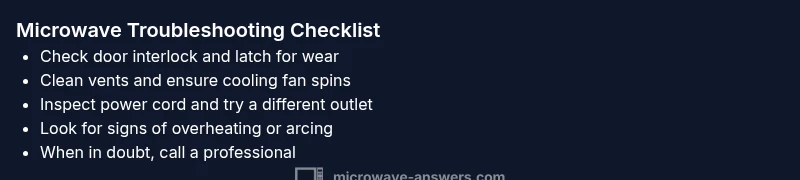
- Inspect door latch for wear and ensure it aligns with the interlock — difficulty: easy
- Let the unit cool and clear vent obstructions; clean lint around the fan — difficulty: easy
- Test the power cord and try a different outlet on a separate circuit — difficulty: medium
- If issues persist, have a technician evaluate the control board or magnetron — difficulty: hard
Steps
Estimated time: 30-60 minutes
- 1
Unplug and prepare
Unplug the microwave from the wall and disconnect any accessories. Wait 30 seconds to discharge residual energy. Clear the area around the unit and ensure hands are dry before touching any parts.
Tip: Safety first: never work on live electrical components. - 2
Check the door latch and switch
Close the door firmly and listen for a definite click. If the latch feels loose or the door won’t latch, the interlock switch may be defective and require replacement.
Tip: A misaligned door is a common cause of false interlock trips. - 3
Inspect vents and cooling path
Inspect the exterior vents for dust, lint, or obstructions. Use a soft brush or compressed air to clean dust from the vent and surrounding area; ensure the cooling fan spins freely when the door is opened.
Tip: Overheating is a frequent trigger for shutoffs. - 4
Evaluate the power path
Check the power cord for fraying or damage. Plug into a known-good outlet on a separate circuit if possible to rule out outlet issues.
Tip: A damaged cord is a fire hazard and must be replaced. - 5
Reset and observe a short test
Plug the unit back, set a short test run with a safe load (no metal, no foil), and watch whether it runs to completion. Note if it stops on any specific setting.
Tip: If it stops again, the issue is unlikely to be just a loose plug. - 6
Call a professional when needed
If the microwave continues to stop after these checks, the safest path is to have a certified technician inspect high-voltage components and the control board.
Tip: Don’t attempt high-voltage repairs yourself.
Diagnosis: Microwave stops unexpectedly during operation
Possible Causes
- highDoor interlock or faulty door switch
- highOverheat protection triggered
- mediumPower supply issue (outlet, cord, plug)
- lowControl board or timer fault
Fixes
- easyInspect door latch for alignment and wear; replace if damaged
- easyAllow unit to cool; remove obstruction from vent; clean debris from fan area
- mediumTest the power cord; try a different outlet or circuit
- hardIf the issue persists, consult a professional for control board diagnosis
Common Questions
Why does my microwave stop mid-cycle?
Most commonly the door interlock or overheating triggers safety shutoff. Power supply issues can also cause mid-cycle stops. Observing symptoms helps identify the likely cause.
Most stops happen because safety sensors like the door interlock or overheating kick in. Power issues can also stop it mid-cycle.
Can I fix a blown fuse in a microwave myself?
Fuses and high-voltage components are dangerous. Do not attempt to replace or bypass them yourself. Contact a qualified technician for safe repair.
High-voltage parts aren’t safe to handle yourself; call a technician.
Is it safe to run the microwave when the door is open?
No. The interlock prevents operation when the door is open. Bypassing it is dangerous and could cause severe injury or fire.
Never run it with the door open.
Why would it stop after a few seconds only on high power?
Overheating or a safety timer could trigger shutdown on high settings. Ensure vents are clear and the unit has proper cooling.
High power can trigger overheating protection if cooling is blocked.
Do I need to replace the entire microwave if it stops?
Not always. Sometimes a faulty interlock or switch is the issue; major faults may require replacement of parts or the unit.
Sometimes a repair is enough, but serious faults may require a new microwave.
When should I call a technician?
If basic checks don’t fix the stop issue, or if you suspect high-voltage components, have a certified technician inspect the unit.
If it still stops after checks, get a pro to diagnose high-voltage parts.
Watch Video
Main Points
- Unplug before inspection and start with door interlock checks.
- Most stops are safety or overheating related.
- Ruling out outlet and cord issues early saves time.
- If unresolved, professional service is required.