What Causes Microwave to Stop Heating? A Practical Troubleshooting Guide
Urgent guide to diagnose why your microwave stops heating and how to fix common safety-related faults. Learn about door interlocks, thermal fuses, magnetrons, and when to call a technician for safe repair.


Most often, a microwave stops heating due to a failed high‑voltage component or a safety interlock. Common culprits include a blown thermal fuse, faulty door switch, or a bad transformer. Start by unplugging, inspecting the door seal, and resetting the unit. If heating still won’t start, professional service is recommended.
What causes microwave to stop heating
The phrase what causes microwave to stop heating is the core question we tackle here. In most homes, this symptom appears when a safety interlock prevents the magnetron from energizing. Several failures can trigger that protection: a faulty door interlock, a blown thermal fuse, a degraded magnetron, or issues in the high‑voltage path (diode or capacitor). Understanding these causes helps you prioritize safe, effective troubleshooting without risking electrical shock or further damage. Throughout this guide, we stay focused on practical, home-friendly checks and when to seek professional service, because you cannot skip safety features when a microwave stops heating. According to Microwave Answers, safety interlocks are designed to shut power quickly to protect you, which is why a non-heating condition is often a sign of a protective fault rather than a simple worn button.
Safe, quick checks you can do before calling a tech
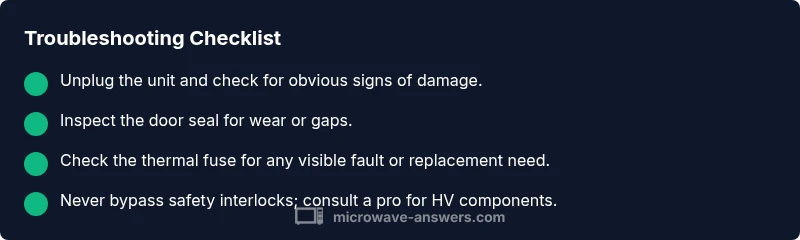
Before you panic, perform a few safe checks that don’t require disassembly. First, unplug the unit and wait a minute to discharge any residual charge. Inspect the door gasket for gaps or wear, and make sure the latch closes firmly. Check the external outlet to ensure the microwave is receiving power; a tripped circuit breaker or a loose plug can masquerade as a non-heating issue. If the unit still won’t heat after these basic checks, this is a clear signal to move into diagnostic steps rather than attempting risky internal repairs.
Diagnostic flow: symptom to solution
A non-heating symptom can stem from several root causes. Start with the simplest explanations—power, door interlock, and fuse—and proceed to more complex components if needed. The diagnostic flow is: confirm power and door status -> test internal safety interlocks -> inspect thermal fuse -> evaluate high-voltage path (diode/capacitor) -> assess magnetron or control board if the prior steps fail. At each stage, if a test or inspection reveals a fault, apply the corresponding fix or escalate to a professional before proceeding to the next step. This structured approach minimizes risk and increases the odds of a correct, safe resolution.
Step-by-step fixes for the most common causes
The most common non-heating issues fall into safety interlocks, thermal fuse, and door switch faults. If you are not trained in appliance repair, skip invasive tests and contact a professional. If you do proceed, ensure the unit is unplugged and the area is dry. Replace any obviously damaged parts with OEM equivalents and follow model-specific service manuals. After a fix, reassemble carefully and test with a microwave-safe load and without metal objects to confirm heating resumes.
Safety tips and common mistakes to avoid
Never attempt to bypass safety features or operate the microwave with exposed HV components. Always unplug before inspection, wear non-conductive gloves, and never touch metal parts with bare hands. Avoid multi-tasking while working on the appliance; a slip could cause a shock. If you smell burning, hear arcing, or see visible damage, stop immediately and call a professional. Remember that diagnosing high‑voltage parts requires specialized tools and training.
Prevention tips to extend microwave life
Regular maintenance reduces the chances of sudden heating failure. Clean the interior after use, wipe the door seal to keep a tight magnetic latch seal, and store the microwave in a dry, well-ventilated area. Periodically inspect the power cord for frays and avoid running the unit on an overloaded circuit. Schedule a professional inspection every few years if your model has complex electronics or you notice recurring non-heating symptoms.
When to replace or call a professional
If diagnostic checks point to the magnetron, transformer, or main control board, replacement is typically costlier and better handled by a trained technician. Even when a fix seems simple, HV components keep dangerous voltages present even when unplugged, so professional service is advised for any internal component work. If your unit is vintage or has failed repeatedly after prior repairs, replacement may provide a safer, more reliable option.
Steps
Estimated time: 60-90 minutes
- 1
Power down and unplug the unit
Always unplug the microwave before any inspection. Wait a few minutes to allow internal capacitors to discharge. Keep the work area dry and free of metal objects to minimize shock risk.
Tip: Use a non-conductive tool and wear rubber-soled shoes. - 2
Check the door interlock and latch
Inspect the door latch alignment and the door seal for wear or damage. A misaligned latch can prevent the interlock from signaling “safe to operate,” so the microwave won’t heat even if it powers on.
Tip: If you see gaps in the seal or cracks, do not reuse the unit until repaired. - 3
Test door switch continuity (if qualified)
Using proper safety procedures, test the door interlock switch for continuity with a multimeter. A lack of continuity indicates a faulty switch that should be replaced by a professional.
Tip: Only perform electrical tests if you are trained; HV components can cause severe shocks. - 4
Inspect the thermal fuse/thermal cutoff
Visual inspection can reveal obvious signs of a blown fuse. If you have the skills and the model allows, replace the fuse with the correct rating and re-test heating.
Tip: Never bypass a thermal fuse; it’s a critical safety device. - 5
Evaluate the high-voltage path (diode/capacitor)
Accessing the diode or capacitor requires careful isolation and testing per manufacturer guidelines. If you’re uncertain, skip this step and call a pro, as HV parts present serious shock risks.
Tip: Do not touch exposed HV components with power applied. - 6
Assess magnetron or control board reliability
If the previous checks are normal but heating still fails, a magnetron or control board fault is likely. This typically requires professional diagnosis and replacement.
Tip: Plan for a professional evaluation before attempting risky repairs.
Diagnosis: Microwave won't heat after it turns on
Possible Causes
- highDoor interlock or switch failure
- highBlown thermal fuse or thermal cutoff
- lowMagnetron failure
- mediumHigh-voltage diode or capacitor fault
- lowControl board fault
Fixes
- easyTest and replace the door interlock switch if it’s faulty
- mediumReplace a blown thermal fuse or thermal cutoff
- hardInspect or replace the magnetron if the unit shows signs of failure
- hardCheck the high-voltage diode and capacitor with proper safety procedures
- mediumConsult a professional for control board faults
Common Questions
Why won’t my microwave heat even though it turns on?
Non-heating can be caused by door interlock faults, a blown thermal fuse, or magnetron failure. Start with safety interlocks and fuses, then consider the magnetron if basic checks fail.
Common heat stoppages come from door interlocks or a fuse; check those first, then consider the magnetron if needed.
Can the door seal cause heating to fail?
Yes. A worn or damaged door seal can trigger safety interlocks, preventing heating. Inspect the gasket and replace if necessary.
A bad door seal can trigger safety interlocks and stop heating.
Is it safe to inspect the magnetron inside a microwave?
No. The magnetron and other HV parts store dangerous voltages even when unplugged. Have a qualified technician perform internal inspections and replacements.
Magnetrons are hazardous; avoid DIY inspection.
Should I repair or replace my microwave if heating stops?
If the magnetron or transformer is failing, replacement may be more cost-effective. A professional can help you decide based on age and performance.
Often replacement is safer when major HV parts fail.
How long does troubleshooting take?
A basic check can take 30-60 minutes; more complex diagnostics or parts replacement may require a service visit.
Plan for a few hours if professional service is needed.
What maintenance helps prevent heating problems?
Keep the door seal clean, avoid metal objects, and schedule periodic professional checkups especially for older models.
Regular maintenance reduces heating problems over time.
Watch Video
Main Points
- Unplug before inspection and avoid HV components.
- Door interlocks and thermal fuses are common heating-stop culprits.
- Don’t bypass safety features—professional repair is often required for HV parts.
- Regular cleaning and door seal checks prevent heating issues.
- Know when to replace vs. repair for safety and reliability.