When Microwave Stops Working: Quick Troubleshooting Guide
Learn how to diagnose and fix a microwave that stops working. Quick checks, safety tips, and when to call a pro—Microwave Answers' 2026 guide for home cooks.


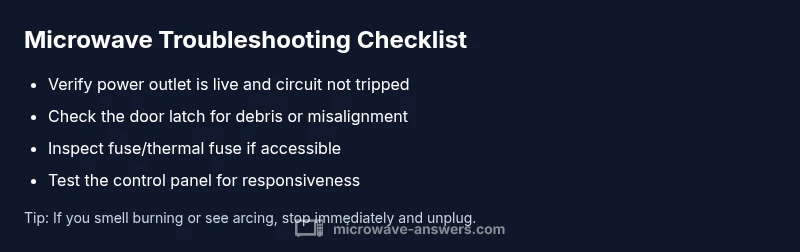
Power and door issues are the most common culprits when a microwave stops working. Start with the basics: verify the outlet is live, unplug and replug, and check the door latch. If the unit still won't start, reset at the outlet or breaker, then inspect fuses and thermal cutoffs. If it still fails, call a professional.
Why the microwave stops working and what it means
When the appliance suddenly goes quiet, it’s rarely a mystery with the right approach. The phrase when microwave stops working often signals a power issue, a door interlock fault, or a protective safety cutout doing its job. According to Microwave Answers, the most frequent culprits are a dead outlet or tripped circuit, a misaligned or damaged door latch, or a blown fuse. Other times the control board or thermal fuse may fail after extended use. You’ll know you’re dealing with a safety concern if you notice sparking, burning smells, or heat buildup around the vent. Start by confirming power, then move to user-accessible components. This disciplined approach helps you avoid unnecessary disassembly and keeps you safer while diagnosing the problem.
Quick safety reminders
Before you touch anything, always unplug the unit and ensure it cannot be energized by accident. Do not attempt to pry open the cabinet or test high-voltage components with power on. If you smell burning, hear buzzing, or see arcing, stop immediately and unplug the microwave. These cues indicate a potentially dangerous fault that requires professional service. Remember, safety comes first when the microwave stops working, and you should limit DIY to exterior checks and basic resets.
Common symptoms and their simple interpretations
If the keypad responds but the oven won’t start, the issue is often a door interlock or control panel fault. If there’s no response at all, there could be a tripped circuit, a blown fuse, or a power supply issue. A mid-cycle stop can indicate an overheat cutout or a dangerous fault in the magnetron or controller. By mapping your symptom to a probable cause, you can decide whether a quick reset helps or you should book a professional service. In many homes, the root cause is a simple power or door issue rather than a major component failure.
How to distinguish between quick fixes and red flags
A reset at the outlet, ensuring the circuit breaker is on, and a double-check of the power cord often resolves simple power glitches. If the microwave still won’t power up, look at the door latch and interlock mechanisms—the simplest issues to address are misalignment or debris blocking the latch. If none of these apply, and especially if you notice heat, smoke, or a burnt odor, that’s a red flag signaling internal damage. In such cases, a professional diagnosis is required to prevent further harm and ensure safe operation.
What to do next if the problem persists
If you’ve exhausted exterior checks and the unit remains unresponsive, it’s time to escalate. A licensed technician can safely test the high-voltage circuit, verify the thermal fuse, and inspect the control board. Keeping a record of symptoms, when they occur, and any sounds or smells can speed up the diagnosis. The Microwave Answers team emphasizes that prolonged DIY on high-voltage appliances increases risk of injury and voids warranties, so know your limits and seek professional help when needed.
Steps
Estimated time: 30-45 minutes
- 1
Power check and reset
Unplug the microwave, wait 60 seconds, and plug back in. Confirm the outlet is live by testing with a different device. This basic reset often clears software glitches or power supply hiccups causing a stop in operation.
Tip: Use a different outlet on the same circuit to rule out a circuit breaker issue. - 2
Inspect the door latch
Open and close the door several times to observe the latch. If it feels loose, bent, or sticks, debris could be preventing proper interlock engagement. A mis-engaged interlock can prevent the oven from starting or stop mid-cycle.
Tip: Never bypass the interlock; they are safety devices that protect you from microwaving with an open door. - 3
Check the outlet and circuit
Plug the microwave into a known-good outlet or swap it with another small appliance on a different wall outlet. If the circuit trips, reset and check for overloads. A shared outlet with high-draw devices can cause intermittent power loss.
Tip: If the breaker trips again, reduce load or consult an electrician. - 4
Inspect visible fuses and vents
If you have access to the fuse compartment per your device manual, inspect for a blown fuse or signs of scorching. Do not touch internal components beyond the exterior panels unless you are trained. A blown fuse often indicates a deeper problem.
Tip: Only replace with the exact same fuse type and rating specified by your model. - 5
Test the control panel
Run a few basic keypad tests (start, stop, timer) to see if the board responds. If the keypad is non-responsive or erratic, the control board or its connections may be at fault. This step helps determine if a simple reset suffices or if service is needed.
Tip: Document any error codes or blinking lights to share with a technician. - 6
Decide on next steps
If exterior checks do not resolve the issue, plan for professional diagnosis. High-voltage components require trained technicians. Consider warranty status and replacement costs when repairs approach or exceed a new unit’s price.
Tip: Keep the unit unplugged until a professional confirms it’s safe to re-energize.
Diagnosis: Microwave won't start or stops mid-cycle
Possible Causes
- highPower supply issue (outlet, cord, or circuit breaker)
- highDoor interlock fault (misaligned latch or damaged sensor)
- mediumBlown fuse or failed thermal fuse
- lowControl panel or board fault
- lowOverheating protection triggered
Fixes
- easyTest outlet with another device and reset the circuit breaker if needed
- easyInspect door latch for debris or misalignment and reseat
- mediumUnplug, remove back access panel only if comfortable, check for blown fuse/therm fuse (do not replace without model reference)
- easyReset the microwave by unplugging for several minutes and replugging, then test
- hardIf power and latch are fine but symptoms persist, call a certified technician for internal diagnostics
Common Questions
What should I do first when my microwave stops working?
Begin with basic power checks: confirm the outlet, reset the circuit, and verify the door latch is properly engaged. If the unit still won’t start, proceed with the diagnostic flow or call a technician if safety concerns arise.
First, check the outlet and reset the circuit. Then verify the door latch is engaged. If it still won’t run, follow the diagnostic steps or call a technician for safety concerns.
Is it safe to open the microwave to inspect components?
Avoid opening high-voltage areas. Exterior checks are generally safe, but interior testing should be done by a qualified technician to prevent electric shock or further damage.
No—do not open high-voltage parts. Exterior checks are safe, but interior testing should be done by a professional.
Can I fix a microwave without a repair technician?
Some issues, like a loose door latch or a tripped breaker, can be diagnosed at home. More complex faults, such as fuse or board problems, should be handled by a pro.
Some simple problems you might fix yourself, but for fuses and control boards, call a professional.
What causes a microwave to stop mid-cycle?
Mid-cycle stops are often caused by a triggering thermal fuse or a door interlock fault. Electrical faults can also interrupt operation.
A mid-cycle stop is usually a door interlock fault or a thermal fuse triggering.
When should I replace a microwave rather than repair it?
If repair costs approach or exceed a new unit’s price, or if safety concerns exist, replacement is often the best option.
If repairs are costly or risky, replacing the microwave is sensible.
How can I prevent future microwave problems?
Regular cleaning, avoiding metal cookware, keeping vents clear, and protecting the power cord can help prevent common issues.
Keep it clean, dry, and ventilated to prevent future problems.
Watch Video
Main Points
- Start with power and door checks
- Map symptoms to likely causes quickly
- Prefer safe DIY exterior checks first
- Know when to call a professional
- Prevent future issues with regular care