What to Do If Your Microwave Isn't Heating: Troubleshooting Guide
Practical, step-by-step troubleshooting for a microwave that won't heat. Safe checks, common causes, diagnostic flow, and when to call a pro. Learn how Microwave Answers helps home cooks restore heat safely.


Steps: 1) Unplug the microwave and check the outlet and breaker. 2) Open and firmly close the door to engage the latch. 3) If still cold, unplug for 60 seconds, then plug back in to reset electronics. 4) Test with a simple task and, if no heat, contact a technician.
What does it mean when a microwave won't heat?
If you're wondering what if microwave is not heating, recognize that the issue is usually a safety interlock or power problem rather than the food itself. Most microwaves will light up the display or run the turntable even when there’s no heat. The heating circuit depends on several components working in harmony: door interlocks, high-voltage components, and the control board. When one part fails or is out of alignment, heat may not be generated. In short, the problem tends to live in the power or safety chain rather than in the food. This guide from Microwave Answers walks you through methodical checks you can perform safely, with clear boundaries and steps that prevent unnecessary risk.
Quick checks you can safely perform
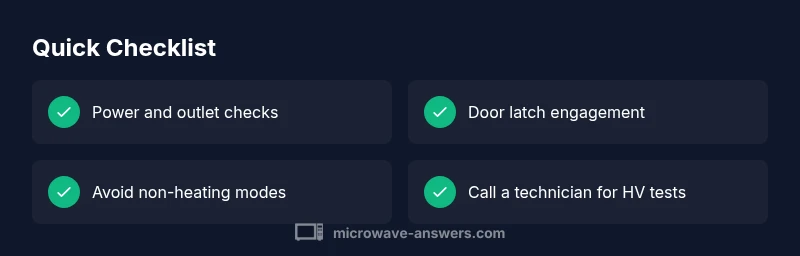
Before taking the appliance apart, run through these basic checks. They are designed to be safe and quick, and they often solve the problem without tools:
- Verify power at the outlet: plug another device in to confirm the circuit is live.
- Reset the microwave: unplug for a minute, then plug back in to reset the control board.
- Confirm the door is fully closed and the latch engages with a clear click.
- Check that you haven’t selected a non-heating mode (like defrost or a sensor setting).
- Ensure the appliance is on a standard power circuit and not sharing a breaker with high-draw devices.
If heat still does not return after these checks, you may be facing a more complex safety or power issue that requires professional inspection.
Common causes and how they manifest
There are several frequent culprits behind a microwave that won’t heat. Understanding how they present helps you triage safely:
- Door interlock or latch failure: A faulty switch can keep the magnetron from firing even when the door is closed. You may hear only a hum or see a momentary display but no heat.
- Faulty magnetron or high-voltage components: If the magnetron or diode is degraded, the unit can run but without producing heat. This usually requires professional diagnosis.
- Blown fuse or damaged control board: A blown fuse or a control board fault can cut the heating circuit entirely while the rest of the microwave appears functional.
- Wiring or connections: Loose or damaged wires in the HV circuit can disrupt heat generation.
- Power supply issues: Insufficient voltage from the outlet or on the circuit can prevent the magnetron from reaching the required power level.
Note: If you notice burning smells, sparks, or smoke, stop using the unit immediately and unplug it.
Safe diagnostic steps you can take without opening the cabinet
This section focuses on non-destructive checks you can perform to narrow down the cause:
- Test with a simple load: Place a cup of water and run the microwave for 30 seconds on a standard setting to see if any heating occurs.
- Swap outlets: Try plugging the microwave into a different, known-good outlet on a different circuit to rule out power supply issues.
- Inspect the exterior and vent areas: Look for obvious signs of damage, scorching, or debris blocking vents that could cause overheating or safety interlocks to trigger.
- Confirm control settings: Ensure you didn’t select a non-heating mode or a sensor setting that bypasses heating for the chosen load.
- Check the user manual for model-specific safety features and reset procedures.
If these steps reveal no heat, the safest path is to arrange a professional diagnosis.
Step-by-step: common-fix path and what to expect
When heat is missing, the most common fix path starts with safety interlocks and power, then moves to component checks if needed. Use this as a practical outline, not a teardown guide. Always unplug before inspecting or handling internal parts beyond simple exterior checks. If you are uncomfortable at any point, stop and contact a pro.
- Confirm safety: Unplug the unit and ensure the area is dry. Wait a minute before continuing.
- Recheck door latch: Open, inspect for visible damage, and firmly close until you hear a solid click. A misaligned latch is a frequent, fixable issue.
- Power cycle: Plug back in, reset the clock if needed, and test a basic heating task using water.
- Test alternate settings: Try standard heat instead of defrost or sensor modes to verify the circuit responds to basic heating calls.
- Check the circuit: If other high-draw devices cause tripping, move the microwave to a dedicated outlet or reset the breaker.
- If heat still does not appear: Do not attempt component-level repairs. Schedule service with a technician who can test the magnetron, diode, and HV capacitors with the right safety gear.
Safety notes: warnings and common mistakes
- Never attempt to service the HV components yourself if you are not trained. This can result in electric shock or further damage.
- Do not run the microwave when the door seal is damaged or if you hear unusual buzzing or burning sounds.
- Avoid using metal utensils or foil; these can cause arcing and create a safety hazard.
- Do not bypass safety interlocks or attempt to “jump” circuits to force heating. Modern microwaves contain protective circuitry designed to prevent harm.
- If you smell burning insulation or observe smoke, unplug immediately and consult a professional.
Prevention tips to avoid future issues
- Schedule regular safety checks and keep the unit clean to prevent debris from triggering interlocks.
- Use the microwave on a dedicated outlet to prevent voltage drops that can affect heating performance.
- Avoid overheating the unit by running it with consistent loads and not running it empty for long periods.
- Follow the user manual's recommended maintenance and reset procedures after long storage.
- Label and monitor any recurring error codes or blinking lights; these indicate an underlying issue that merits professional attention.
Steps
Estimated time: 30-60 minutes
- 1
Verify power and reset
Unplug the unit, wait 60 seconds, then plug back in. If the display resets and you can set a basic heat cycle, the issue may be transient. This step rules out a simple software hiccup.
Tip: Keep the unit unplugged during testing to avoid shock. - 2
Test the door latch
Open and close the door firmly; listen for an audible latch engagement. A loose or misaligned latch can prevent the magnetron from firing.
Tip: If the latch feels floppy, do not use the microwave until inspected. - 3
Check the outlet and circuit
Plug the microwave into a different, known-good outlet on a separate circuit if possible. A shared circuit with a heavy load can cause voltage drop and heating failure.
Tip: Avoid using extension cords for heavy appliances; they can introduce resistance. - 4
Rule out non-heating settings
Confirm that you did not select a non-heating mode such as defrost, sensor cook, or auto cook that bypasses heat based on input or sensors.
Tip: Always start with a standard microwave setting to verify basic operation. - 5
Inspect for signs of damage
Look for burning smells, arcing, or visible damage on the control panel or interior. If you find any, stop use and call a technician.
Tip: Do not disassemble HV components; leave specialist work to professionals. - 6
Plan professional service
If heat still does not return, arrange service to test magnetron, HV diode/capacitor, and wiring with appropriate safety gear and equipment.
Tip: Keep the model number and any error codes handy for the technician.
Diagnosis: Microwave won't heat
Possible Causes
- highPower issue (outlet, breaker, wiring)
- highDoor interlock or switch failure
- mediumFaulty magnetron or high-voltage components
- mediumBlown fuse or control-board fault
- lowInternal wiring or connector failure
Fixes
- easyTest and reset power supply: verify outlet voltage, reset circuit breaker, and reconnect the microwave to a known-good outlet.
- easyInspect door latch visually and functionally; ensure it snaps securely when closed.
- hardIf heat still does not occur, schedule professional testing of magnetron, HV diode, and HV capacitor.
- mediumCheck and repair internal wiring or connectors only if you are qualified; otherwise leave to a pro.
Common Questions
Why is my microwave not heating even though it seems to power on?
That usually points to a safety interlock or power issue. Start with power and door latch checks, then rule out non-heating modes before seeking professional help.
If it powers on but doesn’t heat, start with power and door latch checks, then rule out non-heating modes before calling a technician.
What is the first thing I should check if my microwave won't heat?
Verify the outlet and circuit, ensure the door latch engages properly, and reset the unit by unplugging briefly. These quick checks solve many heating issues.
First check the outlet and door latch, then reset the unit by unplugging briefly. These steps fix many heating issues.
Can a blown fuse cause a microwave to stop heating?
Yes. A blown fuse or control-board fault can interrupt the heating circuit while the unit still powers on. This typically requires professional inspection.
Yes. A blown fuse can stop heating and needs professional inspection.
Is it safe to repair a microwave myself?
Generally no. HV components and interlocks carry high voltages. Leave magnetron and HV capacitor work to trained technicians.
No, repairs on HV parts should be done by trained technicians.
What should I do if the door won’t latch shut?
Stop using the unit and arrange service. A faulty latch can falsely trigger safety features and prevent heating.
If the door won’t latch, stop using it and get it serviced.
How long does a microwave last before magnetron failure?
Lifespan varies by model and use, but a sudden loss of heating typically indicates a failed magnetron or diode requiring professional assessment.
A sudden loss of heating often means the magnetron or diode has failed and needs a pro check.
Watch Video
Main Points
- Check power and door latch first
- Identify whether the issue is safety-related or a component fault
- Use a safe, methodical diagnostic flow
- Call a professional for magnetron/HV component tests