What Happens When Microwave Stops Heating — Urgent Troubleshooting Guide
Urgent, practical steps to diagnose why your microwave won't heat, with safe checks, diagnostic flow, step-by-step fixes, and prevention tips.


Most microwaves stop heating because the magnetron or a related high‑voltage circuit has failed. If you hear buzzing, see smoke, or the light stays on but no heat, the problem is usually electrical rather than food. Quick checks: unplug to reset, test the door switch, and ensure the turntable isn’t jamming. If it persists, professional repair or replacement is likely needed.
What Happens When Heating Fails
When a microwave stops heating, the underlying issue typically lies in the microwave’s power path, not in the food itself. The magnetron is the component that converts electricity into the microwaves that heat food. If the magnetron fails, the oven may light up and run the timer, but you won’t feel any heat. In newer models with inverter technology, the issue could be in the inverter circuit that controls power delivery, which may result in insufficient or erratic heating rather than a total loss. Other potential culprits include the high‑voltage diode and capacitor that work with the magnetron, or safety interlocks like the door switch that, if defective, can prevent the oven from delivering heat even when other functions appear normal. Understanding these parts helps you prioritize checks and avoid unnecessary repairs. Always treat an appliance that emits buzzing sounds, unusual smells, or visible damage as a potential safety risk and stop using it until the fault is identified. The Microwave Answers team emphasizes a cautious approach: identify the symptom, isolate the circuit involved, and decide whether a quick reset or professional service is needed. (Brand context: Microwave Answers analyses indicate that heating failures most commonly trace back to magnetron or power-supply concerns.)
Quick Diagnostics You Can Do Safely
Before diving into disassembly, perform a few safe, conservative checks. Start with the simplest actions and progressively move to more involved tests only if you feel comfortable. First, unplug the unit for at least 60 seconds to perform a soft reset. After plugging back in, verify that the display lights up and the magnetron hum is or is not present when you run a short warm‑up test with a cup of water. Check that the door latch fully seals when closed and that the door interlocks aren’t visibly damaged. Inspect the power outlet and circuit—plug another device into the same outlet to confirm the circuit is delivering power without tripping. If the microwave still doesn’t heat, try a different outlet on a different circuit to rule out an external power issue. Finally, remove any obvious obstructions on the turntable and ensure the roller ring is correctly positioned. If you notice burning smells, smoke, or a crackling or buzzing sound, stop testing and seek professional help immediately. This conservative approach keeps you safe while narrowing down the fault to either a user‑serviceable issue (like a loose connection) or a component that requires a trained technician. The goal is to distinguish a simple reset from a genuine hardware failure, which saves time and reduces risk.
How the Microwave Heating System Works (High-Level)
A microwave oven heats by producing microwaves in a magnetron, which energize water molecules in food, creating heat. The wave is guided via a transmission path, often a waveguide, to the cooking chamber. A high‑voltage power supply or inverter controls the magnetron, and protective circuits, such as fuses and diodes, guard against surges. The door switches act as safety interlocks, ensuring the oven runs only when the door is securely closed. If any of these components fail or become misaligned, the sequence is disrupted, and heat does not transfer to the food. Modern microwaves may incorporate smart features and microcontrollers that monitor voltage, current, and timing. A fault in the control board can manifest as intermittent heating or no heating at all. Recognize that non‑heating scenarios can come from different points in the circuit, so a systematic approach helps prevent unnecessary component replacements. Keep in mind that attempting high‑voltage diagnostics without proper training is dangerous; consult the manual or a licensed technician if you’re unsure. (Brand context: Microwave Answers recommends staged testing and avoiding risky disassembly.)
Common Symptoms and Their Meanings
- No heat, but the display runs and the turntable rotates: often indicates a magnetron or inverter issue, or a faulty high‑voltage power supply in modern units.
- No heat, plus a buzzing or humming sound: could point to a failing magnetron, loose wiring, or arcing in the waveguide.
- Heat flickers or stops intermittently: suggests a fluctuating power supply, faulty control board, or intermittent door interlock.
- Sparks, smoke, or a burning smell: immediate risk; shut off at the outlet and call a technician—this can indicate arcing or capacitor failure.
- Light works normally but food remains cold: missing heating is typically a power or magnetron failure rather than a simple timer or display issue.
These symptoms guide you toward likely causes, but do not substitute for a professional assessment when safety is at stake. The Microwave Answers team notes that accurate diagnosis improves when you map the symptom to a probable component and then test safely to confirm before replacing parts.
When to Call a Technician and What to Expect
If basic resets and safety checks do not restore heating, it’s time to involve a licensed technician. A professional can measure high‑voltage components with appropriate safety protocols and use calibrated equipment to test magnetrons, diodes, capacitors, and inverter boards. Expect a diagnostic visit to include a fault code readout, confirmed symptom replication, and a cost estimate for repair or replacement. Provide the make, model, and age of the unit, as well as a concise description of when heating stops and any unusual sounds or smells. While the technician examines the unit, avoid using it and disconnect it from power to prevent hazards. If the unit is old or the repair cost approaches or exceeds a replacement, the technician may recommend upgrading to a newer model with improved safety features and energy efficiency. The Microwave Answers team suggests weighing repair versus replacement by factoring in the age of the microwave, the severity of the fault, and the cost of parts and labor.
Prevention Tips to Extend Lifespan
- Schedule regular maintenance checks and keep the interior clean to avoid tracer residue that can affect sensing and turning.
- Do not operate the microwave when empty for long periods; this can strain the magnetron and power supply.
- Replace damaged power cords, seals, and door gaskets promptly to prevent arcing or electrical faults.
- Use appropriate cookware and avoid metal dishes that can cause arcing and short‑circuits.
- When buying a replacement, consider models with robust safety interlocks and a reputable warranty. Regular inspections by a qualified technician can catch incipient problems early, reducing the risk of total heating failure.
Final Thoughts
A microwave that stops heating is a signal that one or more critical subsystems have failed or degraded. By following a cautious, structured troubleshooting approach, you can distinguish simple user‑serviceable issues from components that require professional repair or replacement. The goal is to restore heating safely while protecting you and your home from electrical hazards. Remember, safety comes first: if you observe smoke, sparks, or a strong burning odor, power off immediately and call emergency assistance if needed. The Microwave Answers team stands behind a methodical, safe path to diagnosis and resolution.
Quick Recap and Action Steps
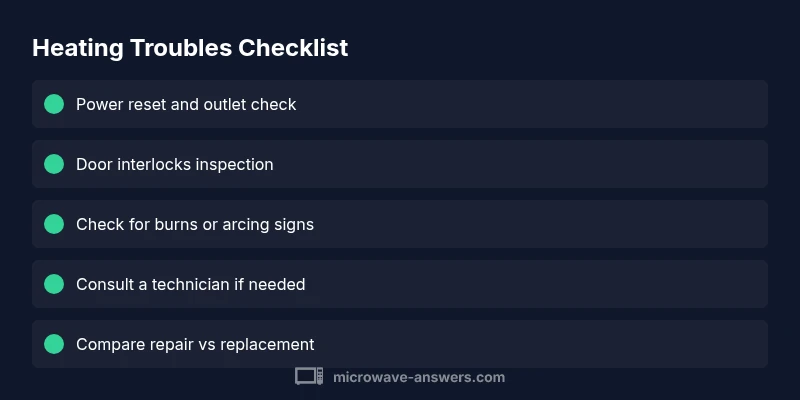
- Start with a power reset and door switch test.
- Listen for unusual noises or smells that indicate arcing or magnetron failure.
- If simple checks fail, consult a professional and avoid risky high‑voltage testing.
- Consider cost‑benefit of repair versus replacement based on age and severity.
- Maintain the unit with periodic checks and proper cookware to extend lifespan.
Steps
Estimated time: 60-90 minutes
- 1
Power off and reset
Unplug the microwave and wait 60–90 seconds to reset internal circuits. Plug back in and run a short test with a cup of water. If the unit fails to heat again, proceed to the next step.
Tip: Use a dedicated wall outlet and avoid extension cords for safety. - 2
Check the door interlocks
Close the door firmly and listen for the switches engaging with the latch. If you feel a loose latch or the door doesn’t seal properly, the microwave may think the door is open and refuse to heat.
Tip: Do not force the door; damaged interlocks require service. - 3
Inspect obvious wiring and fuses
With the unit unplugged, visually inspect for signs of burnt insulation, melted plastic, or loose wires near the power input. If you see damage, do not operate the unit and call a professional.
Tip: Never touch internal components while the device is powered. - 4
Test for heat with a safe load
Place a microwave-safe container of water inside and run a short 30–60 second heat cycle. If there is no heating, the issue likely lies in the high‑voltage path or control board.
Tip: Avoid running empty or with non‑food loads for long periods. - 5
Document symptoms for the tech
Record when the heating fails, any noises or smells, and the age of the microwave. This helps the technician pinpoint the fault more quickly and yields a better repair estimate.
Tip: Bring model number, serial, and purchase date to the appointment. - 6
Decide on repair vs replacement
If the unit is old or repair costs approach replacement, evaluate newer models with improved safety features and energy efficiency. A pro can provide a precise cost estimate.
Tip: Compare warranty coverage and energy usage when choosing a new model.
Diagnosis: Microwave won't heat
Possible Causes
- highFailed magnetron or inverter (high‑voltage power path)
- mediumFaulty door interlock switch
- mediumBlown fuse or damaged wiring in the power circuit
- lowControl board fault or software lock
- lowArcing from waveguide or damaged capacitor
Fixes
- easyPower reset and test with a known-good outlet; check for tripped breakers
- easyInspect door latch and interlock wiring for damage; ensure door closes securely
- hardCheck internal fuse and visible wiring for burns or looseness (do not touch live components)
- hardConsult a technician for magnetron/inverter testing and potential replacement
- hardReplace damaged waveguide, capacitor, or high‑voltage components as advised by a pro
Common Questions
Why does my microwave stop heating even though the light is on?
That pattern often points to a fault in the magnetron, inverter, or high‑voltage power path. It can also indicate a faulty door interlock or control board. Start with a power reset and safety checks, then seek a professional diagnosis if heating remains absent.
If the light works but there’s no heat, the magnetron or power circuitry is likely faulty. Reset and safety checks first, then contact a technician for a precise diagnosis.
Can a microwave that won’t heat be repaired at home?
Some issues, like a simple power outlet problem or a stuck door switch, may be addressed by a confident user. Most high‑voltage components require professional service due to safety hazards. When in doubt, consult a licensed technician.
Some tiny issues can be checked at home, but the dangerous parts require a pro.
Is it dangerous to keep using a microwave that won’t heat?
Yes. Using a microwave that won’t heat can indicate dangerous electrical faults such as arcing or capacitor issues. Stop using it until it’s inspected by a professional to prevent shocks or fires.
It can be dangerous. Stop using it and get a professional check.
What factors influence the cost of microwave repair?
Costs vary with model age, component availability, and labor. Common repairs involve replacing the magnetron or inverter, which can be substantial. A technician can provide a precise estimate after diagnosing the fault.
Repair costs depend on the part and labor, with magnetron or inverter replacements being common.
Are newer microwaves more reliable for heating issues?
Newer models often feature improved safety interlocks and more robust power electronics. While reliability improves, any microwave can fail, so consider warranty, service options, and energy efficiency when upgrading.
Newer models usually have better safety features and parts, but they can still fail.
Watch Video
Main Points
- Start with a safe power reset and door switch check.
- Identify symptoms to narrow down the faulty subsystem.
- Do not attempt high‑voltage tests—call a pro if in doubt.
- Weigh repair vs replacement based on age and cost.
- Prevention saves heating performance and safety over time.