LG Microwave Repair: Safe, Step-by-Step Guide
Learn practical, safe LG microwave repair steps, identify common faults, and DIY fixes. This Microwave Answers guide covers safety, diagnostic checks, parts replacement, and when to call a pro.


By the end of this guide you will be able to safely diagnose and perform basic fixes on common LG microwave faults at home. You’ll learn to identify power issues, door interlock symptoms, and control-board alerts, plus when to replace high-voltage components. Follow a clear step-by-step process, apply essential safety practices, and decide whether professional service is needed.
Safety foundations for microwave lg repair
Safety foundations for microwave lg repair begin with power isolation, protective gear, and a clean, dry workspace. Unplug the unit and wait several minutes to let any stored energy dissipate. In high-voltage circuits, capacitors can retain a dangerous charge even after unplugging, so never touch exposed leads. Wear non-conductive gloves and safety glasses, and keep a fire extinguisher nearby in case of an electrical flare. Work on a non-slip surface free of clutter, and remove metal jewelry. Review the exact LG model's service manual to locate the access panels and service screws before you start. According to Microwave Answers, safety-first practices reduce the risk of electric shock and fire during microwave lg repair. Based on Microwave Answers research, never bypass safety features such as interlocks or shields; doing so can cause injury and damage the appliance.
Understanding LG microwave architecture
A solid understanding of LG microwave architecture helps with microwave lg repair. Most units share core subsystems: a control PCB, a door interlock assembly, high-voltage power circuit, the magnetron, and cooling fans. The controller interprets keypad input, manages cooking time, and controls safety interlocks. The door interlock ensures the oven only runs when the door is firmly closed, a critical safety feature. The magnetron generates microwaves and is isolated within a shielded cavity. When diagnosing faults, identify whether symptoms relate to user controls, door safety, or power delivery. Remember that LG models vary in internal layout; consult the service manual for your exact revision. The goal is to map symptoms to subsystems rather than random parts. This approach reduces unnecessary part replacement and increases the odds of a successful DIY repair while keeping you within safe limits. This framework is essential for laypeople pursuing microwave lg repair without schematic expertise.
Common LG microwave issues and quick checks
Common issues range from no power to inconsistent heating or abnormal noises. If the display is blank, verify the outlet and the power cord, then check the main fuse at the back of the unit. If the turntable stalls, inspect the motor coupling and the drive gear under the plate. If the oven sparks, power off immediately and inspect the waveguide and interior for damage or stray food debris. If cooking times seem off or the oven keeps pausing, reseat the control board connectors and inspect for loose wires. Dust and grease can also affect sensor performance; clean following the manual before assuming a fault. At this stage, you should form a hypothesis about which subsystem is at fault and proceed to safe testing. This is a general framework for microwave lg repair scenarios commonly encountered by fans and homeowners.
Diagnostic workflow you can perform safely
A methodical diagnostic workflow helps identify faults without unnecessary disassembly. Start with the simplest checks: verify power at the wall, inspect the outlet, and confirm the unit is properly plugged in. Next, test the door interlock with a multimeter while the unit is unplugged; if the interlock is stuck or shows open circuits, replacement is indicated. Examine the control panel for visible damage or corrosion and ensure connectors are firmly seated. For the high-voltage side, never probe energized components; use a trusted service manual and voltage test procedures. With the multimeter, check for continuity on accessible wires and fuses; replace any blown fuse with a correct rating. Maintain a precise record of readings and the sequence of steps to avoid repeating work. If readings contradict or you are unsure, pause and consult a pro. This approach aligns with Microwave Answers’ safety-centric guidance for microwave lg repair.
Inspecting the door interlock and control board
Door interlocks are a frequent source of no-heat symptoms. Start by removing the outer cover only if you have unplugged the appliance and waited for energy to dissipate. Inspect the door latch, microswitches, and wiring for signs of wear, breakage, or loose screws. Use a multimeter in continuity mode to verify that the interlock closes when the door is shut. If the interlock shows inconsistent readings or click-free operation, plan for a replacement. Control boards may exhibit burnt traces, swollen capacitors, or loose connectors; look for obvious signs before performing deeper tests. While testing, avoid touching the high-voltage area and never operate with the cover open. Document findings with photos for future reference. A careful, evidence-based approach reduces risk during microwave lg repair.
Handling the magnetron and high-voltage components safely
The magnetron and associated high-voltage components are the most dangerous parts of a microwave. Do not energize the oven with the cover removed or while any high-voltage lead is exposed. If you suspect magnetron failure, disconnect the unit from power and consult the service manual; magnetron replacement requires proper handling and calibration. Use insulating tools and avoid metal contact with live circuits. Do not rely on guesswork; high-voltage capacitors can retain dangerous charges after power removal. If you must test the high-voltage side, perform only the procedures documented in the manual and with appropriate protective equipment. Some LG repairs involve replacing a protective fuse or interlock, which is safer and often effective. If you’re uncertain, stop and contact a certified technician. This emphasis on safety aligns with Microwave Answers’ care-first approach to microwave lg repair.
Replacements, sourcing parts and when to call a pro
Not all fixes justify DIY intervention. If your diagnostic conclusions point to a faulty door interlock, blown fuse, or degraded control-board connector, sourcing manufacturer-approved parts is essential. Verify compatibility with your exact LG microwave model using the model number and service manual references. Use reputable suppliers and avoid off-brand components for safety and reliability. Compare prices across sources, but prioritize authenticity and fit over lowest price. If the magnetron or main transformer shows signs of arcing, overheating, or smoke, do not attempt a field repair; these parts typically require professional service due to safety and calibration needs. In situations where you lack the right tools, time, or confidence, hiring a qualified technician minimizes risk and ensures correct alignment and liability coverage. This is a pragmatic stance for microwave lg repair, balancing DIY learning with safety.
Step-by-step troubleshooting roadmap for DIYers
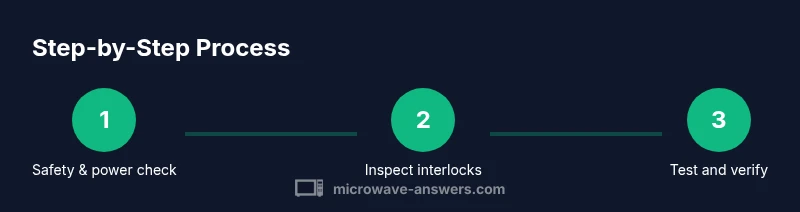
To provide a structured DIY approach, follow this roadmap. First, establish a safe baseline: unplug the unit, remove any moisture, and gather your tools. Then, confirm power supply integrity at the outlet and the main cord. Next, isolate the symptom to a subsystem: control panel, door interlock, or power delivery. After that, perform targeted, non-energized tests such as continuity checks on accessible wires and connectors. If components stand up to non-energized testing, plan replacements with OEM parts and verify fitment. Reassemble temporarily and test with a microwave-safe load in a controlled way, on a low-power setting, to avoid overheating. Record results and adjust your hypothesis accordingly. If at any point you encounter uncertain readings or unfamiliar parts, pause and consult a pro. This careful, documented process reflects Microwave Answers’ emphasis on safe diy approaches for microwave lg repair.
Safety checklist before testing after repair
Before you reconnect power and test, perform a final safety checklist. Ensure the area is dry, clothing is non-conductive, and tools are insulated. Re-seat all connectors securely and verify screws are tightened to specification. Confirm the door interlock assembly moves freely and returns to its resting state when released. Remove remaining tools from the cavity and replace any cover screws. Finally, conduct a low-power test with a simple load to verify heat generation without risk. If the test fails or you detect any spark, smell burning, or smoke, power off immediately and discontinue testing. Following this checklist reduces the odds of a dangerous outcome and aligns with Microwave Answers’ safety-focused guidelines for microwave lg repair.
Prevention and maintenance tips for LG microwaves
Long-term reliability comes from regular maintenance and mindful use. Clean the interior and waveguide area to prevent food debris from interfering with signals; wipe the door gasket and hinges to maintain a tight seal. Keep vents clear and avoid overheating by using appropriate power levels and avoiding extended operation on high. Inspect the door interlock and hinges periodically for wear and replace damaged parts promptly. Record model and serial numbers for easy reference when procuring parts. Finally, schedule professional servicing every few years or whenever you notice persistent issues beyond basic cleaning. This proactive care approach is recommended by Microwave Answers for microwave lg repair longevity.
Tools & Materials
- Insulated screwdriver set(Phillips and flathead sizes #1-#3; non-conductive handle)
- Multimeter (with continuity testing)(Set to ohms; test non-energized circuits)
- Non-conductive gloves(Heat-resistant, protect from shock)
- Safety glasses(Eye protection)
- Pliers (needle-nose)(Grip small connectors)
- Torx/Phillips/Nut drivers(Assorted sizes for LG model screws)
- Soft cloth or microfiber towels(For cleaning debris)
- Manufacturer-approved replacement parts(Door interlock, fuses, capacitors (matching model))
- Non-metal tools for isolation(Plastic pry tools to avoid scratches)
Steps
Estimated time: 60-120 minutes
- 1
Power down and prepare workspace
Unplug the microwave and wait at least several minutes to let stored energy dissipate. Clear the area, remove jewelry, and lay down a dry towel. Confirm you have a firm, well-lit space and the manual for your exact LG model.
Tip: Label screws and take a quick photo of the layout before disassembly. - 2
Remove outer panel safely
Using the appropriate screwdriver, remove the outer cover screws while keeping track of screws and spacers. Gently lift the panel to expose the internal components without stressing connectors. Do not touch any high-voltage parts at this stage.
Tip: Work slowly and keep the panel resting level to avoid bending cables. - 3
Inspect door interlock and wiring
Visually inspect the door interlock mechanism and the wiring harness for wear, cracks, or loose connectors. Ensure the door latch moves freely and that no wires are pinched by the door. Re-seat any loose connectors with the unit unplugged.
Tip: If a switch feels stiff, do not force it; replace instead. - 4
Test interlock with multimeter
With the unit unplugged, set the multimeter to continuity and test the interlock as the door closes and opens. A good interlock should show continuity only when the door is closed. Record readings for reference.
Tip: Cross-check with the service manual's expected values for your model. - 5
Check control panel connections
Inspect the control board connectors for corrosion or loose pins. Reseat connectors firmly and inspect for any visible damage. If you see burnt traces or swollen components, do not continue without proper parts and guidance.
Tip: Document any signs of heat damage with photos before replacing parts. - 6
Inspect high-voltage area safely
Only inspect high-voltage areas when the unit is unplugged and the capacitor is safely discharged according to the manual. Avoid touching metal parts or exposed wires. If you’re unsure, skip this step and move to safer replacements.
Tip: Never attempt to discharge a live high-voltage capacitor by hand. - 7
Plan and perform component replacements
If readings indicate faults, plan to replace the faulty component with OEM parts. Verify compatibility with your exact model using the serial/model info and the service manual. Replace one part at a time to isolate effects.
Tip: Use manufacturer-approved parts to avoid misfit issues. - 8
Reassemble and test safely
Reinstall the outer panel and secure screws. Reconnect power and perform a controlled test with a safe load and low power. Observe for abnormal smells, sparks, or noises, and power down immediately if anything unusual occurs.
Tip: Start with low power and short runtimes until you confirm stable operation.
Common Questions
Is it safe to repair an LG microwave at home?
Repairing an LG microwave at home can be safe when you strictly follow safety procedures, unplug the unit, and avoid high-voltage work unless you are trained. If you’re unsure about any step, seek professional help to prevent serious injury.
Yes, with strict safety steps. If unsure, consult a professional.
What are the most common issues that can be DIY-fixed?
Common DIY fixes involve replacing worn door interlocks, reseating loose connectors on the control board, and cleaning the waveguide area to remove debris. If heating is inconsistent or no heat occurs after basic checks, stop and assess whether you need a pro.
Most fixes involve interlocks, connectors, or debris cleanup.
What tools do I need for microwave lg repair?
Essential tools include an insulated screwdriver set, a multimeter, non-conductive gloves, safety glasses, and assorted drivers. These help you test continuity, verify connections, and perform safe component replacements.
You’ll need basic tools and a multimeter for testing.
When should I replace the magnetron?
Magnetron replacement is typically needed when there are persistent no-heat symptoms, arcing, or smoke during operation. This part requires professional handling due to high voltage and calibration needs.
Magnetron replacement should be handled by a pro.
Does repairing affect warranty?
DIY repairs can affect warranty coverage; always check the manufacturer’s policy and consult authorized service if the unit is under warranty. Retain proof of service and parts used if you proceed.
Warranty depends on policy—check before you start.
Watch Video
Main Points
- Power off before any inspection or repair.
- Identify the faulty subsystem before replacement.
- Use OEM parts and consult the manual for compatibility.
- Escalate to a pro for high-voltage or magnetron issues.