Microwave Warm When Idle: Quick Troubleshooting Guide
Urgent, practical guide to diagnose and fix a microwave that stays warm when idle. Learn safety checks, common causes, and when to call a professional. Microwave Answers helps home cooks troubleshoot safely.


Most likely, the microwave is warm because it is either still cooling from a recent use or the door seal and vent are allowing heat to linger. Start with a simple power cycle and a visual seal check. If it remains warm after cooling, proceed with the diagnostic flow below and avoid running it empty.
Why the microwave is warm when idle
According to Microwave Answers, a microwave that seems warm when idle is usually signaling heat retention from a recent cycle, unusual venting, or a failing seal. While this sounds alarming, many causes are simple and safe to check at home. Begin by letting the unit cool completely: unplug it, wait for at least ten minutes, and place it on a heat-resistant surface away from walls or cabinets. This initial step helps you distinguish normal residual heat from a real fault. Throughout this guide, you’ll find practical steps, safety tips, and a clear diagnostic path so you can decide what to fix yourself and when to call a pro. Microwave is warm when not in use is a sign you should take seriously, but it can often be resolved with methodical checks.
Immediate safety checks you can perform
Before you touch any internal parts, safety is the priority. Unplug the microwave and let it cool on a heat-safe surface for 10-15 minutes. Inspect the exterior: check the door gasket for cracks or deformations and confirm the latch closes firmly. Verify that the vents are clear of dust or obstructions and that the unit sits on a stable, dry surface. If you notice burning odor, smoke, or buzzing noises, stop and seek professional help. Never put metal containers in the microwave while troubleshooting, and never operate the appliance while it’s warm.
Common causes to investigate
Heat inside the cavity can linger after cooking, especially if you ran a long cycle or used high power. A damaged or misaligned door seal can allow heat or microwaves to escape and keep inner components warm. A blocked or malfunctioning cooling fan can trap warm air, while a failing control board or magnetron can cause the unit to stay energized. Moisture from cooking can also cause warmth if it hasn’t fully evaporated. Each cause has a simple test, and most are quick fixes you can attempt safely; if the heat persists, move to the diagnostic flow.
How to methodically diagnose heat buildup
Think of diagnosis as a flow: confirm cooling, verify the door seal, test the fan, then assess electrical components. If the unit feels warm immediately after cooling, focus on the door seal and ventilation first. Use a thermometer to check surface temperature and note any abnormal heat patterns on the exterior. If the warm sensation remains after cooling, proceed to professional inspection. This approach minimizes risk and guides you toward the real fix while avoiding unnecessary replacement.
Step-by-step fixes you can try today
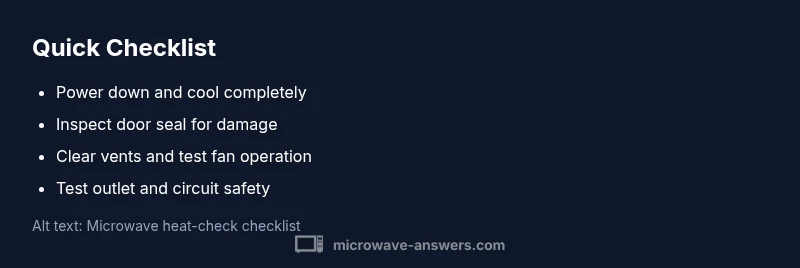
The most common fix is usually simple: allow cooling, reseal, and clean vents. 1) Unplug and wait for complete cooling, 2) Inspect the door gasket; clean with mild soap and replace if stretched or cracked, 3) Clear vents and ensure the fan can spin freely, 4) Check the power outlet—try a different outlet or reset the circuit, 5) Run a short test with a cup of water to observe heat behavior, 6) If warmth persists, contact a technician. Safety note: never disassemble the magnetron or internal wiring unless you’re trained, and never operate the unit with a damaged seal. Estimated total time for this task is 30-60 minutes.
Final safety notes and prevention
Preventing warmth in the future includes regular cleaning, checking seals, and ventilating properly. After each use, wipe the door frame, keep the interior dry, and ensure the unit has ample clearance. If your model is prone to warm surfaces after use, consult the manual for recommended venting and service intervals. The Microwave Answers team recommends scheduling periodic professional service every few years to keep safety features in good shape and to prevent heat buildup from becoming a hazard.
Steps
Estimated time: 30-60 minutes
- 1
Power down and safety check
Unplug the microwave and allow it to cool completely before handling. Wipe away any moisture on the exterior and keep the unit away from walls to prevent heat buildup around the cabinet. This step reduces the risk of shock and helps you distinguish active heat from surface warmth.
Tip: Always unplug first and never touch hot metal surfaces. - 2
Inspect door gasket and latch
Carefully examine the door gasket for cracks, tears, or deformations. Ensure the latch closes securely and the door sits flush when closed. A damaged seal can let warm air escape and keep the cavity warm.
Tip: Clean with mild soap and water; replace damaged gaskets promptly. - 3
Check vents and cooling fan
Look for dust buildup around vents and listen for the cooling fan when the unit is plugged in and set to a short cook cycle. A blocked or nonfunctional fan can trap heat inside the cabinet.
Tip: Clear dust gently with a soft brush or cloth; never poke into vents. - 4
Test the outlet and power supply
Plug the microwave into a known-good outlet or reset the circuit to ensure the unit isn’t drawing excess current or causing a delayed shutdown. Faulty wiring can keep electronics energized after use.
Tip: If the outlet trips, stop and call a licensed electrician. - 5
Run a controlled short test
With the door closed and the unit cooled, run a brief test cycle using a cup of water to observe heat behavior. Note any unusual heat on the exterior after cooling and compare to normal warmth levels.
Tip: Use the water test only; do not run long cycles for testing. - 6
Decide on professional help
If warmth persists after these checks, arrange a professional inspection. Persisting warmth can indicate a safety risk and should be evaluated by a technician.
Tip: Keep receipts and model information handy for service visits.
Diagnosis: Microwave stays warm when not in use
Possible Causes
- highUnit is still cooling from recent use
- mediumDoor seal or vent allowing heat to linger
- lowVentilation fan fault or obstruction
- lowElectrical control board or magnetron fault causing continuous energization
- mediumInternal moisture from cooking not fully evaporated
Fixes
- easyPower cycle the unit: unplug for 1-2 minutes, then plug back in and run a short test with a covered container
- mediumInspect door seal and latch for damage; clean and replace if needed
- easyCheck ventilation and ensure vents are unobstructed; listen for fan operation during cooling
- hardIf warmth persists after these checks, consult a qualified technician for magnetron/control-board assessment
Common Questions
Why is my microwave warm when it's not in use?
A microwave can stay warm due to residual heat from a previous cycle, a faulty door seal, or a ventilation issue. In many cases, simple checks resolve the problem. If warmth continues, a professional assessment may be needed.
A microwave can stay warm after use because heat lingers or the seal and vents aren’t functioning properly. Start with cooling and seal checks, then consider professional help if it persists.
Is it safe to use a microwave that stays warm?
It can be safe after you verify there’s no ongoing heat source or electrical fault. If warmth persists after basic checks, stop using the unit and consult a technician.
It can be safe after basic checks, but if warmth continues, stop using the unit and seek professional help.
Could a faulty door seal cause warmth to linger?
Yes. A damaged seal can leak warm air and keep the interior warmer than normal. Inspect and replace the gasket if needed.
A damaged door seal can cause warmth to linger, so inspect the gasket and replace if damaged.
Should I reset the microwave to fix warmth?
Resetting can clear minor faults. Unplug, wait a few minutes, then plug back in and run a short test. If the problem returns, seek professional help.
You can try a reset by unplugging and plugging back in, then testing briefly.
When should I replace a microwave because of warmth issues?
If warmth persists after a thorough inspection and professional evaluation, replacement is often the safest option.
If warmth persists after checks and a professional review, replacing may be the safest option.
What about smells or sparks—what should I do?
Immediately unplug the unit, do not use it, and contact a technician. These signs can indicate dangerous electrical faults.
If you notice smells or sparks, unplug it and call a technician right away.
Main Points
- Unplug and cool first
- Check door seal and ventilation
- Avoid running empty; use proper heat tests
- Call a pro if warmth persists after checks
- Regular maintenance reduces future heat buildup