Why Is My Microwave Not Heating? Quick Fixes and Safety
Discover practical steps to diagnose why your microwave isn't heating, with quick fixes, safety guidance, and when to call a pro. Microwave Answers walks you through safe checks and smart troubleshooting.


If your microwave won’t heat, the most common causes are a blown fuse or faulty magnetron, a door-switch issue, or a fried high-voltage diode. Start by verifying the outlet has power, then ensure the door is fully closed and the turntable spins. If it still won’t heat, follow the diagnostic flow below.
Understanding Why Your Microwave Isn’t Heating
When a microwave stops heating, it’s usually a signal that something in the power chain is broken, not that it suddenly lost its ability to spin. In practical terms, the question why is my microwave not heating often comes down to one of a few failure points: the power circuit, the door interlock, the high-voltage components, or the control board. Understanding these parts helps you diagnose safely and quickly. This guide, from Microwave Answers, walks you through safe checks, common culprits, and clear fixes so you can decide whether to DIY a fix or call a professional. Remember that any work involving high voltage should be approached with caution; if you are unsure, prioritize safety and professional help.
Safety First: Immediate Steps You Should Take
Safety is not negotiable when dealing with kitchen appliances. Before you do anything else, unplug the microwave from its outlet and disconnect any nearby power sources. Do not operate or probe inside the cabinet while it is plugged in. Keep liquids away from the unit and use insulated tools if you must handle internal parts. If you notice burning smells, sparking, or smoke, stop immediately and discontinue use. If you have a GFCI outlet or a shared circuit, ensure other loads aren’t overloading the same outlet. These precautions protect you from electric shock and fire hazards while you troubleshoot.
Quick Baseline Checks (Power, Door, and Settings)
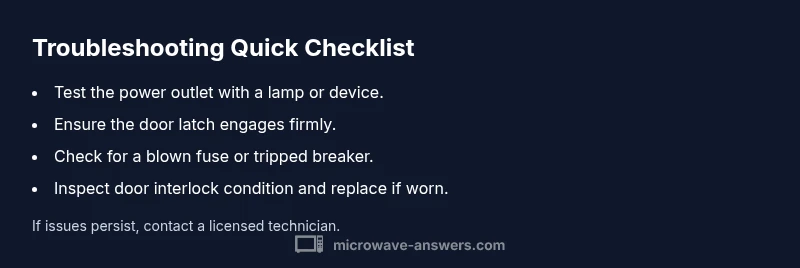
Begin with the basics that most often cause a non-heating situation. Confirm the outlet is delivering power by testing another device. Check that the microwave’s door latch engages fully and the door isn’t misaligned. Make sure you’re using a heat mode that actually applies energy (avoid defrost or sensor settings when testing). Finally, listen for the fan or indicator lights; if the display is dead, there could be a power or control issue rather than a heating problem.
Electrical Components That Can Fail
Several high-voltage components lie behind the heating function. A blown fuse or a failing high-voltage diode can prevent energy from reaching the magnetron and stop heating entirely. The transformer and capacitor are less common culprits but can fail with age or power surges. If you hear a hum or buzzing without heating, or if you notice an unusual odor, power down the unit and seek professional inspection rather than attempting a risky repair at home.
Mechanical and Control System Failures
Beyond electrical parts, mechanical and control-system faults can prevent heating. The door interlock switch may not register a properly closed door, keeping the microwave from energizing. The control board or keypad can misread settings and skip the heating cycle. Worn mechanical parts, loose wiring, or a damaged relay can also interrupt the heat sequence. These issues require careful inspection and sometimes replacement of components by a trained technician to avoid further damage or safety risks.
How to Safely Test Without Disassembly
If you’re not comfortable opening the unit, you can perform low-risk checks. Use a lamp to confirm the outlet is providing power, and test with a different setting to see if any mode triggers heat. Close the door firmly and retry the cycle. If you suspect a door interlock issue, do not bypass it; a faulty interlock is a safety hazard. For any sign of burning, smoke, or abnormal noises, stop and call a pro.
Step-by-Step Fixes for the Most Common Causes
The top causes are door interlock failure, a blown fuse, or a faulty control board. Start by unplugging the unit and verifying power at the outlet. If safe, check the door interlock switch and replace if it’s damaged or misaligned. If the fuse has blown, replace it with one of the same rating and verify the circuit. If power returns but heating still fails, the magnetron or control board likely needs professional service. Do not attempt high-voltage repairs unless you are trained.
When to Call a Professional
Not all microwave heating problems are safe to fix yourself. If you hear crackling, smell burning, see smoke, or the unit still won’t heat after basic checks, stop and contact a licensed appliance technician. They can safely test and replace high-voltage components, check the magnetron, and inspect the control board. If your microwave is under warranty, consult the manufacturer’s service plan before attempting any disassembly to avoid voiding coverage.
Prevention Tips to Extend Microwave Life
Regular cleaning helps prevent buildup that can affect sensors and vents. Use a soft cloth and mild soap to wipe the cavity—never spray liquid directly inside. Keep vents clear of dust and ensure proper ventilation around the unit. Avoid running empty cycles or using metal containers that can cause arcing. Finally, unplug the microwave if you hear unusual noises or see signs of wear; early professional inspection can prevent costly damage later.
Steps
Estimated time: 45-60 minutes
- 1
Unplug and prepare safely
Disconnect the microwave from the wall outlet and wait for any internal capacitors to discharge. Remove nearby metal and stand clear of any water sources. This is the essential first step to prevent shock.
Tip: Wear rubber-soled shoes and use non-conductive tools if you must handle components. - 2
Verify outlet power
Plug another device into the same outlet to confirm it has power. If the outlet is dead, fix the outlet or use a different protected circuit before continuing.
Tip: If you’re on a shared circuit, consider moving the microwave to its own outlet to avoid tripping. - 3
Inspect the door interlock
Close the door and listen for the latch to engage. If you feel looseness or it doesn’t click, the interlock switch may be faulty and require replacement.
Tip: Do not bypass interlocks; they are a critical safety feature. - 4
Check the fuse and power path
If you have access to the interior, visually inspect for a blown fuse or damaged wiring along the power path. Replace only with an identical fuse rating and secure all connections.
Tip: Replacing a fuse should only be done with the unit unplugged and a suitable tool. - 5
Evaluate high-voltage components
If the above steps don’t restore heating, the magnetron or power board likely failed. These parts require a professional technician due to high-voltage safety risks.
Tip: Do not attempt magnetron replacement unless you are trained.
Diagnosis: Microwave won't heat
Possible Causes
- highDoor interlock switch fault (interlock contacts worn or misaligned)
- highBlown fuse or tripped circuit breaker in the unit's power circuit
- mediumFaulty magnetron or high-voltage diode
- mediumPower supply board or control board failure
- lowLoose wiring or damaged relay
Fixes
- easyInspect door interlock contacts; replace if worn or misaligned
- easyCheck for blown fuse and replace with identical rating; reset breaker
- hardTest or replace high-voltage diode and magnetron only by a qualified tech
- hardInspect power/control board connections and replacements as advised by a certified technician
Common Questions
My microwave turns on but does not heat. What should I check first?
Start with the basics: verify the outlet power and ensure the door is fully closed. If these are fine, inspect the door interlock and thermal fuse as common culprits.
Check power and door first; then inspect interlocks and fuses.
Is it safe to open the microwave and inspect components?
Only after unplugging the unit and ensuring capacitors are discharged. Internal high-voltage parts are dangerous; do not attempt disassembly if you’re not trained.
Unplug first; high-voltage parts are dangerous.
Can a microwave work on some settings but not others?
Yes. If heating fails on multiple settings, the control board or relay may be faulty. Try a few presets to confirm.
If multiple presets fail, the control board could be at fault.
What if the door interlock seems loose or damaged?
Worn interlock contacts can prevent heating. Replace rather than adjust; a faulty interlock is a safety risk.
Worn door interlocks should be replaced by a pro.
Should I replace the magnetron myself?
Magnetron replacement involves high voltage and specialized tools. It’s best left to a qualified technician.
High-voltage repair is a job for a pro.
How can I prevent heating problems in the future?
Keep the interior clean, vent areas clear, and avoid running the microwave empty. Regular professional checks help catch worn parts early.
Regular cleaning and professional checks help prevent issues.
Watch Video
Main Points
- Verify basics before deep diagnostics
- Door interlock and fuse are common heat-blockers
- Avoid DIY fixes on high-voltage parts
- Call a professional for magnetron and power-board faults