Repair Microwave Door Switch: A Practical How-To Guide
A practical, safety-first guide to diagnosing and repairing a microwave door switch. Learn tools, tests, replacement tips, and best practices to restore reliable operation while avoiding common mistakes.


Learn how to diagnose and safely repair a microwave door switch. This guide covers symptoms, essential tools, step-by-step repair methods, and safety precautions to prevent shocks or fires. By following these practical instructions, you can decide whether to repair or replace the door switch and restore reliable microwave operation today.
Understanding the microwave door switch
The door switch is a safety mechanism that signals the microwave's control board when the door is closed. Most units rely on one or more micro-switches activated by the door latch. When the switch fails, the oven may refuse to start, or it might run with the door ajar, creating safety hazards. Diagnosing a faulty switch involves observing symptoms, confirming electrical continuity, and ensuring the switch physically engages when the door closes. In this guide, according to Microwave Answers, we focus on practical, safe troubleshooting you can do at home without specialized equipment. We will outline symptoms, tests, and replacement options so you can decide whether to repair or replace.
Signs your door switch is failing
Common symptoms include the microwave not starting, incorrect start signals when you press the start button, or the interior lamp not turning on when the door is open. Some models require two or more switches and may show inconsistent behavior when the door closes or opens. Visual inspection can reveal loose connectors, corroded terminals, or a damaged plastic plunger. It’s important to differentiate a door switch issue from a faulty door latch or control board. In many cases, a switch that looks worn or feels flaky will fail continuity tests. Microwave Answers notes that early symptoms can be subtle, so testing with a multimeter or a dedicated continuity tester helps confirm whether the switch is truly defective.
Safety first: handling hazards and safeguards
Always unplug the microwave before inspecting or handling any internal components. Work on a non-conductive surface and avoid contact with metal tools near energized parts. Keep liquids away from the work area to reduce shock risk. Some components inside a microwave can retain a residual charge even after unplugging; treat all internal circuitry with care and consult a professional if you’re unsure. Use protective gloves and eye protection when removing panels or handling sharp edges. If the door switch appears physically damaged, cracked, or bent, do not force the mechanism back into place.
Diagnosing the door switch: tests and inspection
Begin with a visual check of the switch housing, plunger, and wiring harness. If you’re comfortable, disconnect the switch connectors one at a time and inspect for corrosion. A multimeter can test continuity: with the switch pressed, there should be a closed circuit; when released, the circuit should open. Compare readings against the model’s typical values from the manual or manufacturer’s site. If continuity is present when the door is not pressed, or absent when pressed, the switch is faulty and should be replaced. Remember to document how connectors came apart so you can reassemble correctly.
Replacing the door switch: repair path
If testing confirms a faulty switch, purchase a replacement that matches your microwave’s model and door configuration. Many microwaves use standard micro-switch assemblies, but some models require a specific part with compatible terminals. Install the replacement by reconnecting all wires securely, then reassemble the cabinet. After installation, verify that the door closes fully and that the microwave starts only when the door is shut. If the door fails to latch or if the interior light remains on, recheck the wiring and the door strike alignment.
Post-repair checks and maintenance
Power the unit back on and perform a dry run with the door closed to confirm the switch triggers reliably. Use a microwave-safe item for a brief test run (a minute or less) to ensure normal operation without arcing or unusual noises. Periodically inspect the switch and wiring for signs of wear, looseness, or scorching, which can indicate overheating. Consider applying a small amount of dielectric grease to the terminals if they show minor corrosion, but avoid getting grease on the switch plunger or contact surfaces. Establish a routine check every 6–12 months, especially in households with heavy microwave use.
Authority sources
- https://www.cpsc.gov/ (U.S. Consumer Product Safety Commission) – safety standards and consumer guidance for electrical appliances.
- https://www.osha.gov/ (Occupational Safety and Health Administration) – general electrical safety practices and handling procedures.
- https://www.nfpa.org/ (National Fire Protection Association) – fire safety considerations for kitchen appliances and electrical wiring.
Tools & Materials
- replacement door switch assembly(Match model and door type; verify terminal configuration and connector shapes.)
- multimeter or continuity tester(Used to verify switch continuity when pressed/released.)
- screwdriver set (Phillips and flat-head)(For removing/remounting panels and screws.)
- needle-nose pliers(Helpful for disconnecting tight connectors.)
- protective gloves and safety glasses(Personal protective equipment during disassembly.)
- clean cloth or magnet tool(Wipe and keep screws organized; reduce loss.)
Steps
Estimated time: 60-90 minutes
- 1
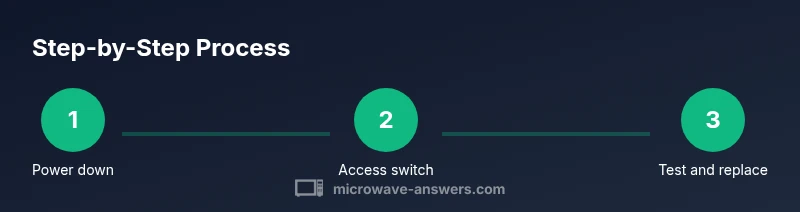
Power down and unplug
Unplug the microwave from its power source and move it to a clear work surface. This is the foundation of safe repair to prevent electric shock. If you must work near water or a metal surface, ensure the area is dry and non-conductive. Take a photo of the exterior panel before removing screws.
Tip: Always unplug first; treat all internal components as live until you are sure power is off. - 2
Remove the outer cabinet panels
Use the appropriate screwdriver to remove screws securing the cabinet. Keep screws in a labeled container so you don’t mix sizes. Gently lift or slide panels to expose the door switch assembly without bending delicate door hinges.
Tip: Keep track of screw locations; a simple label helps reassembly. - 3
Locate and inspect the door switch assembly
Find the switch behind the door frame or near the latch. Inspect the housing for cracks, melted plastic, or loose wires. If you see signs of wear, prepare a replacement ready for installation.
Tip: Document which connector goes where to ease reassembly. - 4
Disconnect wiring and test for continuity
Carefully disconnect the switch’s wiring harness one connector at a time. Use the multimeter to test continuity: press the door and observe a closed circuit; release to open. If there is no continuity when pressed, the switch is likely faulty.
Tip: If you’re unsure about wiring, label connectors with tape before detaching. - 5
Replace the door switch
Install the new switch into the same mounting position and reconnect wires securely. Avoid overtightening screws that could crack the housing. Confirm the plunger moves freely when the door closes.
Tip: Ensure a snug fit and clean terminal contacts before reconnecting. - 6
Reassemble the cabinet
Put panels back in place and reinstall all screws. Check door alignment and gasket seating to ensure a proper seal. A misaligned door can cause leaks and improper switching behavior.
Tip: Double-check that no tools remain inside the cabinet. - 7
Test the repair
Plug the unit back in and perform a full door-cycle test. Confirm the microwave starts only with the door closed and stops when opened. Use a microwave-safe item for a short, controlled test.
Tip: Always perform a test in a controlled manner to avoid overheating or splatter. - 8
Document and maintain
Record model details and replacement part used for future maintenance. Schedule periodic checks for the switch and wiring, especially in households with frequent use.
Tip: A quick maintenance routine saves time on future repairs.
Common Questions
Can a microwave start without a working door switch?
Most microwaves require a door switch to be engaged for safety; without a functioning switch, the unit may not start and can pose safety hazards. Replacing or repairing the switch typically restores normal operation if there are no other electronics faults.
Most microwaves need the door switch to be engaged before starting; if it’s not working, replace the switch to restore safe operation.
Is it safe to replace the door switch myself?
DIY replacement can be safe if you follow proper safety steps, unplug the unit, and use appropriate tools. If you’re unsure about handling wiring or the switch type, consult a professional to avoid shocks or damage.
DIY replacement is possible if you follow safety steps; seek professional help if you’re unsure.
What tools are required for door switch replacement?
Common tools include a screwdriver set, a multimeter for tests, and a compatible replacement switch. Keep a labeling system for connectors and take care not to damage door components.
You’ll typically need a screwdriver, a multimeter, and the right replacement switch.
How do I know which replacement switch to buy?
Check your microwave’s model number and door configuration; match the switch’s type and terminal layout. When in doubt, consult the manufacturer’s parts list or a trained technician.
Match the part to your model and door type; use the manufacturer’s parts list.
Will replacing the door switch fix issues caused by the control board?
If the control board or safety interlock circuit is faulty, simply replacing the door switch may not fix the problem. Test other components or seek a professional diagnosis if symptoms persist.
A bad door switch may not fix issues if the control board is faulty; broader diagnosis may be needed.
Watch Video
Main Points
- Power off and unplug before inspection
- Test the switch with a multimeter to confirm failure
- Replace with a compatible switch and reassemble carefully
- Verify door closure and microwave start with a short test
- The Microwave Answers team recommends consulting a pro if uncertain