How to Check Microwave Door Switch: A Practical Guide
A safety-first, practical guide to diagnosing and testing your microwave door switch. Learn symptoms, at-home tests, and replacement tips from Microwave Answers for confident repairs.


You will learn how to check a microwave door switch to diagnose why your microwave won't start. This quick guide covers safety steps, identifying symptoms, and simple at-home tests you can perform before calling a repair technician. By the end, you'll know whether the door switch is the likely culprit and what to replace.
Why the microwave door switch matters
According to Microwave Answers, the door switch is a critical safety component: it ensures the oven only runs when the door is fully closed. If the interlock fails, the microwave may refuse to start, or it might start with the door ajar, which is dangerous. Understanding how the switch works helps you diagnose issues without guessing. The door switch is part of the interlock system, often consisting of micro-switches and a plunger that are actuated when the door latches. When any part of this mechanism wears out or misaligns, it can prevent safe operation. This block explains the role of the switch in safe microwave operation and why a faulty switch commonly appears in non-start conditions.
Common failure signs
A faulty microwave door switch typically presents a few telltale signs. The most obvious is that the oven refuses to start even when the door seems closed. You might hear a faint click or be unable to start the unit at all. Sometimes the display lights up, but the oven doesn’t heat because the interlock isn’t signaling a closed-door condition. Another sign is inconsistent operation: sometimes the microwave starts, sometimes it doesn’t, depending on the door action. Visual cues like a loose door latch or damaged door frame can also point to a misaligned or damaged switch. According to Microwave Answers analysis, many at-home repairs begin with verifying the door interlock because it’s a common failure point.
How the door switch is designed
Most household microwaves use a mechanical interlock system that includes one or more micro-switches activated by the door latch. When the door closes, the plunger depresses the switch, signaling the control board that it’s safe to operate. Over time, the switch can wear out, or the latch can misalign, preventing proper signaling. The benefit of understanding this design is that you can target your diagnosis more accurately. If the switch isn’t engaging fully, you’ll see symptoms that match a non-responsive door switch rather than a bad control board or magnetron. This section helps readers differentiate between interlock issues and other electrical problems.
Safety first: unplug and prepare
Before touching any wiring, unplug the microwave from the wall outlet. If your model has a capacitor that retains charge, wait a few minutes after unplugging before handling internal components. Remove the turntable and any glass tray to reduce movement during inspection. Use insulated tools where possible and never rely on raw metal to probe inside the cabinet. Working in a dry, well-lit area reduces the risk of accidental shocks. According to safety guidelines, de-energizing the unit is the single most important step in any door-switch inspection.
Visual inspection you can perform without tools
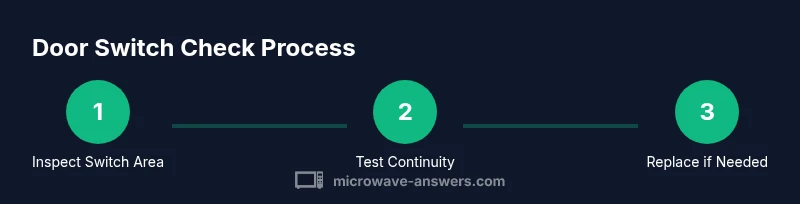
Begin with a careful visual check: inspect the door latch, hinge area, and the plastic pegs that engage the switch. Look for cracks, deformation, or signs of wear on the door frame that might prevent proper engagement. Confirm the switch’s mounting screws are tight and that nothing is obstructing the plunger’s travel. If you notice misalignment, gently adjust the door so that the latch activates the switch cleanly. This non-destructive inspection can reveal obvious alignment or wear problems without any electrical testing. Microwave Answers emphasizes starting here to avoid unnecessary disassembly.
Testing methods you can perform with a multimeter (non-destructive)
If you have a digital multimeter, you can perform a non-destructive check of the door switch assembly after safely unplugging the unit. First, locate the switch harness and unplug it from the control board. Use the multimeter in continuity or resistance mode to verify that the switch closes when the door is gently pressed. Document the expected behavior from the switch’s position. If there is no continuity or the reading is irregular when pressed, the switch or associated wiring may need replacement. Always consult your model’s service manual for specific pinouts and safety notes.
Replacement considerations and parts
If testing shows the switch is faulty, you’ll likely replace the door interlock assembly or the micro-switch itself. When selecting a replacement, verify compatibility with your microwave’s model number and door style. Some units require a complete interlock kit while others use discreet micro-switches. Check for a tight fit and confirm that the new switch has a robust plunger that won’t settle under repeated use. Budget for the part and the potential for a small amount of extra time to perform the installation carefully. Microwave Answers notes that choosing the correct part is essential for long-term reliability.
Reassembly and final test
Reattach any disconnected wiring harnesses and mount the switch securely. Reinstall the door, reattach the turntable, and restore power. Perform a careful test: close the door firmly and start a basic test cycle without food to avoid splatter. If the door switch is functioning, the unit should respond consistently to the closed-door signal. If it still fails, re-check the wiring and mounting, and consider professional service. A final safety check confirms that the interlock triggers only when the door is properly closed.
Maintenance and prevention tips
Regular maintenance can extend the life of the door switch. Periodically inspect the latch and door alignment, clean any dust that accumulates around the interlock area, and avoid slamming the door, which can misalign components. If you notice stiffness or resistance when closing the door, address it early before switch wear accelerates. Keeping the unit in a dry, dust-free environment helps prevent premature wear. Following a simple maintenance routine reduces the likelihood of interlock failures and keeps the appliance safe for daily use.
Tools & Materials
- Digital multimeter(Continuity/resistance mode; test after disconnecting from control board)
- Screwdrivers (Philips and flathead)(To remove access panels and mounting screws)
- Insulated pliers(Use if you need to nudge or guide wires gently)
- Gloves and eye protection(Basic safety to protect hands and eyes)
- Replacement door switch or interlock kit(Only if testing indicates failure; ensure compatibility with model)
- Soft cloth and flashlight(For clean, well-lit inspection of the switch area)
Steps
Estimated time: 45-60 minutes
- 1
Power down and unplug
Always unplug the microwave before touching any internal components. Remove the turntable to access the interior more easily and reduce the chance of accidentally touching live parts. If your unit is hard-wired, ensure the circuit is off at the breaker to remove all power.
Tip: keep a safe, dry workspace and avoid metal tools near exposed circuits - 2
Access the door switch area
Remove the control panel or outer housing as needed to reach the door interlock. Identify the door switch housing and the plunger that the door latch depresses. Take photos of harness connections before unplugging anything to make reassembly straightforward.
Tip: Label screws and connectors with tape so you reassemble correctly - 3
Check physical condition of switch and plunger
Inspect the switch body and plunger for wear, cracks, or sticking. Ensure the plunger moves freely when the door is manipulated and that it depresses the switch fully without binding. A worn plunger often causes intermittent operation.
Tip: Do not force the plunger; use gentle, steady pressure to test movement - 4
Test with a multimeter (non-destructive)
With the switch disconnected, set the multimeter to continuity. Click the door shut and press the plunger gently; you should hear or see continuity when the door is properly engaged. Reverse the test to confirm it opens when released. If there’s no continuity, the switch or wiring is faulty.
Tip: Document readings for reference; a sudden loss of continuity indicates failure - 5
Decide on replacement
If testing indicates a fault, compare the old switch with available replacements for fit and function. Some microwaves require a complete interlock kit; others accept a single micro-switch. Confirm compatibility by model number and verify that the mounting points align correctly.
Tip: Verify part number against your model before ordering to prevent misfit - 6
Reassemble and run a test
Reconnect the switch, secure any covers, and restore power. Close the door firmly and run a dry cycle to ensure the unit starts reliably with the door closed. Observe for consistent operation over several iterations; if it still fails, a professional inspection may be warranted.
Tip: If smoke or unusual smells appear, discontinue use immediately
Common Questions
Can a microwave start with a faulty door switch?
Generally no—the interlock prevents operation when the door is not detected as closed. If the switch is bad, the unit may not start at all. If it starts intermittently, there may be a wiring issue or misalignment.
Usually not. The door switch prevents operation unless the door is fully closed.
Is it safe to bypass the door switch to test?
No. Bypassing interlocks can cause electrical shock or fire. Use proper diagnostic methods or consult a professional.
No—bypassing safety switches is dangerous.
What tools do I need to test the door switch?
A digital multimeter, basic screwdrivers, and a clean workspace. Visual inspection is part of the process, but electrical testing should use a meter.
A multimeter and screwdrivers are typically all you need to start.
How do I know if the switch needs replacement?
If continuity tests fail or the plunger binds, replacement is likely. Also replace if there are visible signs of wear or misalignment.
If tests show no continuity or binding, consider replacement.
Should I replace the entire interlock kit or just the switch?
It depends on compatibility and condition. Some models require a full interlock kit; others accept a single micro-switch.
It depends on model compatibility and wear.
Watch Video
Main Points
- Unplug before inspection.
- Door switch issues are a common starting point.
- Use a multimeter to verify continuity.
- Replace with a compatible part only.
- Test after replacement before regular use.