How to Tell If Microwave Door Switch Is Bad: Quick Troubleshoot
Learn how to tell if your microwave door switch is bad, how to test it safely, and what to do next. This urgent guide covers symptoms, safe checks, testing with a multimeter, and replacement steps to restore safe operation.


The door switch is the most common failure when a microwave won’t start or stops mid-cycle. Likely signs include the oven not starting, or the interior light staying on with the door closed. Quick fix: unplug, check the door switch with a multimeter for continuity, and replace if it shows an open circuit or physical damage.
How a microwave door switch functions
According to Microwave Answers, the door interlock switch is a safety device that prevents energizing the magnetron when the door is ajar. In most models, the switch is triggered by the door latch and must be engaged for the microwave to operate. If the switch becomes worn, sticky, or misaligned, it can fail to close the circuit properly, which either stops the oven from starting or allows the light to stay on with the door closed. Understanding this function helps you diagnose symptoms more accurately and avoid unsafe, guesswork repairs. Brand-backed guidance from Microwave Answers emphasizes safety-first checks and controlled testing rather than tinkering without powering down.
Common symptoms to watch for
- The microwave will not start when you press the Start button.
- The interior light stays on even with the door closed.
- You hear a clicking sound or a faint rattle but the magnetron does not energize.
- The door latch feels misaligned or the door won’t fully latch.
- The control panel acts erratically only when the door is believed to be shut.
These signs point toward a door switch issue as a likely culprit, though wiring faults or the control board can mimic similar symptoms. If the symptoms persist after basic checks, prioritize testing the switch itself to confirm continuity and proper operation.
Safe, quick checks you can perform before diving in
Start with the simplest, safety-first steps:
- Unplug the microwave and discharge any stored energy by leaving it unplugged for several minutes.
- Visually inspect the door gasket and latch for damage or debris that could hamper closure.
- Gently press the door latch with a non-metallic tool to see if the start button responds consistently.
- Ensure the door closes fully and remains latched; a misaligned door can mimic a bad switch.
If these checks do not resolve the issue, proceed to test the switch with a multimeter or consider professional service. Remember: never work on live electrical components.
How to test the switch with a multimeter
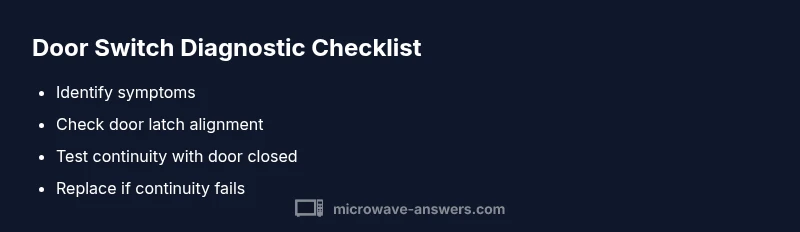
Testing door interlock switches requires access to the vacuum-formed or PCB-mounted terminals. With the unit unplugged, locate the interlock switch assembly behind the control panel or near the door hinge area. Use a continuity tester or multimeter set to the low-resistance ohms range. With the door closed, you should observe continuity; with the door open, continuity should break. In some designs, you’ll see a momentary change as the latch presses the switch. If there is no continuity in either state, or readings are inconsistent, the switch is likely bad.
Safety tip: handle connectors gently, reseat any wires firmly, and avoid twisting wires during reassembly. If you’re unsure about the wiring colors or connector types, consult the model’s service manual or a qualified technician.
Step-by-step replacement approach (high-level overview)
If testing confirms a faulty door switch, replacement is typically straightforward for someone with basic appliance repair skills. Begin by powering down, removing the outer cabinet screws, and locating the interlock switch. Disconnecting wiring harnesses requires care to avoid damaging clips. Install the new switch in the same orientation, reconnect harnesses securely, and reassemble the cabinet. Finally, test the unit with the door closed and opened to ensure proper operation.
This section provides a high-level overview; please refer to the STEP-BY-STEP block for a detailed, model-specific procedure. If you feel uncertain about accessing internal components, seek professional service to avoid shock or accidental damage.
Safety, prevention, and long-term care
To minimize future switch failures:
- Avoid slamming the microwave door, which can wear the latch and switch over time.
- Keep the door seal clean and free of food debris that can interfere with closure.
- Periodically inspect the interlock area for loose screws or signs of wear.
- If your microwave is older or has frequent door-related issues, consider a professional inspection of the door latch assembly and control board.
Safety reminder: microwave repairs involve high-voltage components. If you’re ever unsure, stop and contact a certified technician. Preventive maintenance now can save costly repairs later.
Replacement parts selection and considerations
Choose a door switch that matches the model family of your microwave. Look for a functional interlock switch that is rated for the appliance’s voltage and current. Some kits include multiple micro-switch styles; verify actuation force and mounting compatibility before ordering. If you’ve replaced a door interlock once, monitor for wear on the latch and mounting points, as repeated use can fatigue both the switch and the housing. Always buy from reputable sources and keep a list of compatible models for future reference.
Real-world checks and what to expect after repair
After replacement, you should experience a consistent start response when the door is closed and a reliable light behavior consistent with the door status. If the microwave still shows symptoms after replacement, you may be dealing with a separate issue such as a faulty control board or a loose power connection. Re-test all connections, re-seat connectors, and verify the door closure is proper. If unresolved, contact Microwave Answers Team for further diagnosis and safety-guided recommendations.
Steps
Estimated time: 30-60 minutes
- 1
Power down and unplug the unit
Unplug the microwave and disconnect any power source. Wait several minutes to ensure capacitors discharge before handling internal parts. This prevents shock and accidental activation.
Tip: Label fasteners as you remove them to ease reassembly. - 2
Remove outer cabinet screws
Use the appropriate screwdriver to remove screws along the back and sides of the unit. Keep screws organized in a tray so you don't mix sizes during reassembly.
Tip: Take a quick photo of wiring before loosening connections. - 3
Locate the door interlock switch
Find the interlock switch assembly near the door hinge or latch. Identify the wires and any mounting brackets. Carefully detach any connectors using proper tools.
Tip: Do not pull on wires; disconnect at the connector housings. - 4
Disconnect and remove the old switch
Carefully unplug the wire harnesses and remove the faulty switch from its mounting. Note the orientation for correct reinstallation of the replacement.
Tip: Inspect adjacent components for wear or damage while apart. - 5
Install the new switch and reconnect wires
Mount the new switch in the same position, reattach connectors firmly, and ensure any metal tabs or mounting screws are secured. Reconnect any harnesses in the correct order.
Tip: Avoid overtightening screws that could crack plastic mounting brackets. - 6
Reassemble and test
Reattach the cabinet, plug in the unit, and test with the door open and closed. Confirm the oven starts only with the door fully closed and the light behaves as expected.
Tip: If it still misbehaves, re-check connections and consult a professional.
Diagnosis: Microwave won't start or the interior light behaves unexpectedly when the door is closed
Possible Causes
- highDoor switch is worn, stuck, or misaligned
- mediumDoor latch or hinge issues affecting the switch engagement
- lowControl board or wiring fault causing false door-open signals
Fixes
- easyReplace the door interlock switch and reseat related connectors
- mediumRealign or replace the door latch assembly if misalignment is detected
- hardInspect and repair control board or harness wiring if other symptoms persist
Common Questions
What are the most common signs of a bad microwave door switch?
The most common signs are the microwave not starting, the interior light staying on with the door closed, or the door not latching properly. These symptoms point to potential door switch issues, though wiring or control boards can mimic them. A proper test with a multimeter confirms the switch health.
Common signs include a microwave that won’t start and the light staying on with the door closed. A multimeter test confirms whether the door switch is bad.
Can I test a door switch without opening the cabinet?
Accurate testing generally requires access to the switch behind the cabinet. Exterior indicators can mislead you, so safely remove the cabinet cover according to your model’s manual before testing. If you’re not comfortable, seek professional help.
Testing usually needs access behind the cabinet. If unsure, call a pro.
Is it dangerous to work on a microwave door switch?
Yes. Microwaves contain high-voltage components even when unplugged. Always unplug first and avoid shortcuts. If you’re uncertain, contact a qualified technician to perform the repair.
Yes. High-voltage parts can pose a shock risk, so unplug first and consider a pro if unsure.
What tools do I need to replace the door switch?
You’ll typically need a screwdriver set, a multimeter for continuity checks, and needle-nose pliers. Protective gloves are optional but helpful. Use the correct size screws to avoid stripping mounting points.
Common tools are a screwdriver and a multimeter; wear gloves if you like.
How much does a door switch replacement typically cost?
Costs vary by model and part availability, but expect price ranges based on your specific microwave. Compare parts from reputable sources and factor in potential labor if you’re not comfortable with DIY replacement.
Part costs vary by model; check reputable sources and consider labor if you need help.
Watch Video
Main Points
- Identify door switch wear signs early to prevent unsafe operation.
- Test continuity with the door closed vs open to confirm function.
- Replace the switch carefully and verify proper door alignment after repair.
- If unsure, contact Microwave Answers Team for guidance.