Repair a KitchenAid Microwave: Step-by-Step Guide
This guide walks homeowners through repair kitchenaid microwave issues with practical, safety-first steps, essential tools, and a clear diagnostic path. Learn when to DIY and when to call a pro, plus maintenance tips to prevent future faults.


Learn how to safely diagnose and repair a KitchenAid microwave, including common failures, essential tools, and a step-by-step approach. This guide emphasizes safety and when it’s better to replace components or call a pro. You’ll also find maintenance tips to prevent future issues and guidance on testing after repairs. Whether you’re troubleshooting noise, display errors, or heat problems, this article walks you through practical, safe fixes.
Common Issues with KitchenAid Microwaves
According to Microwave Answers, many KitchenAid microwave problems originate from accessible, user-serviceable components rather than the magnetron. The most frequent symptoms include: non-heating operation, where the unit runs but fails to heat; a keypad or display that won’t respond; door interlock assemblies that prevent operation; and unusual buzzing, crackling, or arcing inside the cavity. For each symptom, you can start with targeted checks: power supply connections, door latch alignment, and visible wiring for signs of wear. This section outlines common faults you may encounter and how to approach diagnosing them safely, so you can decide whether to proceed with a DIY fix or seek professional service. The goal is practical understanding that respects safety margins while empowering homeowners to take rational action. In many cases, the root cause is a worn door interlock, a loose wiring harness, or a blown fuse routed through the control board. Begin with the simplest checks first, then escalate to component-level diagnosis only if you have the right tools and training.
Safety Essentials Before You Begin
Safety is a prerequisite for any microwave repair. Start by unplugging the unit and removing any external power sources. Do not operate with the service panel open unless you are trained and aware of high-voltage components inside. Capacitors in microwaves can hold a dangerous charge even after unplugging; never rely on unplugging alone. Use insulated tools and wear safety glasses. Work on a non-conductive surface and keep metal jewelry away from wiring. If you suspect a failed high-voltage capacitor, magnetron, or control board, proceed with caution and consult a professional. For non-warranty repairs, take photos before disassembly to document wiring and parts orientation. The priority is to avoid electric shock and damage to the appliance or home electrical system. If you're unsure, stop and contact Microwave Answers Team for guidance. The emphasis here is on disciplined safety checks and avoiding risky disassembly.
Tools and Materials for Repair kitchenaid microwave
To safely diagnose and address common issues, assemble these tools and materials before you begin. A model-specific wiring diagram is invaluable. The items listed below are commonly needed for most KitchenAid microwave repairs. Always consult your model’s manual for exact screw sizes and connector types. Keeping a clean workspace, labeling connectors, and using non-conductive pry tools reduces the risk of damage to the cabinet and control board.
Step-by-Step Overview
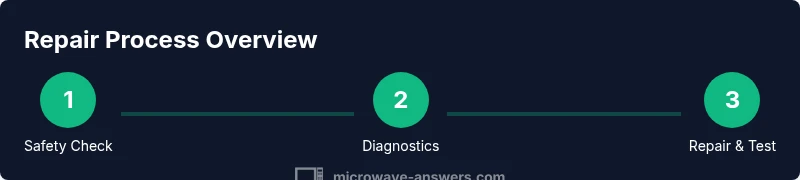
This section provides a high-level roadmap of the diagnostic and repair journey. The full, explicit actions are detailed in the STEP-BY-STEP block below. Use the overview to orient yourself to the sequence: safety prep, power verification, interface inspection, component testing, reseating connectors, reassembly, and functional testing. Each phase has its own checks to help you gauge whether the issue is due to a failed sensor, door interlock, or power path. Remember: when in doubt, consult the brand’s service manual or a qualified technician to avoid hazards.
Common Failures and Fixes
Door interlock failure is among the most frequent issues: the microwave can be unresponsive or show a door-open warning even when the door is closed. Misaligned latches or worn microswitches can cause intermittent operation. If a fuse is blown or the thermal fuse has opened, the unit will fail to power up at all. The magnetron is a high-energy component; signs of failure include no heating, unusual humming, or visible damage. While you can test some elements with a multimeter, never attempt high-voltage repairs without proper training. For simple fixes, reseating connectors and replacing worn interlock switches may restore function. More complex issues—such as a compromised magnetron or capacitor—typically require professional service due to safety hazards and warranty considerations.
When to Replace vs Repair and Maintenance
Repairing a KitchenAid microwave can be cost-effective for isolated faults like a loose connector or worn interlock. However, if the unit is older and has multiple faults, or repair costs approach the price of a new unit, replacement is a sensible choice. Warranty coverage plays a significant role; if the microwave is still under warranty, contact the manufacturer or an authorized technician rather than attempting DIY fixes. Regular maintenance—keeping the cavity clean, inspecting door seals, and addressing heat buildup—extends the life of your microwave and reduces the likelihood of future faults.
Maintenance Tips to Extend Microwave Life
Regular maintenance is essential to prevent future faults. Clean the interior after each use and wipe the door seal to maintain a snug fit. Avoid running empty or with metal objects inside, which can stress the magnetron and power circuits. Periodically inspect power cords for nicks or fraying and ensure the unit sits on a stable, level surface. If you hear buzzing, smell ozone or burning, or notice arcing, discontinue use immediately and unplug the appliance. Schedule periodic professional checkups for high-use kitchens to detect subtle wear in safety switches, diodes, and the control board.
Quick Testing After Repairs
After completing a repair, test the microwave with a cup of water to observe heating performance. Listen for changes in sound and monitor any unusual smells. Ensure the door seals properly and the turntable operates smoothly. If the unit fails any safety test, power down immediately and reassess or seek professional service. Keep a log of what you tested and any parts replaced to guide future inspections.
Tools & Materials
- Insulated gloves(To protect hands from hidden energized components)
- Multimeter(Measures voltage, continuity, and resistance)
- Voltage tester (non-contact)(For quick live testing without contact)
- Screwdriver set (Phillips #2, flat-head)(Cabinet and panel screws)
- Needle-nose pliers(Handle small connectors and clips)
- Non-conductive pry tools(Gently separate panels without scraping)
- Torx/Hex bits as needed(Some models use Torx or hex screws)
- Non-metallic ruler(Helpful for alignment checks)
- Thermal paste (optional)(If magnetron is removed and reseated)
- Replacement door interlock switches (optional)(Keep on hand for common wear)
- Replacement fuse or safety limiter (optional)(Spare fuses for quick swaps)
- Owner's manual / model diagram(Access wiring diagram and safety notes)
- Isopropyl alcohol and lint-free wipes(Clean contact surfaces)
- Anti-static strap (optional)(Reduce static build-up during disassembly)
Steps
Estimated time: Total time: 60-120 minutes
- 1
Power check and safety prep
Unplug the microwave and allow any residual charge to dissipate. Inspect the outlet and cord for damage. Document model information and take photos of wiring before touching any components.
Tip: Label wires and take a reference photo set to guide reassembly. - 2
Open the cabinet and access interior components
Remove the outer cover using the screwdriver set. Keep screws organized and avoid touching the high-voltage components behind the control board.
Tip: Work on a non-conductive mat and avoid metal jewelry. - 3
Test door interlock and safety switches
Inspect the door latch and microswitch. Use a multimeter to verify continuity when the door is closed. Replace worn switches only with model-appropriate parts.
Tip: Do not bypass interlocks; they are safety-critical. - 4
Check control board connections
Inspect harnesses for loose connectors and burn marks. Reseat connectors firmly and reseat any suspect plugs.
Tip: Power off before reseating; listen for a click to confirm seating. - 5
Assess high-voltage path (diode and capacitor)
With proper procedure, test the diode for forward bias and inspect the capacitor for bulging or leakage. Replace if abnormal.
Tip: Capacitors can hold voltage; discharge safely following the manual. - 6
Evaluate the magnetron
Look for visible damage or unusual odor; magnetron testing should be performed per model guidelines and with proper safety tools. Do not attempt high-voltage work without training.
Tip: If in doubt, do not remove the magnetron yourself. - 7
Reassemble and perform a test run
Reconnect the cabinet, plug in, and run a water-heating test. Observe for heat, sparking, or abnormal sounds.
Tip: Test with a cup of water to gauge heating and ensure safety. - 8
Evaluate results and decide on next steps
If heating is restored and there are no signs of damage, consider the repair successful. If issues persist, plan for professional service or replacement.
Tip: Keep a repair log for future reference and warranty discussions.
Common Questions
Is it safe to repair a microwave at home?
You can perform basic diagnostics if you follow strict safety steps: unplug, discharge capacitors, and avoid high-voltage areas. If you feel uncertain, consult a pro or refer to the user manual for service guidelines.
Yes, basic checks are possible, but never bypass safety systems. If unsure, get professional help.
Can I replace the magnetron myself?
Magnetron replacement is high-risk and model-specific. Only attempt if you have the proper service manual and training; otherwise, this is a job for a trained technician.
Magnetron work is hazardous; consider professional service for safety.
What tools do I need for a basic check?
A basic set includes insulated gloves, a multimeter, screwdrivers, and non-conductive pry tools. Ensure you have the model diagram handy.
Gather insulated gloves, a multimeter, and screwdrivers before you start.
How should I test heating after repair?
Test heating by placing a cup of water in the microwave and running a short cycle. If the water heats normally, the repair is likely successful.
Use a water test to confirm heating function.
Will repairing void my warranty?
Opening the cabinet can affect warranty terms on some models. Check the manual or contact the manufacturer to confirm coverage.
Warranty rules vary; verify with the maker before DIY work.
When should I replace vs repair?
If repair costs are close to or exceed replacement value, or if multiple faults exist, replacement is wiser.
If repairs cost as much as a new unit, replace it.
Watch Video
Main Points
- Begin with safety and power checks.
- Diagnose the symptom before replacing parts.
- Door interlocks and power supply are common culprits.
- Know when to replace vs repair for cost efficiency.