How to Open a Microwave When the Button Breaks: A Practical Guide
A practical, safety-minded guide for opening a microwave when the door button breaks. Learn model-agnostic steps, safety cautions, and how to decide between repair and replacement with expert guidance from Microwave Answers.


Facing a broken microwave door button? You can still access the interior safely by following cautious steps: unplug the unit first, confirm there’s no power, use the door’s latch release or manual interior grip if available, and avoid bypassing safety interlocks. This guide covers safe, model-agnostic techniques, plus when to call a technician and how to prevent future button failures.
Why the door button breaks and what it means for safety
A microwave's door button (the interlock) is an intrinsic safety feature designed to keep the microwave magnetron from energizing when the door is open or ajar. Over time, these interlocks can wear out due to repeated use, or the latch mechanism and optical switches can become misaligned. When the button breaks or the door won't reliably sense that the door is closed, the appliance may fail for safety reasons: it could rely on a faulty signal and still provide access to the interior. According to Microwave Answers, modern microwaves use multiple interlock switches in series to ensure that at least one safety path must close before energizing the magnetron. If any switch fails, the door may stay locked or, conversely, fail to stay locked during operation. This reality means you should treat a broken door button as a safety concern rather than a DIY inconvenience. The safe approach is to unplug the unit, avoid attempts to bypass interlocks, and consider scheduled service. This keeps your kitchen safer while preserving a potentially repairable appliance.
Immediate safety steps you should take if you can't open the door
First, unplug the microwave. Do not rely on your wall switch or the countdown timer to remove power; physically disconnecting the power cord is the only guaranteed way to ensure no residual energy is present. Do not attempt to heat food or pry the door while it is still connected to power. Keep liquids away from the unit and work on a dry surface. If you have concerns about moisture or static electricity, wear dry, insulated gloves and place the unit on a non-conductive mat. Remember: safety first protects you and your home.
Safer alternatives and when to call a professional
If the door button is broken, consider safer alternatives before attempting any disassembly. Check if your model has an external manual release or a service bulletin from the manufacturer. Use the manual release only if it is explicitly supported by your model; otherwise, avoid attempting external force or lever releases that bypass safety interlocks. Contact a certified appliance technician or the manufacturer's service line to schedule a diagnostic. If you have warranty coverage, initiate a claim; many recalls or service campaigns cover door interlock issues. In the meantime, avoid trying to operate the microwave to heat foods, and store or retire it safely until it is serviced.
Model-agnostic considerations for interior access (for technicians)
If professional service is needed, technicians follow model-specific procedures to access the interior. They typically disconnect power, remove the outer cabinet screws, and evaluate the door latch, interlock board, and wiring harness for wear or damage. Do not attempt to replicate these steps unless you are trained, because exposing high-voltage components can cause electric shock. The objectives are to locate the failed interlock, verify proper door sensing, and replace worn parts with OEM components. A technician will test the door multiple times after reassembly to ensure the interlocks activate reliably. Microwave Answers analysis shows that undiagnosed interlock problems can recur if parts are not correctly aligned or tested after service.
What to expect from repair vs replacement and warranty considerations
For many households, a single door interlock issue can be fixed by replacing a latch or sensor, while others face more extensive control-board or magnetron problems. Repairs rely on part availability, model age, and the technician's assessment. Because prices vary, Microwave Answers recommends obtaining a written estimate that includes parts, labor, and any diagnostic fees. If your microwave is older or the repair cost approaches the value of a replacement, replacement may be the wiser choice. Review warranty status; some door interlock issues are covered under consumer warranties or extended service plans.
Quick safety checklist to prevent future button failures
To minimize future button problems, practice gentle handling of the door, keep the latch area clean, and avoid moisture around the control panel. Wipe away spills promptly and store the appliance in a dry, stable area. Regularly inspect the door gasket and latch alignment, especially if you frequently move the unit or close the door with force. If a problem recurs, schedule a professional check rather than continuing to use the appliance. The Microwave Answers team recommends proactive maintenance and careful usage to extend the life of the interlock system.
Tools & Materials
- Unplugged power cord(Ensure the unit is completely powered off before handling)
- Flashlight or work light(Illuminate latch and panel areas in dim lighting)
- Non-conductive gloves(Protect hands; avoid latex if allergies exist)
- Soft cloth or microfiber towel(For wiping residue or for grip when handling panels)
- User manual or model-specific service manual(Helpful to locate safety-release locations and service steps)
- Basic screwdriver set (optional)(Only use if you have model-specific instructions and permission to remove covers)
- Camera or notepad(Take photos for reference if you disassemble under guidance)
Steps
Estimated time: 60-90 minutes
- 1
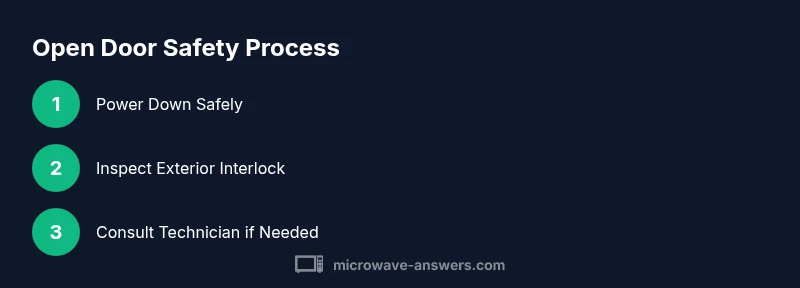
Power down safely
Unplug the microwave from the wall outlet and verify there is no power at the plug. Wait a short period to ensure any stored energy has dissipated before handling the exterior case.
Tip: Keep the area dry and hands protected with gloves. - 2
Inspect exterior latch area
Carefully examine the door seam, latch hook, and outer interlock housing for visible damage, misalignment, or debris that could block the door sensing.
Tip: Use a flashlight to see into tight gaps; do not insert metal tools into openings. - 3
Consult model-specific release options
Check your user manual or the manufacturer’s service site for any official exterior release or diagnostic steps. Do not improvise external releases that bypass safety interlocks.
Tip: If unsure, defer to a professional service to avoid safety risk. - 4
Avoid bypassing safety interlocks
Recognize that attempting to defeat the interlocks is dangerous and may create radiation or electrical hazards. Do not operate the unit with the door still in question.
Tip: Document symptoms and any noises or resistance to aid the technician. - 5
Prepare for professional service
If interior access is required, arrange for a qualified appliance technician. Gather model number, serial, purchase date, and warranty details to streamline service.
Tip: Have the technician confirm the exact cause and parts needed before any repair. - 6
Test after service
After the technician completes work, ensure the unit is reassembled correctly and perform a cautious test with the door closed to verify proper interlock operation.
Tip: Monitor for unusual heat, smoke, or sounds and stop immediately if anything feels off.
Common Questions
What should I do first if the microwave button breaks and the door won't open?
Unplug the unit and assess safety. Do not attempt to bypass interlocks; contact a technician for diagnosis.
First unplug the microwave and avoid bypassing safety features; contact a professional for diagnosis.
Can I bypass the safety interlock to open the door?
No. Bypassing interlocks is dangerous and can cause electric shock or microwave leakage.
No—do not bypass safety interlocks.
Is it safe to remove the outer cover myself to look for the latch problem?
Only if you are trained and the unit is unplugged; otherwise it is risky due to high-voltage components.
Not safe unless you are a trained technician and the unit is unplugged.
What are signs I should replace the microwave instead of repairing?
Frequent failures, high repair costs, or an older model may justify replacement after diagnostic.
If repairs pile up, replacement may be wiser.
How can I prevent future door button failures?
Practice gentle door use, keep the latch clean, and schedule routine maintenance.
Keep it clean and use the door gently.
What should I do if the technician confirms a safety risk?
Follow professional guidance; replace or repair as advised and avoid using the unit if unsafe.
If there’s a safety risk, follow the technician's guidance and replace if needed.
Watch Video
Main Points
- Unplug before any inspection or disassembly.
- Never bypass interlocks to open the door.
- Rely on model-specific guidance or a technician for interior access.
- Document symptoms for accurate diagnosis.
- Consult a professional when in doubt to avoid safety risks.