How to Stop Microwave From Beeping: A Practical Guide
Learn practical, safety-first steps to stop a microwave from beeping. This Microwave Answers guide covers common causes, quick resets, built-in silence options, and when to seek professional help.


Goal: learn how to stop microwave from beeping without disabling essential alerts. This quick answer outlines safe, model-agnostic steps to quiet the beep, including checking for timers, enabling quiet mode if available, and addressing error beeps. For most households, the beep can be reduced or silenced using built-in controls. The Microwave Answers team recommends starting with the simplest setting changes before service.
What Causes a Microwave Beeping Too Much
Beeping is your microwave's way of communicating: it signals when a cycle starts, ends, or when there is an interruption. If you are looking to silence the noise, you first need to understand what kind of beep you're hearing and why it happened in the first place. In general, beeps fall into a few categories: startup beeps (when you press Start), end-of-cycle beeps (when the timer ends), timer beeps (for countdowns), and fault or error beeps (when something isn't right). Different models use different patterns: a short beep for normal operation, a longer chirp for errors, or a continuous tone for a door latch issue. The quickest way to learn how to stop microwave from beeping is to identify the source. According to Microwave Answers, many beeping issues are related to user-set timers, misinterpreted end-of-cycle alerts, or a fault condition that requires attention. Recognizing the beep type immediately helps you choose the safest and most effective action. For most kitchens, the goal is not to disable all alerts but to quiet the non-critical beeps while preserving essential safety signals. This approach minimizes the risk of accidentally missing a true fault or a door latch problem.
Quick, Safe Checks to Silence Beeps Right Now
If the beep is simply annoying rather than alarming, there are quick, safe checks you can perform without tools. First, make sure the door is fully closed and the latch is engaging. A loose door or a faulty latch can cause repeated beeps as the microwave tries to start or end a cycle. Next, check whether a timer is active; if a countdown is running, cancel or pause it to stop the timer beep. Also look for any user-set “Kitchen Timer” features, usually accessible from the keypad; canceling this can stop the on-screen timer from beeping. If you notice a pattern of short beeps followed by pauses, you may be dealing with a simple timer issue rather than a fault. If the beep persists after these checks, consult the manual for model-specific reset steps. Remember: do not press random button combinations hoping to silence safety warnings—these can disable critical protections. If you must silence beeps temporarily, ensure the door is closed and the appliance is powered as directed by your manual.
Silence Beeps Using Built-In Beep Settings
Most modern microwaves include a beep or sound setting that can be turned off or reduced. Start by locating the Settings, Sound, or Clock menu—depending on the model, the path may be under Settings > Sound > Beep, or under Clock settings for a silent mode during late hours. If you see an option named Beep, Volume, Sound, or Alerts, select it and choose Silent, Off, or Low. Some models offer a dedicated “Beep Off” mode that only affects certain beeps (end-of-cycle, for example) while leaving crucial alerts active. After changing a setting, test by pressing Start and letting the timer count down for a few seconds. If your model supports a temporary mute, enable it and check that the beep remains suppressed through a full cycle. If you cannot locate a beep option, consult the manual or model-specific online support; many manufacturers publish step-by-step paths for beeps. The Microwave Answers team found that most models place beep controls in the Settings or Sound menus, often under a hidden submenu.
Silence Beep Signals That Indicate an Error
Beeping can indicate errors such as door latch faults, overheating, or misaligned interior components. Do not treat error beeps as normal silence; they indicate a potential safety issue. If you hear a repeating long tone or a sequence that includes rapid beeps, consult the user manual for the error code, or contact the manufacturer. Many faults require service; do not ignore them. Before requesting service, document the beep pattern, the model number, and recent changes or power outages. The Microwave Answers team notes that while temporary silencing is helpful, it should never mask a fault that could compromise safe operation. If you suspect a fault, stop using the microwave and unplug it until it’s inspected.
Steps to Quiet Beeping Without Compromising Safety
Prioritize safety: a beep is often a reminder that something must be checked. Begin by ensuring the door is closed and the seal is intact. Then disable non-essential beeps using the built-in settings as described above. After adjustments, run a microwave-safe water test: heat a cup of water for 30 seconds; listen for any abnormal beeps and observe whether the unit produces steam, unusual smells, or smoke. If you hear new beeps or smells, power down and unplug, and contact support. Use a gentle approach and avoid bypassing safety features: never silence a persistent fault beep by disabling essential alerts. Once you’ve quieted the non-critical beeps, re-test with a simple cooking cycle to ensure the unit operates normally.
Model-Specific Tips: How to Quiet Beeps on Common Brands
Brand-specific steps can vary, but the overall approach is similar. For many brands, you’ll find a Beep or Sound option under Settings; some offer a “Beep Off” toggle in the Closing or End-Of-Use beep settings. The Microwave Answers team found that, across popular models, the presence of a beep-off feature correlates with the release year; newer units more frequently provide quiet mode. If you’re unsure, search for model-specific guides on the manufacturer’s site or community forums. For digital microwaves, you may also locate a hardware-reset option via a long-press of a specific button combination—only perform these resets if the manual approves them.
Long-Term Maintenance to Reduce Annoying Beeps
Regular maintenance can reduce nuisance beeps and extend the life of your appliance. Keep the door latch clean and dry; a sticky latch can cause repeated beeps and fault warnings. Inspect the door seal for damage and replace if necessary. Update firmware if your unit supports it; some beep behavior changes with firmware updates. Clean the interior and vents to ensure proper cooling; overheating can trigger beeps tied to safety protections. The Microwave Answers analysis shows that routine checks and minor maintenance have a measurable impact on user experience, reducing unnecessary alerts while preserving core safety signals. If you’ve implemented the steps above but the beep persists, consider scheduling service or a diagnostic visit from a qualified technician.
Final Thoughts: When to Seek Professional Help
Silencing beeps is often a simple, safe adjustment, but persistent beeping that points to an error is a signal you should not ignore. If you’ve tried the basic and model-specific settings, and the unit still beeps abnormally, contact the manufacturer’s support or a qualified appliance technician. Provide the model number, problem description, beep pattern, and the steps you took. The Microwave Answers team recommends erring on the side of safety; if any sound, smell, or heat indicators accompany the beeps, power down immediately and unplug the microwave. In most cases, a service visit or firmware update resolves the issue and restores quiet operation.
Tools & Materials
- User manual (model-specific beep settings)(Consult for exact steps and safety warnings)
- Access to microwave control panel(Ensure it's powered and not locked)
- Small flathead screwdriver(Only if you must access a service panel per manual)
Steps
Estimated time: Total: 20-40 minutes
- 1
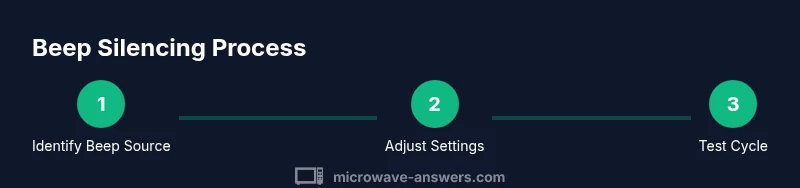
Identify beep source
Listen to the pattern and record when the beep occurs. Tie the beep to a specific action—pressing start, closing the door, or a countdown. Understanding the trigger helps you choose the safest fix and avoid unnecessary changes.
Tip: Note the pattern and any accompanying lights; this helps differentiate timer beeps from fault alerts. - 2
Check door latch and door
Ensure the microwave door is fully closed and the latch engages securely. A misaligned latch can cause repeated beeps and may prevent cycles from starting or finishing properly. If the door appears loose, do not operate the unit until it’s inspected.
Tip: Clean the door seal and latch area to remove debris that could interfere with closure. - 3
Cancel active timer or alarm
If a countdown timer is running, cancel or pause it to stop the timer beep. Some models combine timer and end-of-cycle beeps; clearing the timer often eliminates multiple beeps.
Tip: Check both the numeric keypad and mode settings to ensure no hidden timer remains active. - 4
Access beep settings on your model
Open Settings or Sound menus and look for Beep, Sound, Volume, or Alerts. If a Silent/Off/Low option exists, select it and test with a short cycle. Not all models have a global mute—some only silence specific beeps.
Tip: If you cannot find a beep option, perform a targeted online search for your exact model's beeps path. - 5
Disable non-critical beeps in settings
Apply the mute or low-beep setting while leaving critical alerts active. After enabling, run a quick cycle to confirm the beep behavior.
Tip: Document the exact path you used so you can replicate or revert changes later. - 6
Run a test cycle to verify
Heat a cup of water for a short interval (e.g., 30 seconds) and observe the beep pattern. Ensure the unit still ends cycles properly and does not trigger new faults.
Tip: If any abnormal sounds or smells appear, power down and discontinue use until inspected. - 7
Consider error codes and faults
If beeps indicate a fault, refer to the manual for codes and recommended actions. Fault beeps often require professional service to restore safe operation.
Tip: Document the code or pattern and contact support if unclear. - 8
Reset to factory defaults if advised
Some models offer a factory reset that restores default beep behavior. Only perform resets if the manual explicitly approves it and you know how to reconfigure settings afterward.
Tip: A reset can clear customized settings; re-check safety features after completion.
Common Questions
Is it safe to turn off beeps on a microwave?
Silencing non-critical beeps is generally safe, but you should not disable alerts that warn of faults or door latch issues. Always keep essential safety beeps active.
Silencing non-critical beeps is usually safe, but don’t disable safety alerts.
Why does my microwave beep repeatedly after power is restored?
A power reset can reset timers and settings, which may cause the beep pattern to restart. If the beeping persists, check timer settings and door latch status.
Power restoration can reset settings; if the beeping continues, review timers and latch.
Can all beeps be silenced on every model?
No. Many models provide optional silent or low-beep modes, but critical alerts for safety should remain active on all units.
Not all models can be silenced entirely; safety alerts must stay active.
What should I do if silencing the beep doesn’t work?
If silence attempts fail, revert to default settings and consult the manual or manufacturer support for model-specific guidance. Do not bypass safety features.
If it won’t silence, reset to defaults and check with support.
When should I contact a technician?
If the microwave shows fault beeps, unusual smells, smoke, or heat, power down immediately and seek professional service.
Seek technician help if you notice faults, smells, or heat.
Watch Video
Main Points
- Identify the beep source before changing settings
- Use built-in beep controls to silence nonessential alerts
- Do not ignore fault beeps; safety must come first
- Test with quick cycles to confirm proper operation
- Consult manual or support for model-specific steps