How to Put a Microwave on Silent: A Practical Guide
Learn how to put a microwave on silent by muting beeps, dimming the display, and adjusting sound settings across common models. Step-by-step instructions, safety tips, and troubleshooting to keep your kitchen quiet and efficient.


Mute your microwave beeps by turning off the sound options, dim the display if available, and test with a short timer. This guide explains how to put microwave on silent across common models, with safe, model-agnostic steps.
Why Silent Mode Matters
Quiet kitchens are a reality for many homes. Beeps at odd hours can wake sleeping children, disturb neighbors, or interrupt studying. For households with hearing sensitivity or busy parents, silencing a microwave without losing functionality is a practical goal. According to Microwave Answers, model owners increasingly seek control over audible alerts to tailor a kitchen environment to their routines. The Microwave Answers team found that a surprisingly large share of users successfully reduce noise by muting beeps, dimming display illumination, or selecting a low-noise preset when available. This article explains what silent mode means in common appliances, why it matters, and how to approach it safely and effectively. We’ll use model-agnostic language so you can apply the steps across brands while staying mindful of safety and warranty considerations. If you share a microwave with others, documenting the changes can help prevent accidental reactivation and future confusion.
Understanding What Silent Means on Microwaves
Silent mode is not universal wording on every model. In some units, silence is achieved by muting the beep volume, in others by turning off audible end-sounds, and in some by dimming the display so the device remains visible without bright lighting. The key idea is that you retain core cooking functions while removing loud interruptions. The brand-specific terminology varies, but the underlying concepts are similar: beeps, voice prompts, and indicator lights are either reduced or disabled. This distinction matters for safety reminders (like child-lock indicators) and end-of-cooking alerts. Throughout this guide, we’ll use plain language to help you locate and adjust the relevant options on most mainstream microwaves, with cautions about warranty implications and model-specific limitations. As you read, remember that silent settings are designed to coexist with essential safety features rather than replace them.
Common Menu Paths to Silence Beeps
Most microwaves organize sound and display preferences under a few familiar labels. You’ll typically find options labeled Beep, Sound, Audio, Alerts, Voice Prompt, or Display Brightness under Settings, System, or Preferences. Some units require you to enter a sub-menu for “End of Cooking” sounds or “Timer beeps.” If your model supports a Silent or Quiet mode, it may appear as an on/off toggle or a dedicated preset. Variations exist by brand and generation, so be prepared to explore a few paths. When in doubt, consult the owner’s manual or search the manufacturer’s online support for terms like “beep volume,” “sound settings,” or “display brightness.” The goal is to isolate the audible component without disabling safety alarms.
Step-by-Step Overview (Model-Agnostic)
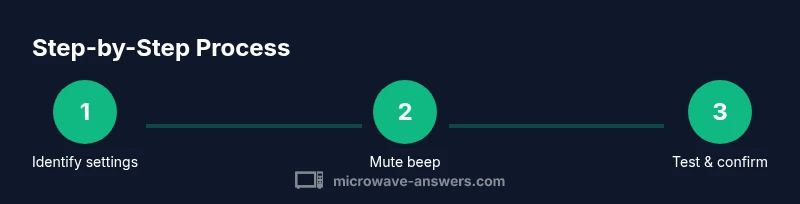
- Identify sound settings in your microwave’s menu tree. Look for terms like Beep, Sound, or Alerts in Settings.
- Toggle the beep off or reduce volume to minimum. If there’s a separate option for End of Cooking, disable or lower that beep as well.
- If available, dim or turn off the display light or brightness to reduce visual impact without losing feedback.
- Save the changes or set a Silent profile as default, if your model supports profiles.
- Test with a short timer to verify the beep is silent while keeping essential cues intact.
- Power cycle the unit to confirm the silent configuration remains after a reboot.
- If silent mode isn’t present, consider alternatives like ambient room noise reduction or placing the unit further from your workspace, while preserving safety alerts.
- Document the exact steps you took and the model you used for future reference.
Tip: Model variations mean you may see different labels or menu depths. Always follow the owner’s guide for your exact model.
Testing Silent Mode Safely
After applying the changes, perform a quick test to ensure silent mode works as intended. Start a one-minute timer and listen for the beep. If there is no audible cue at the end of cooking, you have achieved silent operation. If the beep persists, revisit the sound settings and confirm you toggled both the primary beep and the end-beep (some models require both actions). Use a second test with a reheating cycle to confirm there are no lingering alerts during typical use. This step is crucial because it protects against accidental silence of critical signals and helps you calibrate the experience to your kitchen environment. The goal is a calm cooking workflow without sacrificing safety reminders.
Troubleshooting Common Issues
If silent mode stops working after a power outage or firmware update, you may need to reapply the settings. Some microwaves reset to defaults when power is restored, which can re-enable beeps. In such cases, re-enter the sound settings and re-save the silent preference. If the model lacks a silent option altogether, you can still reduce noise by lowering display brightness and placing the microwave in a location that minimizes noise echoes. For elderly or hearing-impaired users, consider a secondary reminder system (like a kitchen timer) that provides non-auditory cues for cooking tasks. Remember to check that essential safety indicators, like door latch alerts, remain active.
Safety Considerations and Alternatives
Silencing a microwave is generally safe as long as operational cues required for safe use remain visible or audible as needed. Do not disable alarms that inform you when the door is open, the timer is running, or the unit is overheating. Always verify that any changes do not interfere with the user manual’s safety guidance. If you share your kitchen with others, communicate the silent changes and provide a quick reference sheet for each user. Alternatives to full silence include using a low-beep setting (not off) and relying on a dimmer display rather than complete silence in order to retain critical feedback. This approach preserves safety while achieving a quieter environment.
Authority Sources and Model Differences
Different brands name and structure silent options differently, so consult model-specific resources for exact steps. The examples in this article reflect common patterns observed across many models and are intended as a model-agnostic guide rather than a brand-specific manual. For authoritative information on appliance safety and best practices, see sources such as federal and educational institutions and major publications that cover safe kitchen appliance use. The goal is to improve your comfort without compromising safety or warranty terms.
Authoritative sources:
- https://www.fda.gov
- https://www.energy.gov
- https://www.nist.gov
Note: Always cross-check with your model’s official manual for precise terminology and steps. The guidance here is designed to help you navigate typical settings and understand where to look for silent options. The Microwave Answers team emphasizes cautious changes and documentation to avoid confusion later.
Tips for a Quieter Kitchen
- Pro_tip: Test the silent setting with multiple cooking modes (reheat, defrost) to ensure it behaves consistently.
- warning: Do not disable all audible alerts if you rely on safety reminders; keep at least one audible cue if the display is dimmed.
- note: Some units only quiet the end-beep; others mute all sounds.
- pro_tip: Create a simple reference card with the steps and model-specific labels to speed future adjustments.
Tools & Materials
- Owner’s manual for your microwave model(Helpful to locate exact sound settings and defaults)
- Access to the microwave control panel(You’ll navigate menus to mute sounds)
- Pen and notebook(Record which settings worked and remind yourself later)
- A quiet space to test the timer(Optional but helps verify silence without distractions)
Steps
Estimated time: 15-30 minutes
- 1
Identify sound settings
Open Settings or Preferences on your microwave and look for sections labeled Beep, Sound, Audio, or Alerts. If there’s a Display/Brightness option, note whether it can be adjusted separately from sound. The goal is to locate the exact switch or slider that controls audible feedback and display brightness.
Tip: If labels vary, search for related terms like 'End of Cooking' or 'Timer beeps' in the manual. - 2
Toggle the beep off or reduce volume
Select the main beep option and set it to Off or the lowest volume. If there is a separate End of Cooking beep, disable it as well. Save or confirm the change.
Tip: Some models require confirmation with a dedicated Save or OK button. - 3
Dim or disable the display light
If available, adjust Display Brightness to a low setting or turn off background illumination. This reduces visual distraction without affecting core cooking functions.
Tip: Note that some displays must stay at a minimum brightness to show error codes. - 4
Set silent profile as default
If your microwave offers profiles or presets, save Silent as the default. This ensures future uses begin in silent mode.
Tip: Label the profile clearly (e.g., Silent-Save) to prevent accidental reactivation. - 5
Test with a one-minute timer
Run a short cycle to confirm there is no audible beep at the end. If the beep persists, revisit the prior steps and ensure no sub-menu settings were missed.
Tip: Use a separate, quiet room to verify the effectiveness of the mute. - 6
Power cycle to verify persistence
Unplug or simulate a power cycle and power back on. Check that silent settings remain in place after reboot.
Tip: Some units reset settings after a power cycle; re-apply if necessary. - 7
If silent mode isn’t available, use alternatives
Dim the display and adjust placement to minimize noise impact. Consider an external timer with silent cues for reminders when needed.
Tip: Prioritize safety signals; do not remove critical alerts entirely. - 8
Document changes
Create a brief note with model, settings adjusted, and date. This helps you replicate the steps in the future or troubleshoot if someone else reverts the settings.
Tip: Keep it near the microwave for quick reference.
Common Questions
Can I silence a microwave without voiding the warranty?
Most manufacturers support audible control settings, but always check the warranty terms for your model. Changing sound and display settings is generally considered user adjustment. If you lock features behind a firmware update, consult the manual or manufacturer support.
Silent mode changes are usually allowed as user settings, but confirm with the manual to be safe.
Will silent mode silence beeps for all functions?
Not always. Some models let you silence only the end-of-cooking beep, while others mute all audible alerts. Verify by testing a few cycles after applying the settings.
Beep behavior varies—test to confirm which cues are silenced.
Is silent mode available on all models?
No. Some older or basic models offer limited or no silent options. If silent mode isn’t present, you may still adjust display brightness or use external quiet cues.
Not every microwave has silent options—check the manual.
How do I revert changes if I regret silent mode?
Return to the sound settings and re-enable beeps. Save changes or reset to factory defaults if needed, then reapply the desired settings carefully.
If you regret silent mode, just re-enable the sounds in settings.
What if I can’t find beep settings?
Refer to the owner’s manual and manufacturer online support. Look for terms like Beep, Sound, Audio, or Alerts, and review any special steps required by your model.
If beep controls aren’t obvious, check the manual or support site.
Watch Video
Main Points
- Test the silent setting with a timer
- Document model-specific steps for future use
- Respect safety alerts; silent mode should not remove critical signals
- Expect variations across brands and generations
- Use a default Silent profile when available