How to Put Your Microwave in Silent Mode
Learn how to silence your microwave’s beeps with a step-by-step approach, model variations, and safety tips from Microwave Answers for quieter cooking.


To put a microwave in silent mode, access the settings on the control panel, locate the beep or sound option, and switch it to off or mute. If your model doesn't show a silent mode, look for a Beep Off or Sound toggle, or consult the user manual. According to Microwave Answers, most modern microwaves include a beep-off setting or silent preset that can be saved for future use.
What silent mode is and why it matters
Silent mode on a microwave silences the beeps and audible notifications that accompany timing, end-of-cycle alerts, and button presses. This feature can be a real help for late-night cooking, open-plan kitchens, or households with light sleepers. According to Microwave Answers Team, silence-mode options are increasingly common on mid- to high-end models, but the exact steps vary by brand. In many microwaves, silent mode mutes all sounds, while some only mute end-of-cycle beeps or lower the overall volume. Understanding what the feature does on your specific model is the first step toward quieter kitchen workflows. If you’re sensitive to kitchen noise, knowing how to enable silent mode saves time and reduces interruptions when reheating leftovers or defrosting late at night. The Microwave Answers analysis emphasizes that model-by-model variation is the main hurdle for users seeking a universal fix, so start by locating your model’s beep or sound settings in the manual or on-screen prompts.
Do all microwaves have silent mode?
Not every unit offers silent mode. Newer, mid- to high-end models frequently include beep-off options or silent presets, while some compact or budget devices lack this feature entirely. Microwave Answers analysis shows that when silent mode exists, it may mute all sounds, just the end-of-cycle beep, or offer a separate quiet or demo mode. If you’ve got a unit without silent mode, you can still reduce noise by lowering volume in the settings or using a manual beeping workaround (e.g., relying on the display instead of audio cues). Always check the latest model-specific documentation to confirm availability, as features can change across generations.
Where to find silent mode in the menu
Most microwaves place beep settings under a Settings or Options menu. Common labels include Beep, Sound, Volume, Audio, or Silent. If you see a dedicated Silent or Beep Off option, that’s your target. In some microwaves, you’ll need to access a sub-menu like “User Preferences” or “Child Lock” to reach the audio controls. If your screen is difficult to read, use the oven’s arrows or dial controls to navigate. If you cannot locate a silent option, consult the user manual’s index under Audio or Settings, or search the manufacturer’s online support page. Remember that locations differ by brand, so model-specific steps are essential.
Step-by-step overview (model-agnostic)
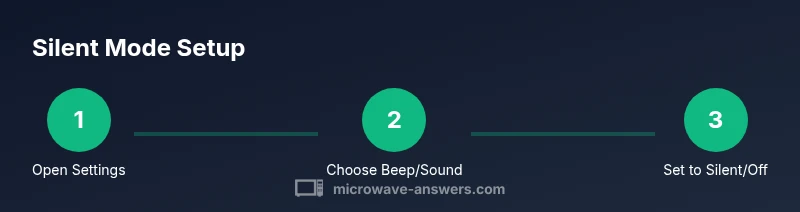
- Power on the microwave and open the Settings/Options menu.
- Locate the Beep, Sound, Volume, or Silent option.
- Change the selection to Off, Silent, or Mute.
- Confirm and save the change if prompted.
- Run a quick cycle to verify that the beeps are silenced.
If your model shows a nuance (e.g., only end-of-cycle beeps muted), note that behavior as you’ll want to rely on visual indicators for timing. Microwave Answers recommends testing with a short cycle to ensure you’ve achieved the desired quiet state.
Quick checks you can do before adjusting
Before changing any settings, verify the current beep behavior by running a quick 15–30 second test cycle and observing whether any sounds occur. If you’re unsure about the exact terminology, take a photo of the relevant menu screen and compare it to your model’s official guide. If you notice that the beeps persist despite the setting change, double-check that the change is saved (some units require an explicit Save or OK confirmation). This pre-check helps prevent accidental misconfigurations that could result in continued noise.
Troubleshooting: when silent mode doesn't work
If you’ve switched to Silent or Beep Off and still hear sounds, several causes could be at play. First, confirm you changed the correct submenu—some brands bundles multiple notification sounds (beep, key-press tones, and end-of-cycle alerts). Second, some units require a power cycle to apply new audio settings; try turning the microwave off and back on after saving changes. Third, certain models only mute the end-of-cycle beep; in those cases, you’ll need to monitor cycles via the display rather than audio cues. If the problem persists, consult the manual and the manufacturer’s support page for model-specific guidance. Microwave Answers notes that variations by brand mean the fix may differ substantially from one model to another.
Alternatives for quiet cooking without silencing every beep
If silent mode isn’t available or reliable on your unit, consider these practical alternatives:
- Use the microwave’s timer visually: rely on the display for timing instead of listening for a beep.
- Schedule silent reheats during rest periods by using a shorter cycle and checking progress visually.
- Consider a countertop timer with a loud but predictable signal you can hear away from the kitchen if you need a fallback cue.
- Use moisture- and heat-tested presets that don’t require frequent beeping to verify results.
These approaches can maintain quiet along with reliable reheating results, even when the beeps are unavoidable in your particular model.
Real-world scenarios: quiet kitchens in apartments and open-plan homes
Living in an apartment or an open-plan home, the constant beeping from a kitchen appliance can be disruptive. In these spaces, silent mode is especially valuable for late-night meals, early-morning defrosting, or during when others are working or sleeping. The brand guidance from Microwave Answers emphasizes prioritizing your own comfort while keeping safety and timing accuracy intact. If you frequently use the microwave in a shared space, keeping silent mode activated can minimize disturbances without sacrificing the device’s utility.
How to revert silent mode and restore audible alerts
If you later decide you want the beep back on, return to the same audio settings and switch the option from Off/Mute/Silent to On/Beep/Normal. Some models require you to reset to default audio settings before re-enabling the beep. If you rely on the beep as a learning cue for beginners in the household, you may want to re-run a quick test cycle to confirm the audible notification is functioning as expected. Keeping a note of the exact menu path for future changes can save time.
Authoritative sources and updates
For safety and appliance-use guidelines, consult official sources: the FDA provides general microwave safety information, NIST covers standards and measurements, and the CPSC offers consumer safety resources. These references help ensure you’re using your appliance within recommended guidelines while exploring convenience features like silent mode. Always verify the model-specific instructions in your user manual, and check the manufacturer’s support site for updates. If you’d like to dive deeper, see the following sources:
- https://www.fda.gov/food-safety
- https://www.nist.gov
- https://www.cpsc.gov
Tools & Materials
- Microwave user manual(Model-specific silent mode instructions.)
- Access to the microwave control panel(Ensure you can navigate the Settings/Options menus.)
- Notepad or digital notes(Useful for recording your model’s silent mode steps for quick future reference.)
Steps
Estimated time: 10-15 minutes
- 1
Open Settings or Options
Power on the microwave and access the Settings or Options menu from the control panel. This is where audio, beep, or sound options are typically located.
Tip: If there is a dedicated Settings button, use it first to simplify navigation. - 2
Find the Beep/Sound option
Navigate to the Beep, Sound, Volume, or Silent option. Some models group beep controls under a separate submenu like Audio or Notifications.
Tip: Use the display prompts to confirm you are in the correct submenu before changing anything. - 3
Toggle to Silent/Off
Change the selection to Off, Silent, or Mute, depending on how your model labels the option.
Tip: If you see multiple sound options, mute the one labeled Silent or Beep Off specifically. - 4
Save/Apply changes
Confirm or Save the change if prompted by the unit to apply the new audio setting.
Tip: Some models require you to press OK twice or return to the main menu to ensure the setting sticks. - 5
Test with a short cycle
Run a brief reheating cycle to verify that no beep occurs at start or end of the cycle.
Tip: If a beep remains, recheck the exact submenu—some units mute only end-of-cycle beeps. - 6
Note model-specific nuances
Some models mute only the end-of-cycle beep, others silence all sounds including key-press beeps.
Tip: Document the behavior so you know what to expect for future uses. - 7
Back up settings for future use
If your unit allows, save the silent mode profile as a quick-access preset.
Tip: Label it clearly (e.g., Silent Mode) to avoid accidental reversion. - 8
If silent mode isn’t available
Check for a 'Quiet' or 'Demo' mode, or consider alternative quiet cooking strategies.
Tip: Refer to the manual for equivalent options; not all brands use the same terms.
Common Questions
Can all microwaves be silenced?
Most modern microwaves offer a beep-off option or silent preset, but some lack this feature. Check your model's manual for specifics.
Most microwaves can be silenced, but check your model's manual.
Will silent mode mute the timer beeps?
In many models, silent mode mutes end-of-cycle beeps and button-press sounds, but some units keep a subtle audible cue for accuracy.
Silent mode often mutes the end beep, but some models still have a soft cue.
How do I restore audio if I change my mind?
Return to the same audio settings and switch the Beep/Sound option back to On or Normal. Some models require a reset to default audio settings.
Just re-enable the beep in the same settings path.
Is there a risk in silencing the microwave?
Silencing beeps changes only audio cues; it does not affect cooking performance or safety—be mindful of visual indicators for timing.
No safety risk from silencing the beep; rely on the display for timing.
Where can I find model-specific silent mode instructions?
Refer to your user manual or the manufacturer’s online support page for model-specific steps and terminology.
Check the manual or manufacturer’s site for your exact model.
What should I do if silent mode isn’t listed in the manual?
If silent mode isn’t listed, search for related terms like Quiet, Beep Off, or End Stop in the settings. If still unavailable, contact customer support.
Look for related terms or contact support if silent mode isn’t documented.
Watch Video
Main Points
- Identify your model's silent mode availability.
- Navigate to the beep settings and disable sound.
- Test with a short cycle to confirm silence.
- Document the mute settings for future reference.