What Is Wrong with Microwave Popcorn? A Practical Troubleshooting Guide
Discover practical steps to diagnose and fix common microwave popcorn problems, from unpopped kernels to burnt bags, with safety tips and quick tests.


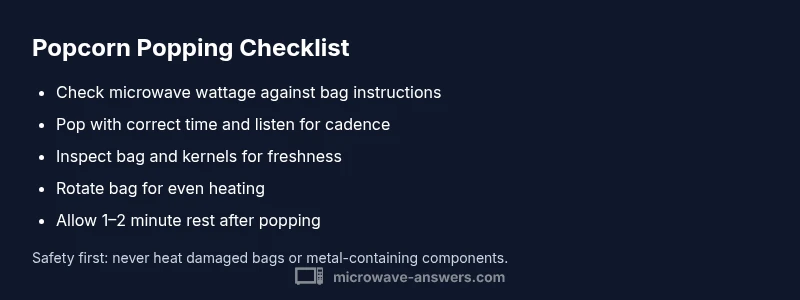
Most microwave popcorn problems come from the microwave wattage or timing, not the popcorn itself. Start by checking your microwave’s wattage and the bag’s instructions, then try a shorter pop time. If needed, use a popcorn setting and adjust in small increments until you hear consistent pops. Also verify the bag is within its expiration date and the kitchen is free of lingering odors.
What Is Wrong with Microwave Popcorn and Why It Happens
If you’ve ever asked what is wrong with microwave popcorn, you’re not alone. The simplest answers often hide a few details about how microwaves heat, how popcorn kernels pop, and how the bag design affects performance. According to Microwave Answers, many issues trace back to power levels, timing, and bag integrity. Unpopped kernels usually mean the heat didn’t reach every kernel, while burnt popcorn signals overcooking or too-long exposure. In safety terms, inspect the bag for tears or punctures and never reuse a damaged bag or container. A small, deliberate approach matters here: understanding wattage, following the bag instructions, and listening for the cadence of pops helps pinpoint the root cause and prevents waste, smoke, and disappointment in the kitchen. The Microwave Answers team found that most people successfully fix these issues by adjusting timing in relation to their appliance’s wattage and by testing a controlled bag to calibrate settings. This guide blends practical checks with quick, repeatable fixes so you don’t have to guess the next time you pop.
Common Causes: Power, Time, and Bag Quality
The power level of your microwave is the single most important factor when popping popcorn. If you set the oven too high, you’ll burn some kernels while others stay unpopped. If you use a too-low setting, most kernels stay hard and unpopped. Bag quality also matters: older, damaged, or expired bags can leak steam or unevenly heat, leading to a wide kernel-to-kernel variance. A poor fit between the bag size and your microwave’s turntable can cause uneven heating, particularly in older or compact units. Finally, the kernels themselves vary by batch; stale or low-moisture kernels won’t pop as reliably. Microwave Answers analysis shows that households with the most consistent results tend to use the bag’s recommended power setting, rotate the bag halfway, and avoid overcrowding the oven with multiple bags.
Reading the Bag Instructions and Setting Your Microwave
Most microwave popcorn bags include a time range and a recommended power level. In practice, these guidelines require a small amount of customization based on your appliance and bag. Start with the lower end of the recommended time and listen for a steady rhythm of pops, roughly 2-3 seconds between pops as a cue for doneness. If you hear a longer pause between pops or a rapid burn risk, stop the microwave early and let the bag rest for 1-2 minutes before opening to avoid sudden steam release. Keep a timer handy and avoid running the microwave beyond a safe, documented window. If your microwave lacks a popcorn preset, use a paper-towel cover or a microwave-safe plate to help with even heat distribution while you test.
Practical Fixes: Achieving Consistent Results
To fix common issues, begin with the simplest adjustments. Verify you’re using the correct bag size for your microwave and that the wattage matches the bag’s instructions. Set the timer slightly lower than the bag’s max recommendation and listen closely as it pops; when the cadence slows, stop early. If there are many unpopped kernels, try a shorter initial pop time with a rest period of 1 minute, then run for a shorter additional burst. Rotate the bag halfway through the popping cycle if your microwave doesn’t auto-rotate. If you still observe uneven results across multiple bags of the same brand, switch brands or try a plain microwave-safe bowl with kernels and a splash of oil, but never add butter or salt until you pop to avoid scorching.
When Problems Escalate: Burnt Smell, Smoke, or Sparks
A burnt smell or smoke is a sign to stop immediately and inspect the bag and microwave interior. Turn off the appliance and unplug it before opening the door. If you see sparks, remove the bag and check for metal-containing components or foil inside the packaging; modern bags are laminated and should never contain metal. Always pop popcorn in well-ventilated spaces and keep a fire extinguisher nearby for kitchen emergencies. After any incident, clean the interior to remove oil residues that can cause off-flavors or flashpoints in future pops. Safety should drive every popping session, even when you’re pressed for time.
Alternatives and Safety Considerations
If microwave popping continues to underperform, consider alternative methods like popping kernels on the stovetop with a heavy pot, or using a hot air popper for consistent results. Each method has its own safety considerations: never leave a hot pot unattended, keep handles away from the heat source, and never reuse microwave bags in a conventional popper. For health and safety, choose whole, non-GMO kernels with minimal added fats. If you have food-safety concerns about packaging, consult packaging guidelines and avoid heating bags that show signs of damage. Microwave Answers emphasizes avoiding improper substitutes that could compromise both safety and flavor.
Prevention: Maintenance and Best Practices
Prevention starts with routine checks: store kernels in a cool, dry place, inspect bags for tears before use, and discard any bags that show signs of steam damage or leakage. Maintain your microwave by cleaning the interior after frequent use to remove oil buildup that can alter heat distribution. Use the bag’s recommended wattage and time as a baseline, then perform small incremental adjustments if your unit runs hotter or cooler than average. Keep a log of what settings work best for your favorite brands to speed up future popcorn sessions, and teach family members the same process for consistent results.
Troubleshooting Cheatsheet
- Confirm microwave wattage matches the popcorn bag instructions.
- Start with the lower end of the suggested time and listen for pops.
- Rest the bag 1-2 minutes before opening if pops slow down.
- Rotate the bag halfway through popping if no turntable exists.
- If issues persist, try a different brand or a stovetop method for comparison.
Steps
Estimated time: 15-25 minutes
- 1
Check wattage and bag instructions
Find the microwave wattage on the unit or manual and compare it to the popcorn bag’s recommended power level. If your wattage is much higher or lower, adjust time accordingly and run a test pop with a control bag.
Tip: Use a single bag for the initial test to avoid waste. - 2
Test a baseline pop
Pop using the lower end of the time range and listen closely. If you hear a long pause between pops, stop and rest the bag for 1-2 minutes before continuing.
Tip: Keep a timer handy to track cadence. - 3
Inspect the bag and kernel quality
Check for tears, leaks, or signs of staleness. Replace compromised bags and consider newer kernels with higher moisture content for better popping.
Tip: Expired kernels often pop poorly. - 4
Try different brands or a stove-top method
If results are inconsistent, compare with another brand or pop kernels on the stovetop in a heavy pot to gauge heat behavior.
Tip: Stovetop methods offer a useful baseline. - 5
Calibrate and record your settings
Keep notes on which wattage and time produce the best pops for each brand. This helps you replicate perfect results without trial-and-error each time.
Tip: A simple log saves time. - 6
Prevent future problems
Store kernels properly, inspect bags before use, and clean the microwave interior to maintain even heat distribution.
Tip: Regular maintenance reduces surprises.
Diagnosis: Few or no kernels pop, or the popcorn burns quickly after popping
Possible Causes
- highMicrowave wattage too high leading to overcooking
- mediumBag is old, damaged, or expired affecting heat transfer
- lowUneven heat distribution due to non-rotating or toaster-style microwaves
Fixes
- easyUse the popcorn setting or set a lower time based on the bag's instructions; test with a single bag and adjust wattage if needed
- easyCheck the bag for tears or expiration; replace if compromised and re-test with a fresh bag
- easyIf your microwave lacks even heating, rotate the bag halfway through or use a microwave-safe turntable tray to improve distribution
Common Questions
Why did my popcorn burn while many kernels remained unpopped?
Burning usually means heat was too intense or the popping window was too long for your microwave. Try a shorter pop time, use the popcorn setting if available, and ensure the bag is in good condition. Allow the bag to rest after popping before opening to reduce smoke risk.
Burnt popcorn usually happens when heat is too high or the bag cooks too long. Try shorter times and rest the bag after popping.
Is microwave popcorn unsafe to eat if it smells odd?
An odd or sour smell can indicate spoilage or burning fats. If in doubt, discard the bag and pop a new one, ensuring proper ventilation and clean equipment. Always follow safety guidelines to avoid potential health risks.
If it smells off, discard and pop a fresh bag with proper ventilation.
Can I pop plain kernels in the microwave without a bag?
Yes, you can pop plain kernels in a microwave-safe bowl with a light coat of oil, but results vary; bags are designed for even heat and moisture. Use a vented cover and listen for the popping cadence to avoid scorching.
You can pop kernels in a microwave-safe bowl with a bit of oil, but the results may vary.
What wattage is best for popcorn in a typical microwave?
Most popcorn bags assume standard residential wattage. If your microwave runs hotter or cooler, adjust timing accordingly. Use the bag’s guidance as a baseline and then calibrate with test pops.
Use the bag's guidance and adjust based on your microwave’s heat performance.
How long should I let the bag rest after popping?
Let the bag rest for 60-120 seconds after popping to let steam distribute evenly and finalize the texture. This reduces sogginess and helps kernels finish popping.
Rest the bag for about a minute after popping for best texture.
Should I reuse microwave popcorn bags?
Reusing bags can be unsafe and affect heat distribution; always use fresh bags per package instructions. Reuse is generally not recommended due to packaging design and safety concerns.
Don't reuse popcorn bags; use fresh ones for safety.
Watch Video
Main Points
- Start with the bag instructions and your microwave wattage.
- Adjust time in small increments and listen for pops.
- Replace damaged bags and test with fresh kernels.
- If problems persist, compare brands or switch methods.
- Safety first: watch for smoke and never use metal.