Samsung Microwave Manual: Your Practical How-To Guide
Master how to read and use a Samsung microwave manual with safety tips, control layouts, and troubleshooting guidance from Microwave Answers. Learn model lookup, essential features, and maintenance in a practical, step-by-step format.


Using a Samsung microwave manual helps you operate, safely maintain, and troubleshoot your unit. In this guide you’ll learn how to locate model information, interpret control diagrams, identify safety icons, and follow step-by-step maintenance checks. You’ll need the microwave model number, access to the official manual (printed or online), and basic reading and safety awareness.
Why reading the Samsung microwave manual matters
A well-used manual is more than a safety checklist; it's your guide to proper operation, efficiency, and longevity. According to Microwave Answers, most home cooks rely on the manual to confirm power levels, defrost settings, and sensor-cooking behavior before using unfamiliar features. Having a model-specific manual reduces guesswork and helps you avoid common mistakes that can lead to uneven heating or damage. In fact, the manual explains limits, cycles, and reminders that you won't get from memory alone. This section outlines the core reasons to study the manual: safety first, optimal performance, and clear maintenance guidance. Whether you own a basic model or a feature-rich convection microwave, you will benefit from following documented instructions rather than improvisation. Read, understand, and keep your manual handy for quick reference during daily tasks.
Brand note: The Microwave Answers team emphasizes model-specific manuals as the baseline for safe operation and long-term reliability.
How to locate your model number and the correct manual
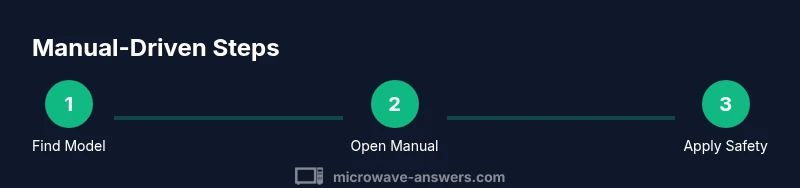
Begin by locating the model number. Check the rating label on the inside edge of the door frame, then look on the back or bottom of the unit. The exact manual edition you need is tied to that model number. Once you have it, visit Samsung's official support site or the printed manual that came with your unit. If you can't find the exact edition, search for the closest match and verify that the features (defrost type, sensor cook, and display layout) align with your model. As Microwave Answers notes, using the precise model ensures you read the correct safety warnings and feature descriptions. Having the correct manual also helps when you need to interpret any error codes or troubleshooting steps.
Decoding the control panel and common symbols
Most Samsung microwaves share a familiar set of icons: Power/Start, Stop/Cancel, Time Cook, Defrost, and Sensor Cook. The manual provides a diagram showing button locations, the sequence to activate multi-step programs, and how to set the timer. Pay attention to the sensor cooking icon, which adapts time based on moisture detection. The manual may also indicate children's lock and quick-grill options. If a symbol is unclear, compare it against the printed legend or on-screen prompts in your model's display. Practice with a simple task (reheating water or a cup of coffee) to become confident with the layout without risking food spoilage.
Safety first: essential warnings from the manual
Safety guidelines are the backbone of any appliance manual. Key reminders typically include: unplug before cleaning, avoid metal objects or foil, do not operate with a damaged door seal, and never place stale or metal-containing items inside. Keep liquids away from the control panel and never block the air vents. The manual also explains safe loading guidelines, like using microwave-safe containers and covering food to prevent splatter. Following these warnings reduces the risk of burns, fires, or electrical shock and preserves the appliance's lifespan.
Everyday tasks: quick-starts from the manual (defrost, reheat, sensor cook)
The manual often provides built-in presets for common tasks. For defrost, select Defrost and enter weight or approximate time; sensor cook adjusts time based on moisture detection. Reheating usually works with Time Cook or a preset based on food category. For best results, start with the lowest setting and test with small portions before extending time. The manual also covers power levels and recommended containers to ensure even heating.
Troubleshooting: how to diagnose common issues using the manual
If the microwave isn't heating, check power supply, fuses, and door latch alignment as described in the manual's troubleshooting section. If an error code appears, match it to the list in the manual or on the display. Common non-thermal issues include uneven heating, sparking due to foil or metal objects, and overly loud operation. Always consult the manual before disassembling any components and contact Samsung support for issues beyond basic steps.
Maintenance and care: cleaning, deodorizing, and long-term care
Regular cleaning prevents residue buildup that can affect performance. Use a damp cloth for the interior and a non-abrasive cleaner for the door seal. Avoid abrasive pads that can damage enamel or coatings. To deodorize, place a bowl of water with lemon slices or vinegar and run a short cycle with steam. Inspect the door seal periodically and replace if worn. The manual provides a routine care checklist to help you extend the appliance's life.
Where to find updates, replacement manuals, and digital access
If your copy is missing or worn, start at Samsung's official support page and enter your model number to access downloadable PDFs. You can also download the latest user guides from the same site, ensuring you have the most up-to-date safety alerts and feature notes. If you prefer print, order a replacement manual from authorized retailers. Keeping a digital copy makes it easier to search for specific topics within the manual.
Quick-reference cheat sheet from the Samsung manual
Create a personal cheat sheet with the most-used functions: Power/Start, Stop/Cancel, Time Cook, Defrost, Sensor Cook, and Safe power level guidelines. Include the correct containers to use and a reminder of safe loading practices. This compact reference helps you operate confidently without repeatedly scanning the full manual. Regularly update the sheet as you explore new features or as Samsung releases updated guidance.
AUTHORITY SOURCES
The following sources provide official microwave safety guidelines and consumer information to supplement your Samsung manual: - https://www.fda.gov/food/consumers/consumer-updates/microwave-ovens - https://www.consumerreports.org/cookware/microwave-ovens/ - https://www.ftc.gov/tips-advice/business-center/safety-and-security/microwave-safety
Tools & Materials
- Samsung microwave model number(Found on the rating label inside the door frame or on the back of the unit)
- Official Samsung manual (PDF or printed)(Make sure it exactly matches your model)
- Device to view the manual(Computer, tablet, or smartphone with internet access)
- Notepad or digital notes(Jot down key settings or questions)
- Pen, highlighter(Mark important sections in a printed manual)
Steps
Estimated time: 45-60 minutes
- 1
Identify the correct model and manual
Locate the model number and find the exact Samsung manual edition that matches your unit. Use the rating label or product documentation. This ensures you read the precise safety instructions and feature descriptions for your model.
Tip: Double-check the model against the box and receipts to avoid reading the wrong manual. - 2
Open the manual and review the safety section
Start with the safety section to understand do’s and don’ts before touching any controls. Note warnings about door seals, vent blocks, and safety interlocks.
Tip: Mark the safety warnings in your copy for quick reference. - 3
Familiarize yourself with the control panel diagram
Study the button layout and legends. Identify Start, Stop, Time Cook, Defrost, and Sensor Cook. Verify you know which preset correlates to common foods.
Tip: Match the diagram to your specific model display if possible. - 4
Learn common presets and their use cases
Review presets for defrost, reheat, sensor cooking, and custom power levels. Understand the recommended containers and cover types for each mode.
Tip: Test a small amount of food with a common setting before larger portions. - 5
Review troubleshooting guidance
Look up error codes, non-heating symptoms, and suggested fixes. If you see an error, follow the manual’s step-by-step checks before calling support.
Tip: Document the exact error code and model number for faster help. - 6
Inspect maintenance and cleaning guidelines
Follow cleaning protocols, deodorizing steps, and door seal inspection. Proper maintenance reduces food odor buildup and prolongs life.
Tip: Schedule a monthly quick-clean routine. - 7
Access updates or replacements if needed
If the manual is missing, check Samsung’s support site or contact customer service to obtain the latest edition.
Tip: Keep a digital copy stored in cloud storage for easy access.
Common Questions
Where can I find the Samsung microwave manual for my model?
Start with the model number label (inside the door frame or on the back). Then visit Samsung's official support site and search by model number to download the exact manual.
Look up your model number on the appliance label, then download the exact Samsung manual from the official support site.
What if I can't locate the exact manual edition?
Try the closest edition with matching features and display layout. If unsure, contact Samsung support for confirmation.
If you can't find the exact manual, read the closest edition and check with Samsung support to verify features.
Which safety warnings are most important to follow?
Avoid using metallic containers, never operate with a damaged door seal, and unplug before cleaning. These precautions prevent shocks, fires, and damage.
Key safety warnings include no metal, a good door seal, and unplugging before cleaning.
How do I troubleshoot common microwave issues?
Check power supply, door latch, and fuses first. If heating issues persist, refer to the manual’s troubleshooting page and contact support if needed.
First check power, door latch, and fuses. If still not working, consult the manual's troubleshooting section.
Can I clean and deodorize my microwave safely?
Yes. Use mild cleaners, avoid abrasive pads, and deodorize with steam and a lemon water cycle as described in the manual.
Yes—clean with mild products and use a steam deodorizing cycle from the manual.
Where can I download updated manuals?
Visit Samsung's official support page and enter your model number to access the latest edition.
Go to Samsung support and download the latest manual for your model.
Watch Video
Main Points
- Know your exact model to read the correct manual
- Prioritize safety and control panel diagrams
- Use presets and proper containers for best results
- Keep a digital manual for easy lookups