Samsung Built-In Microwave: Installation, Safety, and Use
A complete how-to for installing and safely using a samsung built in microwave, covering cutouts, venting, wiring, mounting, and maintenance with practical tips from Microwave Answers.


Learn how to install and safely operate a samsung built in microwave. This step-by-step guide covers mounting, electrical needs, venting options, and daily use. Follow the steps to ensure proper alignment, secure mounting, and safe operation in a finished kitchen. This quick answer also flags common mistakes and prerequisites to check before you start.
Why Samsung Built-In Microwaves Matter in Modern Kitchens
Samsung built-in microwaves offer a clean, integrated look that frees counter space and preserves a cohesive kitchen design. By pairing with cabinetry, they reduce clutter and create easier cleaning. The samsung built in microwave line includes models with sensor cooking, steam features, and interior lighting, which improves accuracy and usability in everyday cooking. When planning a built-in installation, consider cabinet depth, trim kits, and ventilation compatibility to ensure a seamless finish.
Samsung built-in microwaves also align with contemporary kitchen workflows, allowing you to cook, reheat, and steam foods without competing with countertop clutter. A properly chosen unit saves time and keeps your kitchen looking streamlined. According to Microwave Answers, verify cabinet depth, opening width, and access to electrical service before committing to a model. Authoritative sources also advise checking vent requirements and recommended trim kits to avoid imperfect integration.
Authoritative Sources:
- OSHA electrical safety guidelines: https://www.osha.gov
- Consumer product safety information: https://www.cpsc.gov
- Electrical codes and standards overview: https://www.nist.gov
Key Features and Compatibility for Samsung Built-In Microwaves
Key features often cited for samsung built-in microwaves include sensor-based cooking, intuitive controls, and efficient interior lighting. These units are designed to fit a standard 24-inch or similar cutout in many kitchen layouts, but exact dimensions vary by model. Before purchasing, verify the model’s required cutout size, ventilation needs, and whether a trim kit is included or sold separately. Also check cabinet clearance requirements to avoid overheating or vibration issues over time. Modern Samsung built-in microwaves can offer convection, steam, and smart features that influence size and installation planning. When evaluating models, compare trim kit compatibility, venting options (external vs recirculation), and user interface complexity to choose the best fit for your kitchen workflow.
Planning: Cutouts, Venting, and Electrical Requirements
Successful installation hinges on accurate cutouts, proper venting, and a code-compliant electrical connection. Measure the vertical and horizontal space, accounting for insulation, hinges, and any adjacent cabinetry. Decide on external venting versus recirculation (recirc) based on your kitchen layout and existing venting options. Electrical requirements typically call for a dedicated circuit and a grounded connection; consult the user manual and local codes to confirm. If your kitchen uses a universal cabinet system, confirm whether the manufacturer requires a specific cutout depth and clearance around the unit to prevent heat buildup and ensure safe operation. Always plan for service access behind or beside the microwave for future maintenance.
Safety and Maintenance Basics
Safety first: always disconnect power when mounting or adjusting appliances in a built-in installation. Use a magnet to confirm alignment and engage all mounting screws securely. Periodically clean the interior with mild soap and water, and inspect the vent grill for dust buildup. Regular maintenance helps prevent overheating and preserves performance. Keep the microwave area free of moisture, grease, and obstructive items. Periodic inspection of the door seal and hinges helps maintain efficient operation and prevents heat loss. Following manufacturer guidelines for cleaning solutions ensures the finish remains pristine and non-damaging.
Common Errors and How to Avoid Them
Common mistakes include mis measuring the cutout, using incompatible mounting brackets, and neglecting proper venting. To avoid these issues, double-check the model’s installation guide, use the prescribed mounting rails, and test cycle the microwave before finalizing the trim. If you encounter burning odors or unusual noises, stop and consult a professional. Avoid over-tightening mounting screws, which can deform the cabinet or misalign the unit. Keep ducting as short and straight as possible to optimize vent performance and reduce noise.
Choosing a Samsung Built-In Microwave Model for Your Kitchen
When selecting a unit, consider features such as sensor cooking, convection capability, and steam options. Compare dimensions and trim kits, as well as electrical requirements and warranty coverage. Also check energy efficiency ratings and noise levels to avoid disruptions in daily use. If you prioritize speed and convenience, sensor-cook features can automatically adjust time and power, reducing guesswork. For compact kitchens, confirm that the trim kit will align flush with surrounding cabinets and avoid gaps that collect dust. Review installation guides to ensure the model you pick aligns with your existing cabinetry.
Quick Tips for Model Selection and Installation
In addition to model features, plan for space, ventilation, and service access. For a samsung built-in microwave, ensure you can access the rear for vent connections and the sides for mounting screws. Keeping a clear path around the unit helps future maintenance and reduces overheating risk.
Tools & Materials
- Measuring tape(For cabinet cutouts and clearance.)
- Level(To ensure the microwave sits perfectly horizontal.)
- Screwdriver set (Phillips and flat-head)(Mounting rails and securing screws.)
- Voltage tester or multimeter(Verify power is off before wiring or mounting.)
- Mounting rails/brackets kit(Model-specific hardware that fits Samsung built-in microwave.)
- Pencil or markers(Mark cutouts and screw locations.)
- Vent kit (external vent or recirculation kit)(Per model and kitchen layout.)
- Electrical wiring guide or hard-wire kit (per local code)(Check if hard-wiring is required or if a plug is allowed.)
Steps
Estimated time: 60-90 minutes
- 1
Power down and prepare
Turn off the circuit at the breaker and unplug the unit if accessible. Confirm there is no residual voltage around the installation area using a voltage tester. This prevents shock during mounting and wiring.
Tip: Always verify power is off before touching wiring or rails. - 2
Measure cutout and plan venting
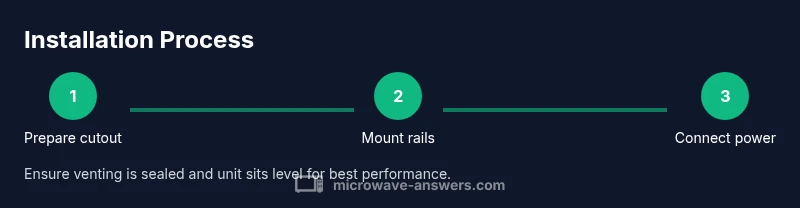
Use measuring tape to confirm the cabinet opening matches the model’s specified cutout. Check for required ventilation clearance on all sides, and decide between external venting or recirculation based on kitchen layout. Document the measurements for reference during installation.
Tip: Record all measurements in a notebook or app for reference. - 3
Attach mounting rails and brackets
Mark the rail positions on the cabinet walls, then attach the rails securely with screws. Use a level to ensure the rails are perfectly horizontal so the unit sits square. Do not fully tighten until you dry-fit the microwave.
Tip: Dry-fit before final tightening. - 4
Dry-fit microwave and align
Carefully place the microwave into the opening, aligning with rails and ensuring a flush front with surrounding cabinets. Confirm there is no pinching of wires and that door clearance is even on both sides. Reposition as needed.
Tip: Have a helper hold the unit during initial alignment. - 5
Connect electrical supply
If the model uses a plug, route the cord to the outlet and secure. If hard-wired, follow the wiring diagram exactly and use proper strain relief. Ensure the power source complies with local electrical codes.
Tip: Follow local code; hire a licensed electrician if unsure. - 6
Install venting kit
Attach the vent kit to the microwave and route to the existing duct or recirculation path. Seal joints with appropriate duct sealant or foil tape and minimize elbows to reduce resistance. Ensure all ducting is securely supported.
Tip: Use metal ducting and rated tape to prevent leaks. - 7
Secure and level the unit
Tighten all mounting screws to lock the microwave in place. Re-check the unit with a level and adjust if necessary to ensure a perfectly flush finish. Make sure the trim lines up with adjacent cabinetry.
Tip: Recheck level after you tighten screws to avoid tilt. - 8
Test run and finish trim
Power on and run a short test cycle with water in a microwave-safe container. Listen for unusual noises, check that the door seals properly, and verify venting operation. If everything sounds and looks right, install the trim kit and clean the workspace.
Tip: Always perform a test cycle before finalizing trim.
Common Questions
Do I need a professional to install a Samsung built-in microwave?
Most installations should be performed by a qualified technician to ensure electrical and venting requirements meet local codes and the model’s instructions.
Most installations should be performed by a qualified technician to ensure electrical and venting requirements meet local codes.
Can a Samsung built-in microwave vent to the outside or recirculate?
Yes, many models support external venting or a recirculation option. Check your specific model’s venting capability and install kit.
Yes, many models support venting outside or recirculation. Check your model’s venting options.
What electrical requirements are typical for built-in units?
A dedicated circuit and grounded connection are typically required. Follow the model’s electrical diagram and local codes; consult a professional if unsure.
A dedicated circuit and grounded connection are typically required. Follow the diagram and local codes, and consult a professional if unsure.
What if the cabinet cutout doesn’t match my chosen model?
If the cutout is too small, either modify the cabinet opening or choose a model with compatible dimensions and trim kit. Do not force-fit.
If the cutout is too small, modify the opening or pick a model with compatible dimensions. Do not force-fit.
How long does installation usually take?
Typical installations take about 1–2 hours, depending on cabinet access and venting needs. Allow extra time for wiring or professional service if needed.
Most installations take about 1 to 2 hours, depending on venting and wiring.
What maintenance should I perform regularly?
Clean the interior regularly, inspect the door seal, and keep the vent grill clear of dust. Schedule seasonal checks if the unit is used heavily.
Clean inside regularly, check the seal, and keep the vent clear. Do seasonal checks if used a lot.
Watch Video
Main Points
- Check fit and clearances before starting
- Use the correct mounting hardware for stability
- Verify electrical circuit and venting requirements
- Mount, test, and level the unit carefully
- Follow safety guidelines to prevent shocks or fire hazards